Choose Snapdragon X Elite when your essential work apps, plug-ins, peripherals and employer requirements are supported on the exact configuration. Choose a verified Intel- or AMD-based alternative when it meets an essential requirement the Arm candidate cannot. If a must-have remains unresolved, defer buying rather than assume either platform qualifies.
Start with your workflow, not processor or AI branding. Check application versions and operating modes, then drivers, the actual Windows configuration and employer support. Compare specifications only among laptops that pass those checks.
Build an app checklist that separates operating mode from support
Create one checklist for your essential tasks and use it to assess each exact Snapdragon and Intel/AMD candidate:
| Record | What to specify |
|---|---|
| Essential task | The function you must complete, not just the application name |
| Application | Exact release and 32-bit or 64-bit edition |
| Dependencies | Each required plug-in or add-in and its version |
| Operating mode | Native or emulated operation for the proposed setup |
| Documented support | Vendor documentation covering the required combination and function |
| Decision status | Supported, unsupported or unresolved, with the documentation link |
Check the application vendor and each plug-in vendor separately. Keep operating mode and documented support in different fields: knowing how software runs does not establish whether its vendor supports your required use.
Native Arm applications are built for Arm. For x86 and x64 applications, Microsoft explains that Windows 11 on Arm translates application instructions into Arm64 instructions. Prism is included with Windows 11 version 24H2, but neither laptop listing below identifies its installed Windows build. That platform capability does not establish support for a particular application release or workflow.
Adobe’s overview, updated November 10, 2026, lists Photoshop as native and Lightroom Classic as emulated on Snapdragon X Series Windows Copilot+ PCs. Adobe also states that it continues supporting Intel- and AMD-based Windows computers. The overview does not enumerate every release, feature or plug-in: a photographer still needs to check the exact editing and plug-in combination they depend on.
If the host application is supported but an essential plug-in’s version or operating mode is undocumented, leave that requirement unresolved. A successful launch—or a trial of specific functions—can supplement documentation, but cannot establish complete functionality, vendor support or reliability. Record the release, platform, mode and functions a trial covers rather than extending its result to the rest of your workflow.
Check whether an edition change preserves your required add-ins
An application that already runs can still need a migration before it qualifies for a new work laptop. Microsoft’s lifecycle guidance for 32-bit Microsoft 365 Apps on Windows Arm devices says feature updates stopped in October 2025 and security updates end in December 2026. Microsoft directs users to the 64-bit edition, which requires Windows 11. In Excel, File > Account > About Excel shows the installed version and bitness.
Before relying on that replacement, check every essential add-in’s documentation for the 64-bit edition and intended platform. The host application’s migration path does not establish add-in compatibility. If your workflow requires continuing updates, an existing 32-bit installation is not enough to clear an Arm purchase: a verified migration preserves eligibility, an incompatible essential add-in rules out the proposed setup, and an undocumented migration remains unresolved.
This lifecycle guidance applies to Microsoft 365 Apps on Windows Arm. It does not establish that an unspecified add-in works with 64-bit Office or that an Intel/AMD notebook automatically resolves the dependency.
Verify drivers and required functions—not just connectors or companion apps
Inventory required peripherals and driver-dependent software, including employer security tools. For each item, match vendor driver downloads or support matrices to the exact device or tool, driver and control-software version, processor architecture, Windows build and functions you need.
Application emulation cannot establish driver compatibility. Microsoft’s Windows on Arm documentation says emulation covers user-mode code, not drivers; kernel-mode components must be compiled for Arm64. Microsoft also says Windows 11 Arm peripherals need suitable drivers built into Windows or Arm64 drivers supplied by the hardware developer. An incompatible driver can prevent dependent hardware or software from working fully.
A matching connector or a running companion application therefore does not establish device support. Check the functions you need, not just whether the device connects.
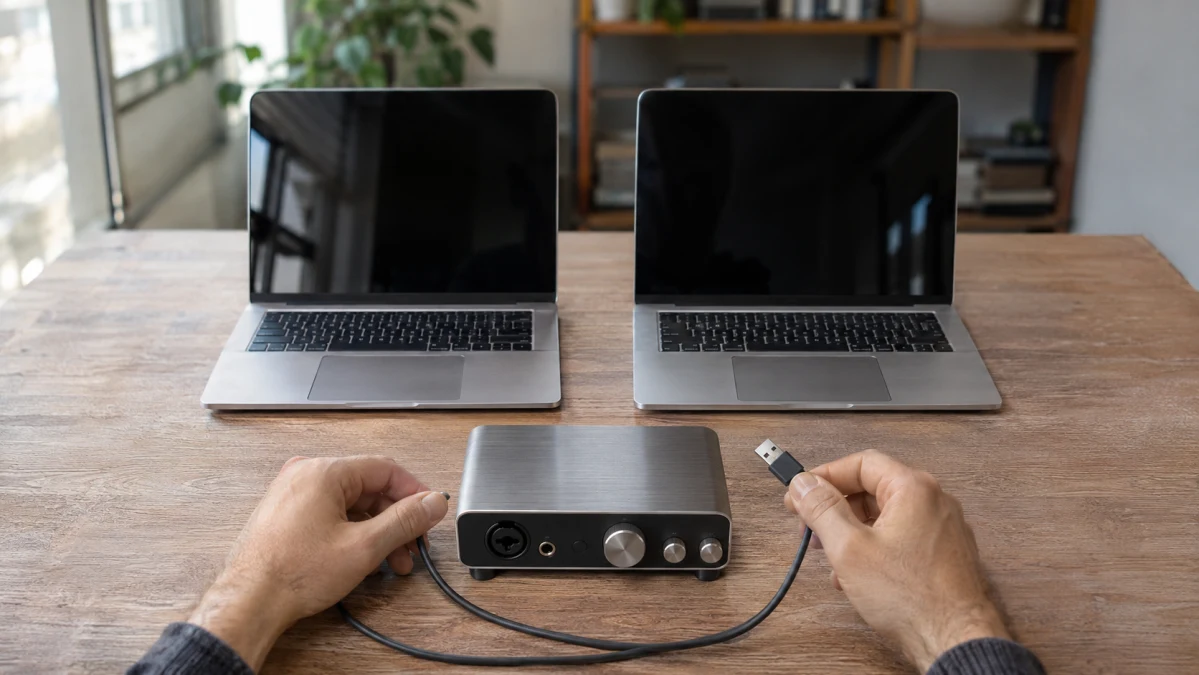
Focusrite’s compatibility matrix, updated August 25, 2026 and scoped to Windows 11 24H2, shows why this distinction matters:
- Scarlett 4th Gen: Focusrite lists compatibility with Intel/AMD and Arm64.
- Scarlett 3rd Gen: For Arm64, Focusrite specifies Focusrite Control 3.25.0.
- Vocaster: Focusrite documents Arm64 audio functionality through its standalone driver, but says Vocaster Hub is incompatible.
For that Vocaster setup, working audio is insufficient if Hub is essential. Exclude the affected configuration and investigate a separately documented alternative, or defer buying. The matrix does not establish support on other Windows builds, certify a complete audio-software workflow or justify an unverified workaround.
Security software needs the same scrutiny. Microsoft identifies antivirus and antimalware among driver-dependent categories and says some third-party antivirus products cannot be installed on Windows 11 Arm unless made or updated for Arm. Obtain vendor documentation and IT confirmation for your employer’s actual product and required version. A missing essential driver or unsupported function rules out the affected configuration—not automatically every notebook in its processor group.
Confirm the actual Windows configuration and employer support
Verify the operating system, edition and installed build on the exact configuration you intend to buy. Processor and AI labels do not establish those details.
The Best Buy marketplace listing sold by Merchant Expo LLC lists the HP EliteBook Ultra G1q B13U7UT#ABA with Windows 11 Pro. The Walmart Business listing sold by Wholesale Connection lists the ASUS Vivobook 16 M1607GA-DS76 with Windows 11 Home. These are configuration details, not edition rules for Snapdragon versus Intel/AMD. Neither listing identifies the installed build; confirm it before relying on build-specific support.
Edition can matter for employer management. Microsoft’s Intune documentation explains that Windows editions do not all support every operating-system feature configurable through mobile device management; individual configuration service providers identify supported editions.
Ask your employer or IT team to confirm applicable requirements for apps, plug-ins, security tools, management settings and device support. Public platform documentation cannot substitute for that confirmation. Home is not categorically unsuitable for work, and Pro does not automatically confer employer approval. A technically functioning laptop can still be unsuitable for a managed workflow.
Check purchasing details separately: these US marketplace listings do not guarantee future stock, and the ASUS listing’s shipping availability depends on location.
Consider Snapdragon X Elite when your required workflow clears the checks
A Snapdragon X Elite configuration remains eligible when its essential application versions, operating modes, plug-ins, drivers, Windows requirements and employer support have been confirmed. An unsupported or unresolved essential Arm requirement is not offset by memory capacity or AI features. Native operation alone does not guarantee complete feature coverage, reliability or better performance.
The Best Buy marketplace listing sold by Merchant Expo LLC describes the 14-Inch Touchscreen Notebook as the HP EliteBook Ultra G1q B13U7UT#ABA, with Snapdragon X Elite X1E-78-100, 32 GB memory, a 1 TB SSD and Windows 11 Pro.
This HP is a candidate if your verified workflow supports its Arm configuration. Its listed Pro edition satisfies that edition requirement if your employer has one, but does not resolve the unknown Windows build or confer approval. A required version-specific plug-in still needs its own confirmation.
The listed 32 GB memory and 1 TB SSD describe capacities, not a measured speed or battery-life advantage. They become selection factors only after compatibility is settled; they do not establish suitability for other Snapdragon notebooks.
Choose an Intel or AMD configuration when it meets requirements the Arm candidate cannot
Choose an exact Intel- or AMD-based configuration when documented support resolves an essential requirement the Arm candidate cannot meet—and the alternative passes every remaining check. Intel/AMD is not an automatic compatibility fallback: required application versions, plug-ins, drivers and employer support still need verification.
The Walmart Business listing sold by Wholesale Connection describes the 16-inch Laptop as the ASUS Vivobook 16 M1607GA-DS76, with AMD Ryzen AI 7 445, 16 GB memory, a 1 TB SSD and Windows 11 Home. It offers US shipping subject to location. Confirm its installed build and applicable employer requirements before treating this configuration as eligible.
This ASUS can fit a workflow verified on its AMD configuration and accepted by the employer with Windows 11 Home. If your employer requires Pro, the listed configuration does not meet that requirement as sold; investigate an appropriate configuration rather than assuming the processor solves it. This AMD example does not represent every Intel- or AMD-based notebook.
If both laptops qualify, compare the documented details your work actually requires. The HP lists 32 GB memory versus the ASUS’s 16 GB; both list 1 TB SSD capacity. If your established memory requirement exceeds 16 GB, the ASUS as listed does not meet it. Otherwise, these capacities alone do not establish a speed, reliability, battery-life or value winner.
Choose Snapdragon when the exact configuration clears your essential app, plug-in, driver, Windows and employer checks. Choose a verified Intel/AMD alternative when it resolves an essential Arm limitation and passes the remaining checks. If both qualify, use relevant configuration requirements to decide. If an essential requirement is unresolved, defer purchase; if it fails, exclude that configuration rather than its entire processor group. A launching app may still lack your required add-in, working audio may omit an essential control tool, and a technically functional laptop may still lack employer support.