To check temperature and humidity at home while you're away, you need a sensor that reaches the internet on its own. Wi-Fi sensors such as the Govee H5179 or the Temp Stick connect straight to your router. Bluetooth sensors such as the SensorPush HT.w or SwitchBot Meter do the same once you add the brand's Wi-Fi gateway or hub. A Bluetooth-only sensor like the Govee H5075 or GoveeLife H5105 is the cheaper choice for a room you're in: it shows readings on its screen and in the app whenever your phone is nearby, and keeps a log you can download when you get back.
Two more things decide whether a remote sensor does its job: how often it reports, and what happens when the power or internet goes out. A sensor that uploads every 30 minutes is fine for a vacation home and too slow for a freezer that just failed.
Quick picks
| You want | Pick | Why |
|---|---|---|
| Remote checks with a display | Govee H5179 | Wi-Fi and Bluetooth, refreshes every 2 seconds, ±0.54°F and ±3% RH, exports two years of data |
| Remote alerts for a vacation home | Temp Stick | Wi-Fi only, text and email alerts, warns you when it goes offline, runs on two AA batteries for about a year |
| The most accurate smart sensor | SensorPush HT.w | ±0.36°F and ±2% RH, Bluetooth up to 325 feet, add the G1 or G2 gateway for access from anywhere |
| A cheap sensor for the room you're in | Govee H5075 | Large LCD, Bluetooth up to 196 feet, alerts within range, two years of exportable history |
| A sensor that works with your smart home | SwitchBot Meter Plus with a SwitchBot hub | Exposes readings to Matter, Alexa and Google through the hub |
Three ways a sensor gets readings to your phone
Bluetooth only. The sensor talks to your phone directly, and the app updates while you're within range. The H5105 is rated for Bluetooth range of up to 60 meters (about 200 feet), and Bob Vila's tester hung a Bluetooth H5075 in a garage to keep an eye on a puppy's kennel from the house. Leave home and the app shows the last reading it received. The sensor keeps logging in the meantime: SensorPush's sensors store the most recent 20 to 45 days, depending on the model, and the SwitchBot Meter Plus holds over two months, according to Matter Alpha. When you return, open the app near the sensor and the history syncs.
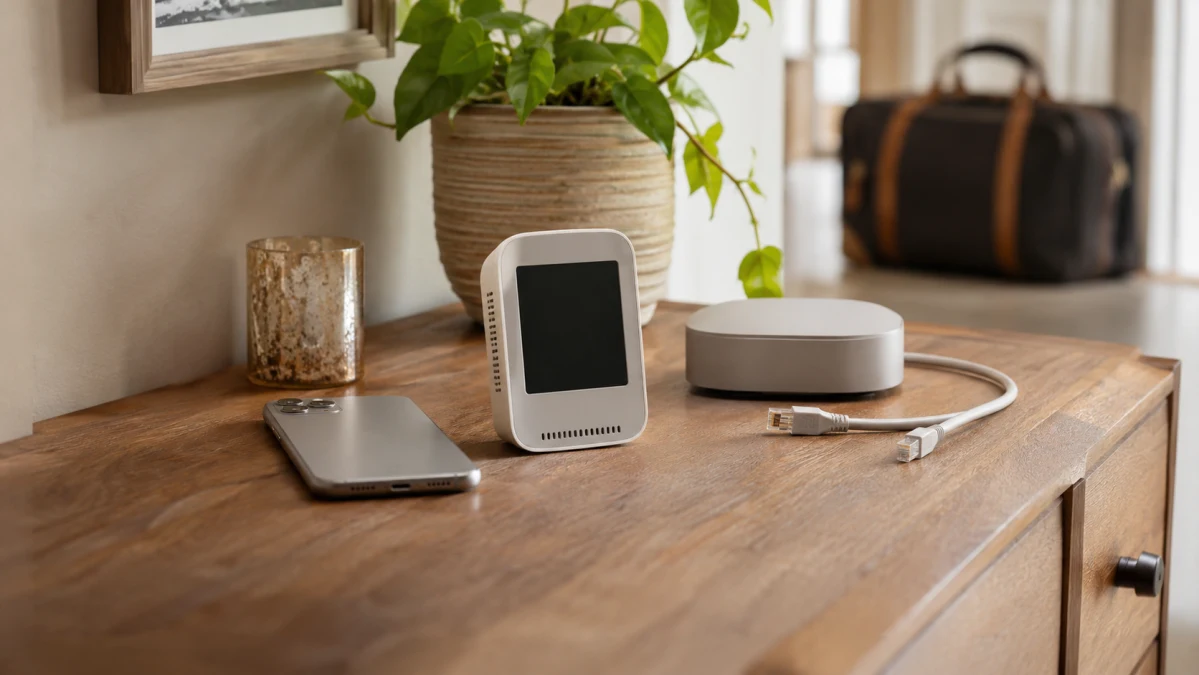
Bluetooth plus a gateway. A small plug-in hub picks up the Bluetooth signal and sends readings to the brand's cloud. SensorPush's G1 and G2 Wi-Fi gateways give you current conditions, alerts and full history from anywhere, with free cloud storage and no monthly fee. Far Out Ride, who monitor their camper van this way, point out that the gateway has to stay within sensor range, powered and online, and can take up to 30 minutes to find the sensors the first time. SwitchBot works the same way: the Meter Plus reaches Alexa, Google Home and Matter through a SwitchBot hub, and the cheapest Hub Mini connects up to four devices to Matter.
Wi-Fi direct. The sensor joins your home network and uploads by itself, so there's nothing else to buy. The catch is power. Wi-Fi uses much more battery than Bluetooth, so battery sensors wake up periodically to report. The Govee H5179 and Temp Stick also connect only to 2.4 GHz networks, not 5 GHz.
Zigbee, Z-Wave and LoRa sensors also need a hub, and they're the better fit if you already run a smart home. The YoLink freezer sensors use LoRa, which reaches up to a quarter mile in open air and through walls and floors, according to YoLink, with the hub in the box.
How fresh a remote reading is
"Real-time monitoring" on the box usually describes the sensor's display. What you see in the app from far away can be several minutes old.
Xiaomi gives unusually exact numbers for its Smart Temperature and Humidity Monitor 3. Connected to a phone, it sends values every 6 seconds. Through a Bluetooth gateway, it reports every 1 to 5 minutes, and the upload to the cloud adds around 5 to 10 minutes on most gateways. Xiaomi says outright that gateway readings aren't real-time.
Wi-Fi sensors trade report frequency for battery life. Bob Vila's best overall pick, the Govee H5051, can refresh every 10 or 30 minutes. The Weather Station Experts tested an early Temp Stick, which recommends a 60-minute interval to save battery and lets you choose 30 or 15 minutes. When a reading crosses your alert threshold, it switches to 5-minute reports. In Michael Sleen's tests, Philips Hue motion sensors updated their temperature only every five minutes, while a Zooz Z-Wave sensor updated about every 30 seconds.
For a vacation home or an attic, a report every 15 to 30 minutes is plenty. For a freezer, a wine fridge or a reptile tank, look for a short interval and an alert that fires on the sensor's own threshold.
What happens in a power or internet outage
A remote sensor is only as good as the connection behind it. If the power goes out at home, your router goes down, and so does every Wi-Fi sensor and gateway. Temp Stick, which sells a version with power-outage alerts, says it can only send them if your internet equipment is on a backup power supply (UPS).
Look for a sensor that tells you when it drops offline. Temp Stick sends lost and restored internet alerts, and The Weather Station Experts got a text when they pulled the batteries to simulate a lost connection. Temp Stick also stores up to 1,000 readings while offline and uploads them once Wi-Fi returns, so the history has no gap.
Watch the battery too. The Weather Station Experts' Temp Stick showed a full battery until it suddenly stopped working, after about nine months. If a sensor in an empty house goes quiet, treat it as a dead battery or lost connection, not a calm room.
Wi-Fi sensors you can check from anywhere
The Govee H5179 combines Wi-Fi with Bluetooth, so you can set it up and check it nearby, then see readings and get alerts away from home. Govee rates it at ±0.54°F and ±3% relative humidity and says it refreshes every 2 seconds. The app shows 20 days of graphs and exports up to two years of data.
The Govee H5051, Bob Vila's best overall hygrometer, works the same way with a small round display. Of the six models tested, it arrived closest to perfectly calibrated, and its app stores two years of data, exports CSV files and sends alerts for temperature, humidity and low battery.
The Temp Stick has no screen and is built for alerts. It covers -40 to 140°F, texts or emails up to 10 people when conditions go out of range, and has no subscription. Ideal Sciences rates it at ±0.4°C and ±4% humidity below 80% RH. The Weather Station Experts got a reliable connection about 100 feet from their router through a basement ceiling full of radiator pipes.
Bluetooth sensors for the room you're in
For a nursery, a bedroom or a home office, a Bluetooth sensor with a display is all you need, and it costs less. The Govee H5075 has a large LCD, updates every 2 seconds and arrived near-perfectly calibrated in Bob Vila's tests. The GoveeLife H5105 adds an e-ink screen that stays readable without a backlight. The Inkbird IBS-TH2 Plus comes with an external waterproof probe, stores 30,000 data points and has a Bluetooth range of up to 98 feet. Xiaomi's Smart Thermometer 3 models work the same way in the Xiaomi Home app.
The SensorPush HT.w is the one to buy if accuracy matters most, for a humidor, a guitar case or a greenhouse. Bob Vila found it almost exactly accurate out of the box, with a Bluetooth range of up to 325 feet, a water-resistant body and unlimited history in the app. Remote access means buying the gateway separately.
Bluetooth sensors also last longer between battery changes. BlueMaestro, which makes both kinds of loggers, says Bluetooth Low Energy sensors run one to five years on a coin cell, while Wi-Fi sensors need mains power or frequent battery changes.
Accuracy and calibration
Most smart sensors are accurate enough for a home, and the good ones let you correct them. Bob Vila calibrated every model with a salt test: a little salt and hot water in an airtight container with the hygrometer, left in a closet for 24 hours. Smart models then adjust in the app. The cheapest non-smart hygrometer in that test read about 7% low on humidity and couldn't be calibrated.
Give a new sensor a few minutes to settle: MBReviews found SwitchBot's meters read off at first and much closer after about five minutes. Cold spots can also break the connection. In Michael Sleen's freezer test, a SwitchBot Meter Pro lost its connection inside the freezer and only updated when the door opened, while the Zigbee and Z-Wave sensors stayed connected.
Which to choose
Choose a Bluetooth sensor like the Govee H5075 or GoveeLife H5105 for rooms you're in every day. You get a screen, phone alerts within range and a history to look back on.
Choose a Wi-Fi sensor like the Govee H5179 or Temp Stick if you want to check a vacation home, a basement or a garage from anywhere and you don't want a hub.
Choose Bluetooth sensors with a gateway like SensorPush or SwitchBot if you need several sensors in one home: one gateway serves all of them, and the sensors keep their long battery life.
Choose a Zigbee or Z-Wave sensor if you already run a smart home hub and want readings to drive your thermostat, fans or humidifier.
FAQ
How can I monitor temperature and humidity remotely?
Use a Wi-Fi sensor that connects to your router, such as the Govee H5179 or Temp Stick, or a Bluetooth sensor with the brand's Wi-Fi gateway, such as SensorPush with the G1 or G2. Both send readings and alerts to an app you can open anywhere.
Can a Bluetooth thermometer send alerts when I'm away?
Not by itself. A Bluetooth sensor alerts your phone only within range, and keeps logging so you can download the history later. Add the brand's gateway or hub to get alerts from anywhere.
What is the most accurate temperature and humidity sensor?
Among smart sensors Bob Vila tested, the SensorPush HT.w was the most accurate, at ±0.36°F and ±2% RH, and arrived almost exactly calibrated. The Govee H5051 and H5075 were close behind, within about half a degree Fahrenheit and 3% RH.
Will a Wi-Fi temperature sensor work during a power outage?
The sensor keeps measuring on its batteries, but it can't upload once your router loses power. Temp Stick stores up to 1,000 readings offline and sends a lost-connection alert, and its plug-in version can alert you to the outage itself if your router is on a backup power supply.