
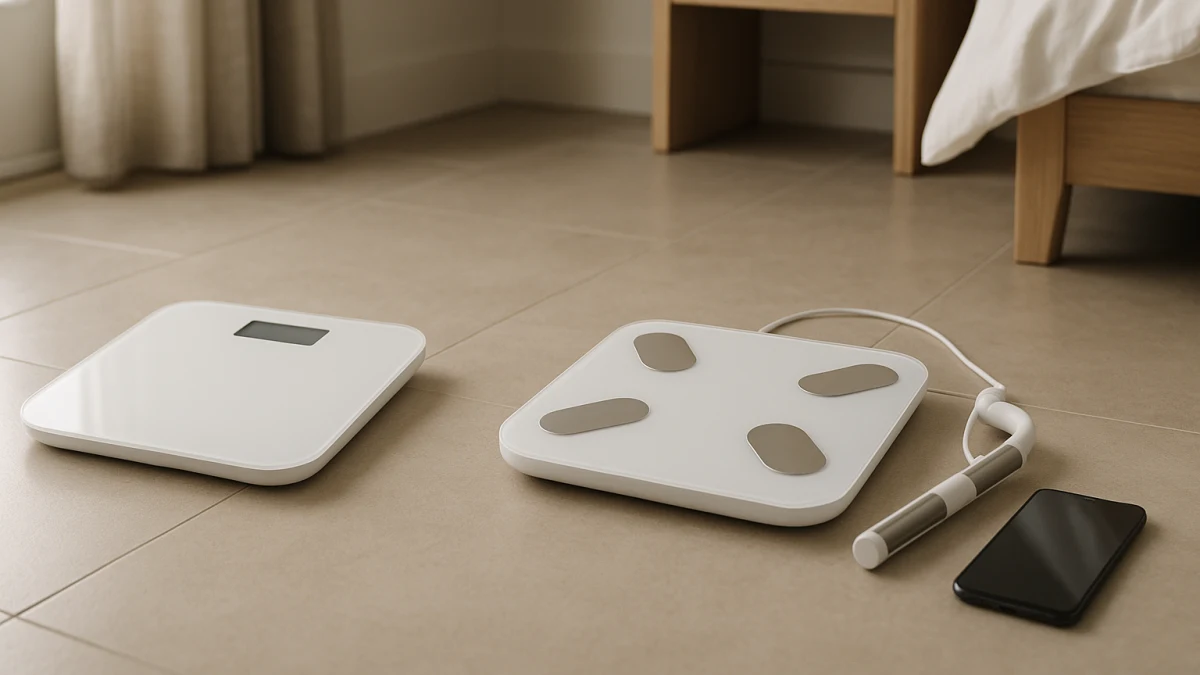
Smart scales can look alike until the feature list moves from body weight, BMI, and app history into body fat, muscle mass, body water, bone mass, visceral fat, and BIA-style estimates. This comparison judges metric value, not feature volume: the right scale is the one whose readings you will actually review and use consistently.
A normal category grid can show Bluetooth, Wi-Fi, profiles, display size, capacity, and long metric lists, but it rarely tells you when those details should change the purchase. Use this page to separate weight history from estimated body composition trends, then treat 8-electrode and segmental models as an optional premium step-up rather than the default smart-scale answer.
The pay-for-metrics test
| If your main need is... | Better fit |
|---|---|
| Automatic body weight records, BMI estimates, Bluetooth or Wi-Fi syncing, and weight history in an app | Weight-trend smart scales |
| Estimated body fat, muscle mass, body water, bone mass, or visceral fat trends that you will review over time | Body composition smart scales |
| 8 electrodes, retractable handles, dual-frequency BIA, multi-frequency BIA, or segmental analysis for more detailed estimated trend reports | Advanced multi-frequency or segmental body composition scales |
| Shopping around pregnancy mode, athlete mode, pacemaker warnings, implanted-device cautions, or BIA-off behavior | Check manufacturer documentation before treating any model as a fit |
The key is not how many numbers a listing advertises. First decide whether weight history and BMI are enough. Then look at app friction, profile support, offline storage, display readability, platform size, and capacity. Premium hardware matters only if you specifically want the extra estimated breakdowns it claims to provide.
Do not read BIA numbers like lab results
Body composition smart scales often advertise BIA, body fat, muscle mass, body water, bone mass, visceral fat, BMR, protein, body age, heart rate, and related fields. Treat those as estimated trend metrics from the product listing, not as diagnosis, clinical testing, or proof that one single reading is correct.
If you upgrade, the useful pattern is repeated comparison: the same scale, the same app, the same profiles, and the same metrics reviewed over time. A longer metric list is only valuable if it changes what you track; otherwise it can become extra screen clutter.
Stay inside smart scales, not medical testing or safety-mode advice
This collection is about app-connected bathroom smart scales. It is not comparing DEXA scans, hydrostatic weighing, clinical body composition equipment, food scales, nutrition or macro scales, kitchen scales, or general fitness trackers.
Safety-sensitive wording also belongs in the product documentation, not in a generic collection promise. If pregnancy mode, athlete mode, pacemaker warnings, implanted-device cautions, BIA current, or BIA-off workflows matter to you, check the manufacturer page and manual before buying.
Choose weight history when extra body metrics would not change your routine
This is the simple baseline for shoppers who mainly want body weight, BMI estimates, and automatic progress records. The products shown here are useful to compare when the listing emphasizes Bluetooth or Wi-Fi syncing, compatible apps, smartphone records, multiple user support, local storage, high weight capacity, large digital displays, and platform size instead of body composition claims.
A weight-trend scale can be the better value if you are not going to use estimated body fat, muscle mass, body water, bone mass, or visceral fat numbers. In that case, the practical questions are more basic: Will it sync reliably in your home? Can everyone who needs it have a profile? Is the display readable? Does the platform and capacity fit the people using it?
Read these products as connected tracking tools, not medical monitors. They help solve the logging problem by putting weight history and BMI estimates into an app; if you want body composition estimates, move to the next group instead of assuming these models include them.
When weight history stops being enough
Upgrade only when the extra estimates would change how you use the scale. Good reasons include wanting to watch body fat, muscle mass, body water, bone mass, or visceral fat move over time, or wanting those fields stored alongside weight history in the same app.
Skip the upgrade if you would glance at the extra numbers once and then ignore them. In that case, a cleaner weight-history scale may give you the record you need with less metric noise.
Pay for body composition only if the estimates become trend data
Mainstream body composition smart scales are the middle ground: they still track body weight, but their listings add estimated body fat, muscle mass, body water, bone mass, visceral fat, BIA, BMI, BMR, and sometimes related fields such as protein, heart rate, or body age. This group makes sense when those numbers will become part of your routine review.
Do not let metric count make the decision by itself. App compatibility, multiple user profiles, offline measurement or storage, larger displays, and health app integrations matter because they determine whether the extra metrics are captured consistently. If the app is awkward or profiles are limited, the body composition features may be less useful in daily life.
Use these products to compare how each scale presents estimated body composition trends alongside weight tracking. If you only want body weight, BMI, and app history, the extra fields may not justify the upgrade; if you plan to review the same estimated metrics over time, this is the core body composition tier to study.
More electrodes still do not make this a clinical device
Advanced labels such as 8-electrode, retractable handle, dual-frequency BIA, multi-frequency BIA, and segmental analysis can indicate a more detailed premium feature set. They should not be read as a guarantee of clinical accuracy or as a substitute for professional body composition testing.
Before stepping up, decide whether you specifically want estimated breakdowns for areas such as arms, legs, trunk, or torso. If not, choose between weight history and mainstream body composition first.
Treat segmental and multi-frequency models as a premium step-up
This is a narrower option for shoppers who already know they want more detailed estimated body-region reports. Compare electrode design, handle setup, app reports, user profiles, display type, and supported body composition metrics before treating the higher-tier feature set as useful.
Read this widget as an optional upgrade path, not the default recommendation. These models may appeal if 8-electrode, handle-based, dual-frequency, multi-frequency, or segmental claims are the main reason you are spending more; otherwise, a mainstream body composition scale or a weight-trend scale may be the cleaner fit.
Final checks before choosing metric-heavy tracking
Before buying, run through the practical details that decide whether the scale will actually get used:
- Confirm app compatibility with your phone and any health app integrations you care about.
- Check whether syncing is Bluetooth, Wi-Fi, or both, and whether that matches where the scale will sit.
- Look for the number of supported user profiles if several people will use the scale.
- Review offline measurement or storage if weigh-ins may happen away from the app or network.
- Compare display readability, platform size, and listed weight capacity before focusing on advanced metrics.
- Decide which metrics you will revisit: weight history and BMI, estimated body fat, muscle mass, body water, bone mass, visceral fat, or segmental reports.
- Read manufacturer documentation for pregnancy mode, athlete mode, pacemaker warnings, implanted-device cautions, BIA current, and BIA-off behavior when those issues apply.
Buy the simplest scale that supports the trends you will actually review: weight history and BMI for basic tracking, estimated body composition when those trends matter, and advanced segmental hardware only when premium detail is the clear reason to spend more.