
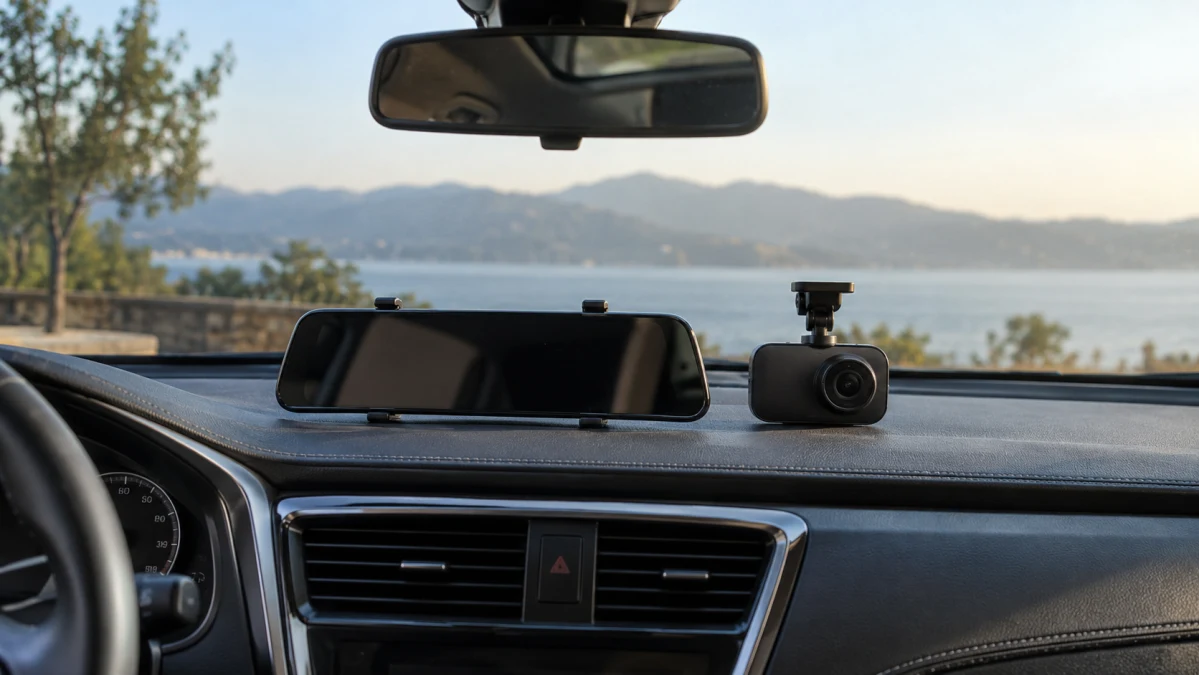
A rearview-mirror dash cam makes sense when you want a live camera view where you normally glance behind you. If your existing mirror works well and your main goal is to save front-and-rear footage, start with a conventional windshield-mounted kit. You don’t need to change how you use the mirror just to record the drive.
First, untangle the labels: “mirror” describes the mounting and display; “dual lens” describes the cameras. They are not competing recording technologies. The useful comparison is between a mirror-mounted system and a separate recorder, each equipped to capture the views you need.
Mirror dash cams: buy one for the rear view, not just the screen
The strongest reason to consider a mirror dash cam is an obstructed view through the cabin. A rear-facing camera positioned beyond passengers, headrests or luggage can give you a clearer look behind the car—provided the camera itself has an unobstructed view. That is also the premise of Chevrolet’s factory Rear Camera Mirror. It does not eliminate blind spots or replace looking over your shoulder.
The mounting arrangement matters more than the product photos suggest. WOLFBOX’s installation guide describes both straps that hold a camera over the original mirror and brackets that replace it, with the latter limited to certain cameras and vehicles. Those are different commitments: covering your mirror is not the same job as removing it.
Before ordering, compare the unit’s dimensions with your mirror and surrounding space. Check that the sun visors can move, the forward-facing lens can see past the original mirror, and any mirror-mounted buttons you use will remain accessible.
Banggood’s Car Rear View Mirror Dash Cam advertises a 4K camera alongside a 1080p rear camera. If the rear view is your reason for buying, don’t let the larger resolution number make the decision: it does not describe the advertised rear camera. Ask for rear-camera footage and a demonstration of the full-screen rear view.
Also establish what happens when the screen is off. Is there a usable reflective mirror? Does the unit need power for the view you intend to use? Don’t assume the answers from its mirror-like shape.
During the return window, assess the display while parked in daylight and after dark, using your usual driving glasses. Check brightness, reflections and whether the view is comfortable to interpret from your normal seating position. A mirror display should earn its place by being useful at a glance, not merely impressive up close.
Conventional dash cams: keep the mirror, add the recording
A separate recorder is the sensible starting point when you want to preserve the factory mirror and its controls. Find a position that keeps the camera out of your way without compromising its view. VIOFO recommends a location near the mirror, within the windshield wipers’ swept area. Check access to the memory card and controls before fixing the mount.
Be precise about the second camera. A two-channel system can record the road and the cabin, as VIOFO’s front-and-interior configuration illustrates. For traffic behind your vehicle, look for a rear-road camera rather than relying on “dual lens” in the title.
AZDOME EU advertises its GS63H Pro 2CH 64GB bundle with 4K front recording at 25 frames per second and 1080p rear recording. The seller specifies simultaneous recording to separate files, a rear-window camera with a six-meter cable, and an included 64GB memory card. Its front unit can also display the rear feed, so choosing a separate recorder does not necessarily mean giving up live rear-camera viewing; the display simply remains away from the mirror.
The Dash Cam Dual Lens sold by HappyFish makes a different pitch: its lead image advertises “4K + 2.5K” and shows a separate second camera. Before paying for that advertised combination, confirm that the second camera is intended for the rear road view, that it and its cable are included, and which resolutions work simultaneously. The written package list does not itemize those components, and the specifications exclude a memory card.
Compare the recorded files, not just the 4K labels
A screen showing two views tells you what you can watch, not necessarily what the recorder saves. For either layout, look for an explicit simultaneous-recording specification, with resolution and frame rate stated for each camera in that mode. A reversing display and a saved rear-road video serve different purposes.
Resolution is worth considering, but it is not a promise of readable license plates. Sony’s dashcam sensor guide treats fine detail, low-light sensitivity and handling bright and dark areas as distinct imaging challenges. That is why a resolution badge alone cannot settle whether a camera will produce useful evidence on your nighttime commute.
Look for original, full-resolution sample files from both cameras. Pay attention to moving vehicles, headlights and shaded areas—not just a stationary car on a sunny street. For a mirror system, evaluate the live display and the saved rear footage separately: you need a comfortable view while driving and useful files afterward.
Once installed, make a short test recording and open both channels on a phone or computer. Confirm that they cover the same period and that the rear camera is aimed where you need it. Do this before you have an incident to document.
The rear-camera installation can decide the purchase
Strapping a display over the mirror does not eliminate the work at the back of the car. JADO’s mirror-camera installation guide, for example, still requires a separately mounted rear camera and a cable running forward to the display.
Measure the intended cable route, not just the distance between the cameras. Allow for the route around trim and, on a hatchback or SUV, the movement of the tailgate. Confirm the camera’s intended mounting location; use an exterior position only when the manufacturer approves the camera for it. Choose a location you can keep clean and check its view before committing to adhesive or drilling.
Keep equipment and wiring clear of visibility, controls and airbag deployment areas. Garmin’s installation warnings emphasize those boundaries for windshield-mounted equipment. Have an installer plan the route when you are unsure about trim, airbags or electrical connections, and check local windshield-placement requirements.
Compare the cost of the working installation: cameras, storage, any required cable or mounting accessories, parking power and labor. A lower camera price is not necessarily a lower installed price.
Parking mode needs its own decision
A camera that records both directions while driving may behave differently after you switch off the car.
For its GS63H Pro 2CH 64GB configuration, AZDOME EU says automatic parking mode requires an optional JYX05 or OBD USB-C power kit. The seller describes time-lapse recording that includes the rear camera, but labels the motion-triggered mode as front-camera-only. If rear parking coverage matters, that distinction is more important than the broad “parking monitoring” claim.
Ask which cameras operate in your chosen parking mode and whether the footage includes the moments before a trigger. Treat time-lapse, motion detection and impact-triggered recording as separate options, not interchangeable names for continuous video.
Power protection matters, too. VIOFO’s hardwiring guide explains how a compatible kit supplies power with the engine off and cuts it when voltage reaches a configured threshold. That cutoff helps protect the vehicle battery, but it also ends the recording. A “24-hour” label is not a guarantee that the camera will run for a full day under every condition.
Make sure you can retrieve what you record
Budget for storage that suits repeated video recording. SanDisk’s endurance-focused cards are designed for uses including dash cams, but still follow the camera manufacturer’s supported-card, capacity and speed requirements.
Before relying on the system, practice saving a clip to your phone or computer, check the date and time, and learn how to protect an important recording. Repeat a playback check periodically. Being able to see a live picture is not a substitute for knowing that usable files are on the card.
Which layout should you choose?
Start with a conventional front-and-rear kit when recording is the priority and you already like your factory mirror. Choose its mounting position, recording quality and installation requirements before worrying about screen size.
Choose a mirror dash cam when a continuous rear-camera view would genuinely improve your daily drive. Its fit, display readability and behavior with the screen off deserve as much attention as its recording specifications.
In either case, buy for the views you can actually use and save—not the largest number on the box.