For a check-in at feeding time, choose around live app viewing. To review an entire meal you missed, look for continuous recording and enough retained footage—not merely a camera or motion clips. These are different jobs, with different storage requirements and costs.
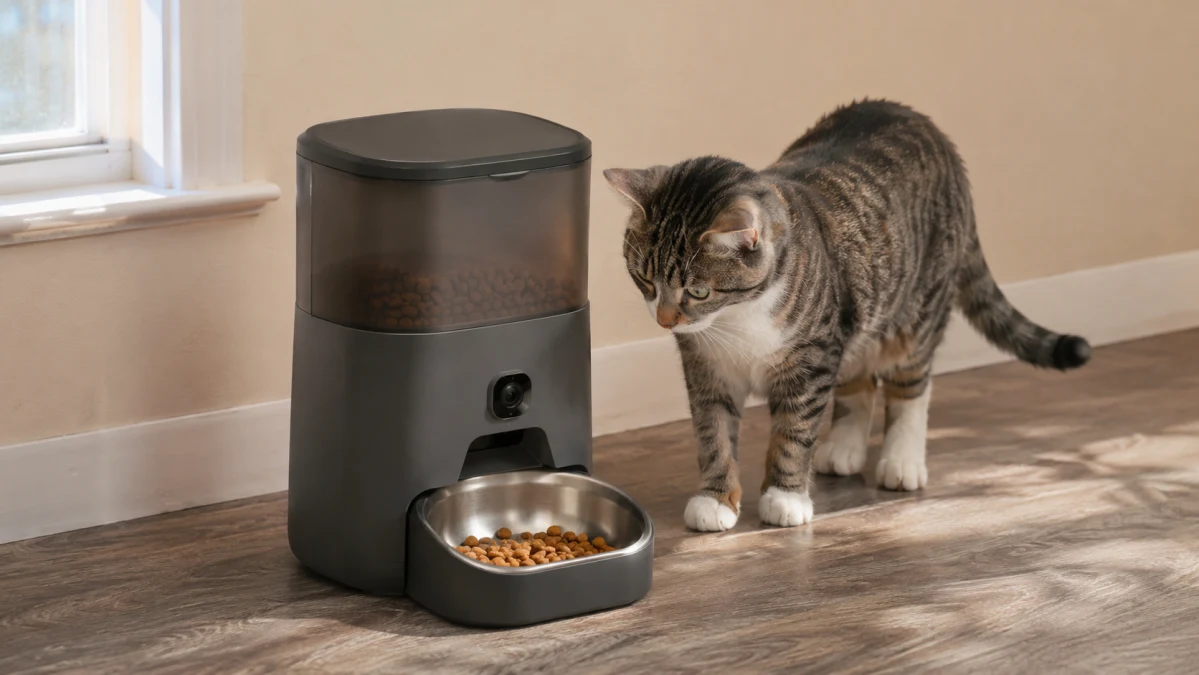
A camera-equipped feeder can show your pet without showing the bowl or food leaving the outlet. Start with the explicitly live-viewing options below for scheduled checks; consider PETLIBRO’s Granary recording configuration if replay matters. Neither route is an unconditional recommendation: actual framing, network compatibility and the applicable US access terms still determine whether it fits.
Choose a feeder around the mealtime check you need
A useful view depends on what you want to observe:
- Pet presence: the animal entering or remaining in the feeding area.
- Bowl contents: the inside of the bowl, not just its rim or the pet’s head.
- Food delivery: food leaving the outlet and reaching the bowl.
Resolution and viewing-angle figures do not establish which of these views you get. Camera position, nearby objects and the pet itself can obscure the bowl or outlet. Ask for representative footage from the exact model in a placement comparable to yours; a supplier illustration or “360°” description does not demonstrate usable bowl coverage.
A Tom’s Guide evaluation of the Granary Smart Camera Feeder offers a bounded example. The reviewer watched cats during dispensing with the camera above the tray and described a low viewpoint that showed only the lower legs of a standing person. That supports observing cats at mealtime in that installation—not complete bowl visibility, visible falling food or the same results from another hardware revision.
Nighttime viewing needs a separate check. Neither that observation nor a night-vision label establishes bowl-and-outlet visibility after dark. PETLIBRO’s AF203 instructions say to enable Auto IR Night Vision, remove objects affecting the camera’s lighting source and check that the IR light turns on. These are operating dependencies, not a demonstration of nighttime coverage. If evening meals matter, require a representative view under comparable lighting before choosing.
Smart Pet Feeder with Camera is a starting point for someone who can connect during a meal. A matching IPSKY PFF040 supplier listing advertises real-time app viewing, a 1080p camera, night vision and battery backup. However, the listing is configured for Russia; it does not establish a US bundle, service configuration or payment-free access. Confirm those terms and the actual bowl-and-outlet framing before buying for remote checks.
Automatic Cat Feeder, part number BSTFCSATFDJUL2541, is another live-check candidate: its supplier explicitly lists “1080P live video with night vision,” app control, timed dispensing and remote feeding. That combination is relevant if you plan to watch at feeding time. It does not establish useful nighttime framing or the ability to replay a missed meal.
Automatic Cat Feeder with Camera, part number BSTFCSATFDJUL2581, gives you a network label to investigate: the supplier lists “2.4G WiFi,” alongside app control, 3MP HD video and night vision. Start here if network compatibility is your first hurdle, but confirm the supported band and setup requirements. The camera specification does not settle live-access charges or recording capability.
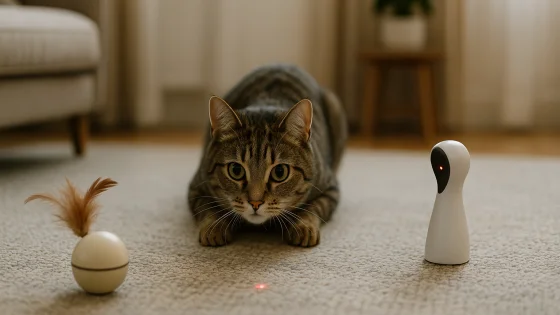
Automatic Cat Feeder with Camera and Laser Toy, part number BSTFCSATFDJUL2595, carries the supplier descriptions “5G/2.4G” and “360° pet camera with 2K HD monitor and night vision.” Neither is a reason to assume broader compatibility or better bowl coverage. Clarify the network wording and request an actual feeding-area view; the laser toy does not answer either question.
The first two explicitly describe live viewing. The latter two provide more specific network labels to clarify, not evidence of superior viewing. For all four, recording, playback, retention, storage purchases and subscription terms need confirmation; PETLIBRO’s features and prices below do not apply to them.
Do you need a live check-in or a replay of the whole meal?
Live viewing answers “What is happening now?” Event clips show triggered intervals, potentially leaving gaps. Continuous recording is the relevant mode for reviewing an entire missed mealtime, provided recording was working and the footage has not been overwritten.
Local recording: a conditional route to whole-meal replay
For the Granary AF203/PLAF203, PETLIBRO’s Australian instructions distinguish motion-triggered Event Recording from continuous Non-Stop recording. Both require an initial app connection, a formatted microSD card smaller than 256GB, and Local Recording enabled. Footage appears in Replay. Non-Stop is therefore a possible route to reviewing a missed meal; Event Recording is not equivalent to uninterrupted coverage.
Match those instructions to the hardware and app you will actually use. PETLIBRO says older Petlibro Lite feeders cannot migrate to its newer app because of hardware and chip differences. The Australian instructions should not be assumed to cover every similarly named version. Before relying on replay, confirm the configuration supports Non-Stop recording and retains footage long enough to include the meal you might miss.
Cloud history and the US price conflict
PETLIBRO describes Video Cloud as optional additional storage that leaves core real-time video functions unchanged. For the documented Granary configuration, buying cloud storage is not required for core live video. Its optional Pet Care wellness service is separate from video storage.
The developer’s US App Store description naming PLAF203 lists cloud storage at $5.99 or $11.99 monthly, or $59.99 or $119.99 annually, with automatic renewal. It also says cloud storage is unnecessary for the Granary camera and owners can save videos with their own microSD card.
Separately, PETLIBRO’s support page describes Basic as seven days and Plus as 30 days of feeding-event and motion-detection videos—not continuous history. The app description does not explicitly assign its price pairs to those named tiers. There is also a material billing conflict: the support page labels Basic US$59.9 per month and Plus US$119.99 per month, with regional qualification, rather than matching the app’s monthly and annual wording. Check current US purchase terms rather than using either description to construct a definitive tier-by-tier cost comparison.
Before comparing total costs, establish the microSD purchase price, local retention and overwrite behavior, plus cloud device and event-clip limits. Do not assume a card is included: PETLIBRO’s US Granary page presents single- and dual-bowl versions, but those presentations do not establish the complete contents of your selected bundle. Local recording may avoid a cloud subscription in the documented configuration; its value still depends on retaining enough usable footage.
For the four feeders listed earlier, even payment-free live-access conditions remain unresolved. A camera label should not be treated as a promise of free viewing, included storage or unlimited history.
Check the network—and which functions survive an interruption
Resolve normal setup before considering backup features. The supplier’s “2.4G WiFi” label for the Automatic Cat Feeder with Camera needs confirmation of the exact supported Wi-Fi band and consequential setup restrictions. The “5G/2.4G” label on the version with a laser toy needs clarification; do not silently interpret “5G” as a confirmed Wi-Fi-band promise.
The Smart Pet Feeder with Camera’s generic Wi-Fi description does not establish its bands or setup requirements. Those requirements are also unresolved for the Automatic Cat Feeder and the Granary configuration discussed here. Confirm compatibility for the exact feeder and app, not just the product family.
Then distinguish three failures: internet service loss while local Wi-Fi remains connected; loss of the feeder’s Wi-Fi connection; and mains-power loss. For each, ask separately about scheduled dispensing, remote viewing and local recording. Continued feeding does not establish continued video.
For AF203/PLAF203, PETLIBRO says scheduled feeding continues while the feeder is offline and powered, but app access is unavailable. That is a general offline rule, not a separate account of internet-only and Wi-Fi-loss behavior. It does not establish what happens to the local camera or recording in either case.
On battery-only power, the same documentation says schedules continue, Wi-Fi is disabled and offline feeding logs upload after reconnection. Disabled Wi-Fi prevents remote viewing; it does not tell you whether the camera or local recording continues. Someone who needs backup dispensing may find that distinction acceptable. Someone who must watch during a power cut should not choose this configuration expecting battery-backed remote access.
The IPSKY PFF040 listing advertises battery backup without identifying which functions survive. That claim alone establishes neither continued dispensing nor camera operation, recording or remote access. Interruption behavior is also unresolved for the other three listed feeders. These are unanswered configuration questions, not proof that the functions are absent; manufacturer instructions likewise describe intended behavior rather than guaranteeing reliability.
What can the image, feeding log or alert actually prove?
A visible pet establishes presence in the view. Footage showing eating activity supports that observation, but does not by itself quantify how much that pet consumed. A head obscuring the bowl may leave you unable to see even whether food remains.
A schedule records an intended dispensing time; a feeding log concerns recorded dispensing activity. Neither confirms that the intended pet ate the meal. The Granary’s offline feeding logs upload after reconnection, but a later log is not a substitute for video of what happened at the bowl.
An alert has a different meaning again. For AF203, PETLIBRO explains that a blocked-outlet alert means an infrared sensor detected something in the outlet channel; its troubleshooting includes checking whether a cat’s paw triggered it. That is obstruction sensing, not a consumption measurement. Do not assume the same mechanism underlies the other feeders’ low-food or blockage features.
Shared bowls complicate attribution. The Tom’s Guide Granary reviewer reported another cat intruding on the intended cat’s meal. That household example illustrates why footage may not establish which pet consumed each portion when access overlaps or the view is blocked. None of the observations described here supports automated individual identification or precise intake measurement.
Choose a live-viewing feeder for scheduled check-ins only when its actual bowl-and-outlet view works under your intended lighting, its US live-access terms are acceptable and its network requirements match your setup. For whole-meal replay, consider the Granary’s documented Non-Stop microSD configuration only after matching the hardware and app, confirming adequate retention and accepting the storage purchases and any recurring charges. If outage viewing matters, resolve it separately from backup feeding.
If those essentials must be confirmed before purchase and remain unresolved, defer the choice rather than assume them. That avoids buying a view of only the pet, discovering no usable replay or losing remote access while feeding continues. It does not mean every option is incapable—and even a suitable camera view cannot establish an individual pet’s precise intake.