
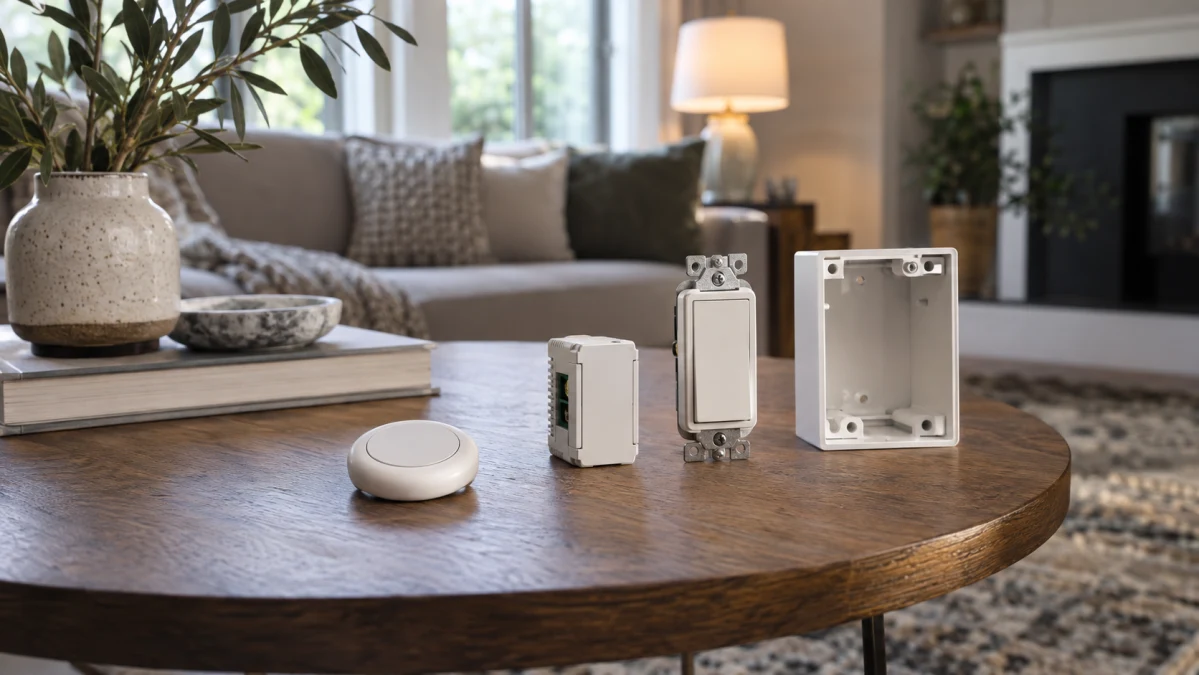
A battery-powered wireless controller and an in-wall smart switch can both give you another way to control a light, but they solve different problems.
A wireless controller is essentially a remote: pressing it sends a command through a hub or smart-home platform to a compatible bulb, switch, or scene. It does not switch power to an ordinary wired light by itself. An in-wall module such as the SONOFF models below is different: it is installed in the lighting circuit and actually switches the electrical load.
That distinction should be your starting point. If the light is already smart—or already connected to a compatible smart relay—and you simply want another button by the bed, beside a door, or somewhere you cannot easily run cable, look at wireless controllers. If you want to make an ordinary wired light smart while keeping a physical wall control, look at an in-wall module.
For another button location, start with compatibility—not Zigbee
Wireless scene controllers are appealing because installation can be as simple as mounting a battery-powered button where you want it. The catch is that "Zigbee" does not mean "works with every Zigbee light."
The complete chain matters: controller → hub or coordinator → smart-home platform or automation → light or relay. Before buying, check that your exact controller is supported by your hub and that the hub exposes the button actions you intend to use. Then confirm that the target light or relay can be controlled through the same setup.
This matters especially when mixing ecosystems. A controller may expose single-, double-, and long-press events in one integration while offering fewer options through another.
For example, Aqara's Wireless Mini Switch requires an Aqara hub in Aqara's own setup and supports three programmable actions. Aqara says automations associated with the switch can continue when the internet connection is unavailable as long as the hub remains powered, although cloud-dependent features and other platforms can behave differently.
Placement also affects reliability. Battery power lets you put the controller almost anywhere, but the radio link still has to reach the hub or Zigbee mesh. Metal surfaces, distance, walls, and a depleted battery can all turn a conveniently placed button into an unreliable one.
Wireless buttons and knobs offer very different kinds of control
The Aqara D1 Wireless Wall Switch is the more conventional choice if what you want is a wall-style button rather than a rotary dimmer. Aqara lists the single-key WXKG06LM and double-key WXKG07LM as Zigbee models supporting single press, double press, and long press. The double-key version can expose additional combinations in some third-party integrations; for example, Zigbee2MQTT documents left, right, and simultaneous-button events for the WXKG07LM.
That does not guarantee the same controls through every hub. If you're buying a D1 specifically for an existing US smart-home setup, check the exact model number against your hub or coordinator before ordering. The D1 is a China-market product, and compatibility should not be inferred simply from its use of Zigbee.
A Smart Knob Wireless Scene Switch and Dimmer is more interesting when you want brightness adjustment to feel like using a traditional dimmer rather than repeatedly tapping buttons. Common Tuya/Smart Life versions use a CR2032 battery and Zigbee gateway. In their advertised remote-control mode, a press can turn a compatible Zigbee bulb on or off, rotation adjusts brightness, press-and-turn adjusts color temperature, and a long press can adjust color.
The important limitation is that those direct dimming functions are advertised for compatible Zigbee bulbs configured through the Tuya/Smart Life setup. In scene mode, the knob can instead trigger automations, but the available gestures and resulting actions depend on the gateway and integration. If smooth rotary dimming is the reason you're buying it, verify that your particular bulb can be added in the knob's remote-dimmer interface rather than assuming any Tuya device can be dimmed by turning the knob.
Neither controller replaces a load switch. Put one beside an ordinary wired ceiling light with no smart bulb or smart relay behind it, and there is nothing for the wireless command to switch.
For ordinary wired lights, inspect the wiring first
If your goal is to make an existing wall-controlled light smart, an in-wall module is the more relevant option. Here, compatibility is electrical as well as digital.
Before choosing one, determine whether the switch box contains a neutral conductor. Do not infer this from the age of the home or the number of wires visible at the front of the switch. The neutral-required SONOFF MINI-ZB2GS and no-neutral MINI-ZB2GS-L are designed for different wiring situations.
Also check how many loads you actually need to control. Both are two-channel modules, so they make the most sense where two circuits need independent control. If you have only one light, a two-channel module may be unnecessary unless there is another reason to choose it.
Load type matters too. A relay's headline amp rating often describes a resistive load and should not automatically be treated as its safe LED-lighting capacity. No-neutral electronics can introduce another constraint because the module has to power itself even when the light is off; the MINI-ZB2GS-L, for example, specifies a minimum load.
Finally, check the physical wall box. Both modules measure only 45 × 39.4 × 16.8 mm, but the module still has to share the box with the existing switch and conductors without unsafe crowding or bending. SONOFF's installation documentation calls for professional electrical installation, and that is particularly sensible when the existing circuit is multi-way, the conductors are unclear, or the box is cramped.
SONOFF MINI-ZB2GS vs. MINI-ZB2GS-L
The biggest difference is simple:
- SONOFF MINI-ZB2GS: requires neutral.
- SONOFF MINI-ZB2GS-L: designed to work without neutral.
The MINI-ZB2GS is rated for 110–240 V AC and up to 10 A per channel, with 16 A total specified as the maximum resistive load. It supports two independently controlled outputs and external rocker switches or push buttons. SONOFF also documents Zigbee repeater functionality, which can be useful in a larger Zigbee network because this permanently powered device can help extend the mesh.
The MINI-ZB2GS-L supports 100–240 V AC without a neutral conductor. SONOFF specifies up to 8 A per channel and 12 A total for resistive loads, plus a 3 W minimum load. Unlike the neutral version's headline resistive rating, SONOFF also publishes explicit LED limits for this model: 150 W per channel and 300 W total at 100 V, rising to 300 W per channel and 600 W total at 240 V. Those published endpoints should not be treated as an exact rating for every intermediate voltage or every LED driver.
Both models support rocker switches and push buttons, so installing a module does not necessarily mean giving up normal physical wall control. SONOFF also documents both models for use with an SPDT switch in a supported two-way arrangement. Match the existing wiring to the manufacturer's diagram rather than assuming an unfamiliar multi-way circuit is compatible.
One practical difference deserves attention if you're building a larger Zigbee network: SONOFF documents repeater functionality for the neutral-powered MINI-ZB2GS. Do not assume the no-neutral MINI-ZB2GS-L provides the same routing behavior unless your intended setup explicitly confirms it.
What happens when the internet goes down?
Zigbee devices are often capable of local operation, but "works without internet" is too broad to use as a buying rule.
There are several separate dependencies: the physical switch, the Zigbee radio link, the hub or coordinator, the local automation engine, and any cloud service involved in the automation. Losing internet access is not the same as losing power to the hub, and neither is the same as losing the Zigbee connection.
Aqara says automations associated with its Wireless Mini Switch can continue during an internet outage when the hub remains powered. That does not establish identical offline behavior for the D1 through every Aqara or third-party setup.
Likewise, a wired SONOFF module can provide physical switching as part of its installed configuration while smart features depend on the rest of the Zigbee system. If outage behavior is important to you, verify separately what happens when the internet fails, when the Zigbee gateway is unavailable, and when the home loses power.
Which type should you buy?
Choose a battery-powered wireless controller when the light or relay is already smart and compatible and your real problem is the location of the controls. It is the easiest way to add a bedside button, another entrance control, or a scene trigger without opening the wall. A button-style D1 makes sense when discrete presses are enough; a compatible Tuya-style knob is more attractive when frequent brightness adjustment makes rotary control worthwhile.
Choose an in-wall smart switch module when the problem is the light itself: you have an ordinary wired load that you want to make smart while retaining physical wall control. If a neutral is available, the MINI-ZB2GS is the straightforward two-channel SONOFF option here. If the installation genuinely lacks neutral, the MINI-ZB2GS-L is designed for that situation, but its minimum load and lighting limits need to match the actual lamps.
And if you're trying to add a second physical control point for an ordinary wired light, don't buy a wireless button in isolation. You need something on the other end of that button—a compatible smart bulb or an installed load-switching device—to actually control the light.