
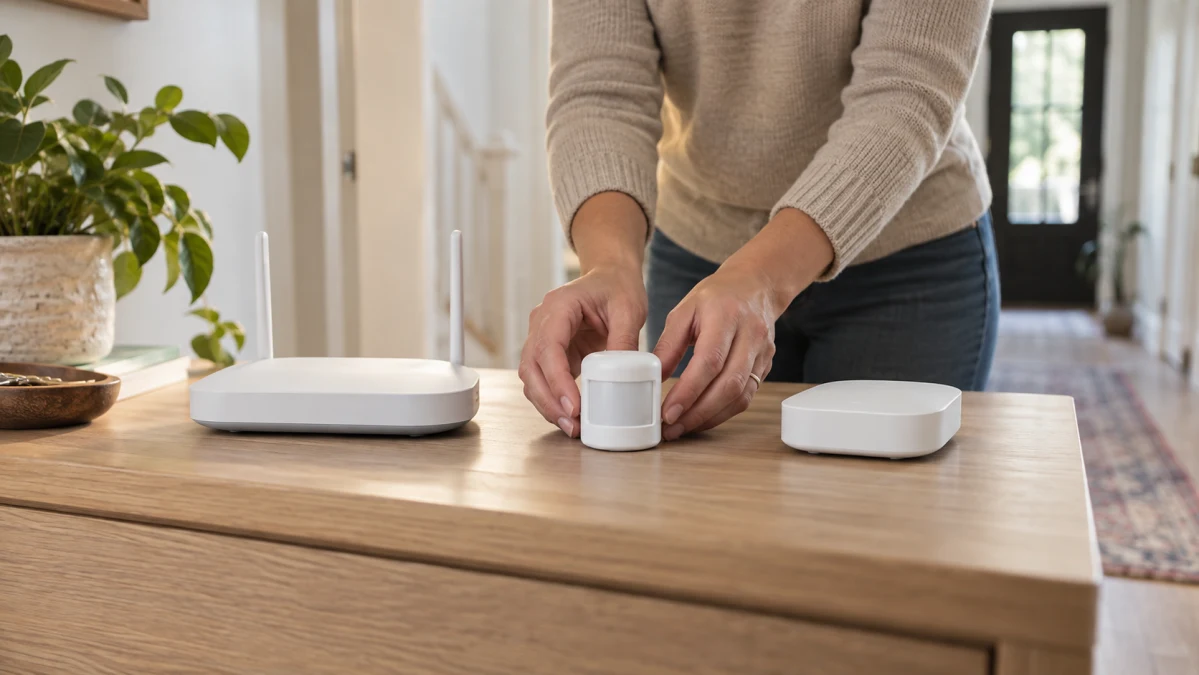
A Wi-Fi or Zigbee label is only the starting point. Before buying, compare the exact sensor’s connection route, required equipment, app compatibility and intended alert or automation workflow with the router, hub, phone and services you already own.
In Tuya’s documented implementations, a Wi-Fi module reaches the app and cloud through a router, while a Zigbee sub-device reaches them through a gateway containing a coordinator. Those are different setup paths, not proof that every sensor carrying a Wi-Fi or Zigbee label follows one. Tuya’s Wi-Fi documentation and its SDK architecture documentation support that distinction. Mixed Wi-Fi/Zigbee specifications are a reason to verify the exact variant, not evidence of dual-protocol operation.
Start with the connection route and equipment already in place
The key question is what sits between the sensor and the app. In Tuya’s documented Wi-Fi module solution, the module connects through the router to the cloud without a gateway; documented onboarding options include EZ mode and AP mode. In its documented Zigbee architecture, a Zigbee sub-device reaches the app and cloud through a gateway, whose role includes the Zigbee coordinator. Tuya documents the Wi-Fi route here and the Zigbee gateway route here.
That changes the purchase decision. If you have a usable router but no coordinator confirmed for the sensor, investigate a Wi-Fi variant only if its own documentation confirms router-based setup, including the required band and onboarding method. If you already have a named coordinator that documents support for the sensor, a Zigbee variant may fit instead. A Zigbee label by itself does not establish cross-brand or cross-ecosystem compatibility.
These are conditional architecture routes, not blanket promises about every card. Do not assume that a Wi-Fi-labelled sensor is direct to the router or hub-free, or that a Zigbee-labelled sensor works with a particular hub, until the documentation for that exact variant says so.
Verify the whole sensor-to-alert workflow before purchase
Pairing is only one link in the chain. Check these in order:
- Identify the exact sensor variant and radio mode. A generic product name is inadequate where a listing combines Wi-Fi and Zigbee language.
- Confirm the equipment link. For Wi-Fi, verify the required router band and onboarding constraints. For Zigbee, verify support from your named coordinator—not merely a hub with a similar brand name.
- Confirm the app path. Check the applicable app, any claimed phone-platform availability, and any account or service requirement material to your setup.
- Verify the outcome you need. Look separately for push alerts, event history, arming, scene linkage or voice-assistant behavior. Evidence that a device pairs does not establish any of those results.
- Pause when a link is missing. If the exact sensor, router or coordinator, app and desired outcome are not connected in documentation, the workflow remains unconfirmed.
For Tuya’s documented multi-mode gateway solution, supported Zigbee devices can be checked and controlled in the app, and automation on sub-devices is supported. That applies to that gateway solution and its supported devices; it does not establish alerts, history or scenes for another sensor merely because its listing mentions Tuya or Zigbee. Tuya’s gateway documentation describes this narrower capability.
Read supplier specifications as setup prompts, not compatibility proof
A supplier-stated band, app name, gateway mention or feature label is useful because it tells you what to verify. It is not a completed compatibility result. Keep each claim with its own listing: battery, range, detection angle, response time, notification interval, package contents and stated integrations do not transfer to another model or to an entire Wi-Fi or Zigbee group.
Combined Wi-Fi/Zigbee wording may describe separate variants, separate modes or an inconsistent card. Likewise, a ZigBee wireless-type field beside an IEEE 802.11 b/g/n protocol field is a contradiction to resolve before purchase, not proof that the device supports both routes.
The scope of a source matters too. MOES states that gateway SKU ZHUB-W-MS supports Smart Life and Tuya apps on iOS and Android, uses Zigbee 3.0, and is offered in wireless and wired hub variants. That MOES listing concerns a gateway, so it cannot validate the setup or app behavior of a motion sensor with a similar name.
Wi-Fi motion sensors: verify the exact router and app path
The Wi-Fi-labelled examples are useful for checking the router-and-app questions, not for assuming a universal hub-free route. Confirm that the exact sensor documentation links its stated Wi-Fi mode to your router and the workflow you want.
The supplier listing titled WiFi PIR Motion Sensor states 2.4 GHz wireless type, IEEE 802.11b/g/n, and compatibility with TuyaSmart and SmartLife. It also names iOS, Android, Alexa, Google Assistant and IFTTT. This makes it a candidate to investigate if your setup can provide the required 2.4 GHz path and uses the stated app, but the listing’s labels do not by themselves establish its onboarding method, account support, push alerts, history, scenes or voice-assistant actions.
The supplier listing titled Tuya Smart WiFi Infrared Motion Sensor Alarm System Detector states IEEE802.11 b 2.4GH Wi-Fi and labels infrared and low-battery alarms. Check the router band and the exact app workflow before treating those labels as notifications that will reach your phone. The listing does not establish its onboarding method, account requirements, history, scenes or assistant behavior.
Neither example’s supplier-stated detection, battery, current or range figures answer the compatibility question. They become relevant only after the router-to-app path and intended result are documented for the exact unit.
Zigbee motion sensors: verify the coordinator before the sensor
For a documented Zigbee route, the coordinator is part of the path from sensor to app. Verify the coordinator first: the exact sensor must be supported by your named coordinator, and the resulting sensor-to-coordinator-to-app chain must support the alert or automation you intend to use.
The supplier listing titled Zigbee PIR Motion Sensor names Zigbee connectivity and lists Amazon Alexa, Google Home and a Tuya Gateway under compatibility. That is a prompt to ask whether your exact gateway supports this exact sensor. It is not proof of universal Tuya compatibility, cross-brand Zigbee interoperability, or Alexa and Google Home actions in your account.
The PIR Motion Sensor listing combines WiFi 2.4GHz and Zigbee, gives separate battery-life and response-time figures for Wi-Fi and Zigbee, and names WiFi 2.4GHz plus a Tuya Zigbee hub or Tuya Multi Mode Gateway as installation requirements. It also labels real-time app control, one-key arming and scene linkage. Confirm whether the unit is dual-mode or whether the card covers distinct variants, then confirm which mode and hub apply to the unit you would receive. Those app, alarm, scene, battery-life and response-time labels do not prove a working workflow until that variant and its required hub are documented.
The Smart PIR Motion Sensor for Home Security listing pairs a ZigBee wireless-type field with an IEEE 802.11 b/g/n protocol field. Resolve that conflict before classifying it as Zigbee-compatible. The supplier also names Smart Life/Tuya smart, Android 4.1/iOS 9.0 or later, and a three-minute notification interval; even after the radio mode is clarified, that interval alone does not establish pairing with your coordinator or the notification behavior you expect in your app.
Choose a route only when the documented chain fits
Choose a Wi-Fi motion sensor only when the exact variant documents router-compatible Wi-Fi setup, including the band your network can provide, and the app workflow you need. Choose a Zigbee motion sensor only when the exact variant is documented for your named compatible coordinator and for the intended app workflow.
Either route can fit when the whole chain is verified; the available information does not establish an overall winner. Do not buy yet when the variant, router band, coordinator support, app relationship or required alert or automation result remains unclear. The defensible choice is the route whose exact sensor, required router or coordinator, app and intended outcome are all documented for your setup.