
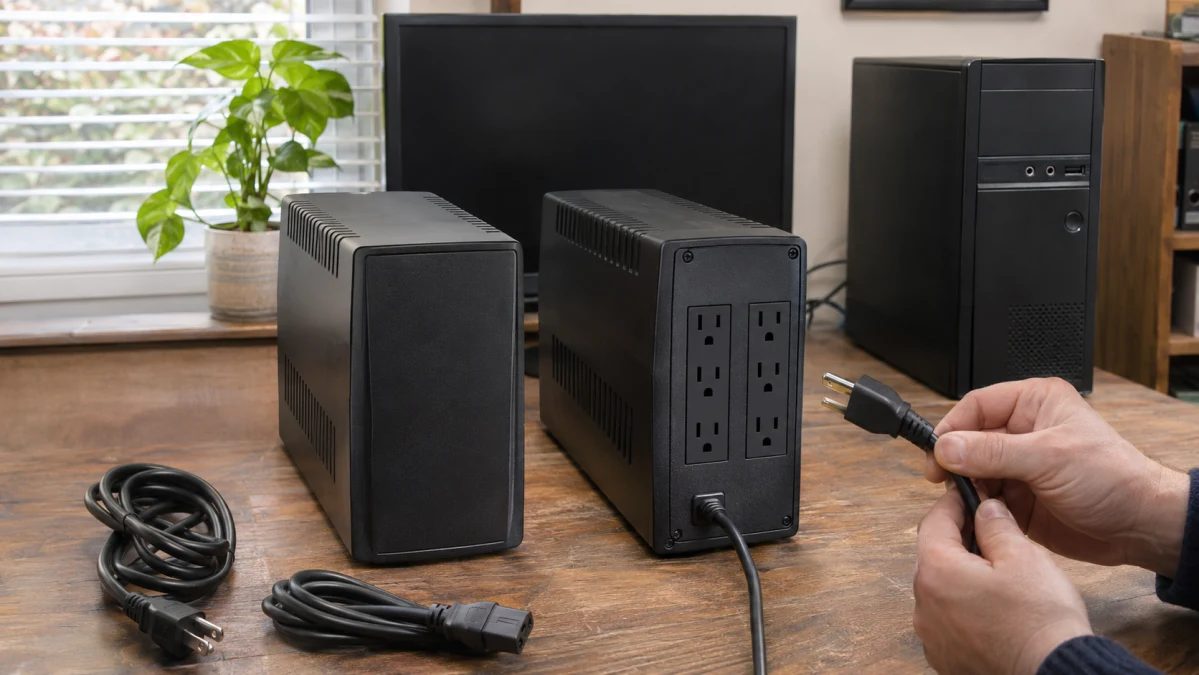
A UPS can support your equipment’s power demand yet run out of battery before shutdown finishes. Choose by three things: the connected load, the time needed to shut down, and runtime at that load with an identified battery configuration. Then check that the essential devices can actually receive battery-backed power and complete shutdown.
For the hypothetical 375 W/600 VA load and 10-minute manual shutdown below, neither candidate is a supported purchase recommendation. Both pass the capacity screen, but SMART1000LCDNC’s published runtime falls short of the window, while SMT750C’s runtime at that load remains unresolved.
1. Build the load budget and check both capacity limits
List every device that will draw battery-backed power—not just the computer. A manual workstation shutdown may also need a display and network equipment. Any other device connected to a battery-backed outlet belongs in the total, even if it is not essential to shutdown.
| Equipment identity | Supported watts | Supported VA | Documentation or identified measurement | Needed during shutdown? |
|---|---|---|---|---|
| Computer: enter exact equipment | Unresolved | Unresolved | Record source or measurement and operating conditions | Yes |
| Display: enter exact equipment | Unresolved | Unresolved | Record source or measurement and operating conditions | Yes, for this manual arrangement |
| Required network equipment: one row per device | Unresolved | Unresolved | Record source or measurement and operating conditions | If needed to finish shutdown |
| Other battery-backed equipment: one row per device | Unresolved | Unresolved | Record source or measurement and operating conditions | Specify |
| Total connected load | Sum watts separately | Sum VA separately | Keep unresolved entries visible |
Eaton’s sizing procedure calculates each device’s VA by multiplying voltage by current, then adds the devices’ VA figures. Watts divided by power factor can also give VA, but only with a power factor supported for the actual equipment and relevant operating conditions. There is no universal watts-to-VA conversion.
Compare the total watts with the UPS watt limit and the total VA with its VA limit. An exceeded or unresolved limit prevents capacity approval. Schneider recommends output-watt headroom: a maximum rating is a ceiling, not a preferred operating point.
For this example, 375 W and 600 VA are assumed acceptance targets, not measurements, a documented equipment bundle, or a conversion result. No actual device inventory or individual load values are established by those totals.
| Candidate | Manufacturer-rated maximum watts | Manufacturer-rated maximum VA | Screen at 375 W/600 VA |
|---|---|---|---|
| Smart-UPS 750 VA UPS, SMT750C | 500 W | 750 VA | Below both limits |
| Cloud-Connected UPS, SMART1000LCDNC | 750 W | 1000 VA | Below both limits |
The exact US-model ratings come from Schneider for SMT750C and Eaton for SMART1000LCDNC. Both leave capacity headroom at the assumed target; neither is approved for an equipment inventory with unresolved totals.
An adequate VA rating does not establish adequate runtime. More output capacity allows a larger eligible load. It does not establish how long either UPS can sustain the same equipment. As Eaton’s sizing guidance explains, supporting the load and sustaining it long enough for shutdown are separate requirements.
2. Define the shutdown window before comparing runtime
Count from the moment the equipment needs battery power, not from the moment you start shutting it down. This illustrative manual process assumes:
| Component | Assumed time |
|---|---|
| Recognize the outage and begin intervention | 1 minute |
| Complete shutdown | 7 minutes |
| Chosen contingency | 2 minutes |
| Required window | 10 minutes |
Every component is a planning assumption, not a measured result. An operator must be present and begin within the first minute. Check the actual response and shutdown times for the intended equipment; if the operator cannot meet that response time, this manual arrangement does not fit.
The two-minute contingency is not a validated battery-aging allowance. Eaton says runtime varies with equipment, configuration, battery age, and temperature. Battery state of charge also needs checking; the published figures used below do not establish it. Do not assume a runtime figure applies regardless of battery condition.
Keep a comparison record containing the exact model, connected load, required duration, timing assumptions, battery configuration, runtime source and conditions, and a finding of supported, unsupported, or uncertain. Reassess whenever the load or shutdown procedure changes.
3. Compare what is documented at 375 W
At the hypothetical 375 W load, the requirement is 10 minutes, including the assumed response time and contingency. The published figures allow a screening conclusion, not a matched runtime ranking.
| Model | Battery configuration and conditions | Manufacturer runtime basis | Finding for the 10-minute window |
|---|---|---|---|
| SMART1000LCDNC | Battery configuration and detailed test conditions are not explicitly identified in the cited runtime specification | 7 minutes at half of its 750 W rating: 375 W | Unsupported by the published figure: 7 minutes does not cover 10 minutes |
| SMT750C | Included internal lead-acid battery; age, charge, and runtime test temperature are unspecified | 4 minutes 34 seconds at its 500 W full load; runtime at 375 W is unresolved | Uncertain: the full-load value does not establish runtime at 375 W |
Eaton publishes seven minutes at half load and two minutes at the 750 W full load. Half of 750 W is 375 W; this arithmetic is not a watts-to-VA conversion. The seven-minute figure does not support the assumed ten-minute window, even before resolving the battery configuration and conditions.
Eaton’s runtime guidance describes approximate variation of plus or minus 15% from typical values, depending on equipment, configuration, battery age, and temperature. That is neither a guaranteed bound for every installation nor an end-of-life allowance. It does not turn the seven-minute figure into support for this requirement.
Schneider identifies an included internal lead-acid battery for SMT750C and publishes 4 minutes 34 seconds at 100% utilization of its 500 W capacity. That is a different load from Eaton’s 375 W figure. It cannot establish which model lasts longer at 375 W, and it does not justify interpolating a missing runtime.
The supplier lists 15.8 minutes at half load for the Smart-UPS 750 VA UPS. This remains an uncorroborated supplier claim, not an independent test result. It also concerns 250 W, half of SMT750C’s 500 W rating—not 375 W. It cannot support this ten-minute scenario or establish an advantage over SMART1000LCDNC.
Do not assume either model accepts external battery packs. Any runtime-based choice needs an identified battery configuration and applicable battery-condition assumptions; unmatched figures cannot fill those gaps.
4. Verify powered outlets and the shutdown method
For the proposed manual arrangement, keep the computer, display, and any network equipment required to finish shutdown on battery-backed power, and include them all in the load budget. The operator must be present, start within the assumed first minute, and finish within the checked shutdown duration.
Surge-only outlets supply no outage power. A device plugged into one may lose power immediately, regardless of the UPS battery’s remaining runtime.
- SMT750C: Schneider specifies six NEMA 5-15R receptacles on the US model. The total alone does not establish a usable battery-backed allocation for the proposed equipment.
- SMART1000LCDNC: Eaton describes ten NEMA 5-15R outlets as providing surge protection and battery backup. That specification does not give an outlet diagram or an explicit battery-backed versus surge-only count.
Before approving either installation, use the exact US-model outlet diagram or manual to assign each essential device to a battery-backed outlet. Check the actual plugs and power adapters for spacing: matching connector types and enough nominal receptacles do not establish that everything will fit.
For automatic shutdown, SMT750C has a documented starting point: USB or serial communication using PowerChute Serial Shutdown. Its supplied USB cable does not establish compatibility with a particular PowerChute release or operating system. Verify those requirements for the intended computer environment before relying on automation.
SMT750C’s PowerChute Network Shutdown path requires an optional Network Management Card. That is distinct from SmartConnect Ethernet cloud monitoring; the monitoring connection alone does not establish network shutdown compatibility.
Eaton documents cloud monitoring, audible alarms, and app-controlled load-bank shutdown or reboot for SMART1000LCDNC. None of those features establishes graceful host-operating-system shutdown: switching outlet power is not the same as completing the computer’s shutdown first.
Neither proposed installation is fully verified, and no automatic arrangement is established for a specified software version and operating environment. An automatic setup would also need its own timing assessment rather than inheriting the manual scenario’s response assumptions.
5. UPS candidates to screen against your shutdown requirements
SMART1000LCDNC’s higher watt and VA limits matter when screening a larger load. SMT750C’s documented USB/serial PowerChute path matters when investigating automation. Those advantages answer different questions; neither establishes a sufficiently documented ten-minute shutdown setup at 375 W.
Smart-UPS 750 VA UPS, SMT750C: Its 500 W/750 VA limits accommodate the hypothetical capacity target. The documented USB/serial shutdown path gives an automation search a concrete starting point, but runtime at 375 W, usable outlet allocation, plug fit, and software compatibility still need resolution. The supplier’s 250 W half-load runtime claim does not answer the 375 W question.
Cloud-Connected UPS, SMART1000LCDNC: Its 750 W/1000 VA limits allow a larger eligible load. That is useful capacity, not evidence of longer runtime for the same equipment. Eaton’s published seven minutes at 375 W does not support the ten-minute requirement, and monitoring or load-bank switching does not establish graceful host shutdown.
For the hypothetical 375 W/600 VA, ten-minute manual scenario, both models clear only the capacity screen. SMART1000LCDNC’s published runtime does not support the window; SMT750C’s same-load runtime is uncertain. Matched battery conditions and a complete usable-outlet and shutdown arrangement are not established, so neither is a supported purchase recommendation for this scenario. A different load or shutdown window may produce a different result.
Choose a configuration only if it clears all three gates: fit the actual equipment within both watt and VA limits; establish enough runtime at that load with an identified battery configuration and applicable battery assumptions; then verify usable battery-backed outlets and the intended shutdown method. If a limit is exceeded or a decision-changing detail remains unresolved, withhold that choice rather than substitute higher VA, an unmatched runtime claim, or monitoring features for shutdown assurance.