
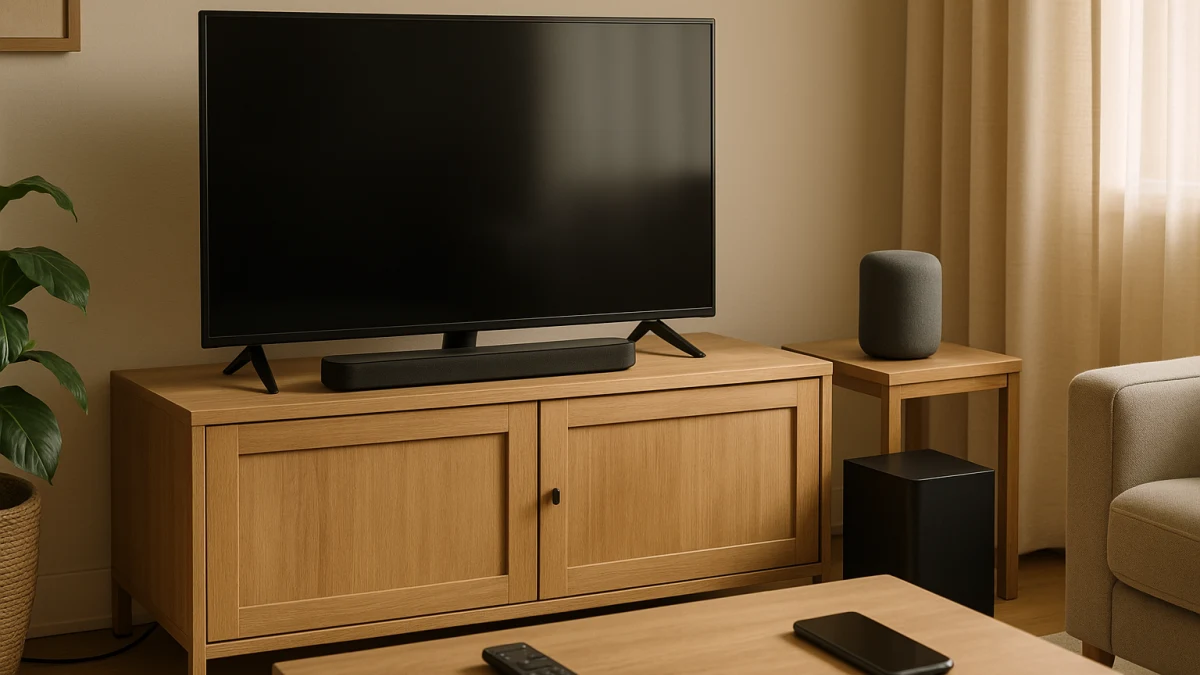
A living-room audio upgrade is not one generic speaker decision. Start with the first job the device has to do: make TV dialogue and movies easier to hear, or add streaming music, voice commands, routines, and smart-home convenience to the room.
This comparison is intentionally uneven. The sound-bar lane is compact and TV-connection focused, while the smart-speaker lane is broader and needs more filtering for living-room fit. A normal category page can show both kinds of products, but it usually will not tell you when the other device type is the better first purchase, when compatibility claims need checking, or when the room realistically needs both.
Start with the sound source you use most in the living room
| If your main need is... | Better first fit |
|---|---|
| Weak TV speakers, unclear dialogue, movies, or a direct HDMI ARC, HDMI, or optical connection to the television | TV-first sound bar |
| Streaming music, voice commands, routines, smart-home control, Wi-Fi playback, or multiroom-style living-room audio | Music and assistant-first smart speaker |
| Reliable TV audio and full assistant convenience in the same room | Two-device living-room setup using both lanes |
| Microphones, vocal effects, or singalong features | Party singing or karaoke setup, outside this comparison |
Use four questions to keep the choice honest: is the dominant source the TV or streaming music, do you want remote-and-TV connection or voice-and-routine control, are you chasing movie impact or everyday room audio, and is the bigger setup risk wired TV compatibility or ecosystem compatibility?
TV sound or voice-and-music: pick the first job
- Choose the sound-bar path first if the problem is TV playback: thin built-in TV speakers, dialogue that gets lost, movie sound, HDMI ARC, HDMI, optical, Dolby Atmos, channel counts, or subwoofer language.
- Choose the smart-speaker path first if the room is missing music and control: Alexa, voice command, voice control, Wi-Fi, Spotify, app control, smart-home integration, or multi-room language.
- Do not let a feature list distract you from the job. A TV-first buyer can over-focus on Alexa or Wi-Fi, while an assistant-first buyer can overbuy for HDMI or optical features they may not use.
- If both jobs matter every day, treat that as a two-device question rather than assuming one product category will cover everything well.
Not a receiver, TV, desk, or karaoke shortcut
This page compares sound bars and smart speakers for living-room audio upgrades. It is not a guide to AV receivers, passive speaker systems, TVs, projectors, streaming devices, headphones, lighting, desk lamps, computer speakers, or full home-theater planning.
It also does not turn karaoke into a third lane. If you are shopping for microphones, vocal effects, singalong modes, or party singing, leave this comparison and look at a karaoke-led setup instead.
HDMI ARC, optical, Alexa, and Spotify need model proof
Treat the labels on this page as starting points, not guarantees. HDMI ARC, eARC, optical, Dolby Atmos, DTS, dialogue enhancement, TV pairing, lip sync behavior, Apple TV or Fire TV behavior, Alexa, Siri, Apple Home, Matter, Spotify, Apple Music, and multi-room features all need model-level confirmation from the product page or manufacturer.
That caution cuts both ways: a sound bar should not be assumed to work with every TV, and a smart speaker should not be assumed to behave like a low-latency TV speaker.
Start here if the TV speakers are the weak link
If the main problem is weak TV speakers, unclear dialogue, movie sound, or getting an HDMI ARC, HDMI, or optical connection to the television, inspect the sound bars first. The products shown here are a small, focused set, so use them to compare visible TV-audio cues such as soundbar naming, HDMI or optical connection language, Dolby Atmos, 5.0, 5.1, 5.2.2, and subwoofer references.
Read this widget as a compatibility checklist, not a promise of identical performance. Channel counts, Dolby language, and subwoofer kits can point toward movie-audio ambitions, but you still need to check the specific model for the TV connection, supported formats, included parts, and any dialogue or surround features. If routines, multiroom music, or smart-home control are the real reason you are shopping, the smart-speaker lane is the better first stop.
A sound bar is not automatically your living-room assistant
A common wrong turn is to see voice-related wording, sound modes, or dialogue features and assume the sound bar can replace a smart speaker for routines, music services, and smart-home control. Those are separate jobs.
Before buying a sound bar for assistant convenience, check whether the exact model supports the assistant ecosystem and control features you expect. Otherwise, buy it for TV audio and plan a separate smart speaker if voice routines and room-wide music matter.
Start here if the room needs music, voice, and routines
If the television is not the center of the upgrade, the smart-speaker lane is the more natural place to start. Look for products that show assistant or control language such as Alexa, voice command, voice control, Echo, HomePod, or smart-home integration.
Then filter for living-room audio use. Wi-Fi, Spotify, app control, music player features, and multi-room language can be useful clues, but the lane is broader and noisier than the sound-bar lane. Some products may read as portable, battery-powered, kids-focused, or generally wireless rather than clearly living-room-first, so check whether the power source, app, assistant ecosystem, and streaming-service support match how the room will actually be used.
Use the products shown here to compare voice, Wi-Fi, streaming, smart-home, and multi-room possibilities. Do not treat every smart speaker as a TV speaker: reliable wireless TV audio, TV pairing, lip sync behavior, Apple TV or Fire TV use, and low Bluetooth latency all require specific model and ecosystem support. If dialogue, movies, HDMI ARC, or optical TV connection is central, go back to the sound-bar lane or plan for both devices.
When one room really needs two devices
Some living rooms have two real jobs: the TV needs clearer sound, and the room also needs hands-free music, routines, or smart-home control. In that case, the clean answer may be a sound bar for television playback plus a smart speaker for assistant convenience.
That is not a third product category here; it is a buying sequence. Start with the device that solves the daily frustration first. Buy the sound bar first if dialogue and movies are the pain point. Buy the smart speaker first if voice commands, streaming, and routines matter more. Add the second device only after checking that the two products can coexist in your space and ecosystem.
Living-room fit checks before you click through
- For a sound bar, confirm the TV connection you actually need: HDMI ARC, eARC, HDMI, or optical. Do not assume the port, cable path, or format support from the category name alone.
- If Dolby Atmos, 5.0, 5.1, 5.2.2, or subwoofer language is part of the appeal, check the product page for the exact configuration and what is included.
- For a smart speaker, confirm the assistant ecosystem first: Alexa, Siri, Apple Home, Matter, or another platform should be verified on the specific model.
- Check the music services and controls you plan to use, especially Spotify, app control, Wi-Fi playback, and any multi-room feature.
- Look at the product’s living-room fit: power source, size, whether it sounds portable-first, and whether it is aimed at kids or general room use.
- Do not rely on Bluetooth or general wireless wording for TV playback unless the manufacturer specifically supports the TV pairing and latency behavior you need.
Choose the sound bar first for TV dialogue and movie sound, choose the smart speaker first for music and voice convenience, and choose two devices only when both jobs genuinely matter after the model-level checks.