
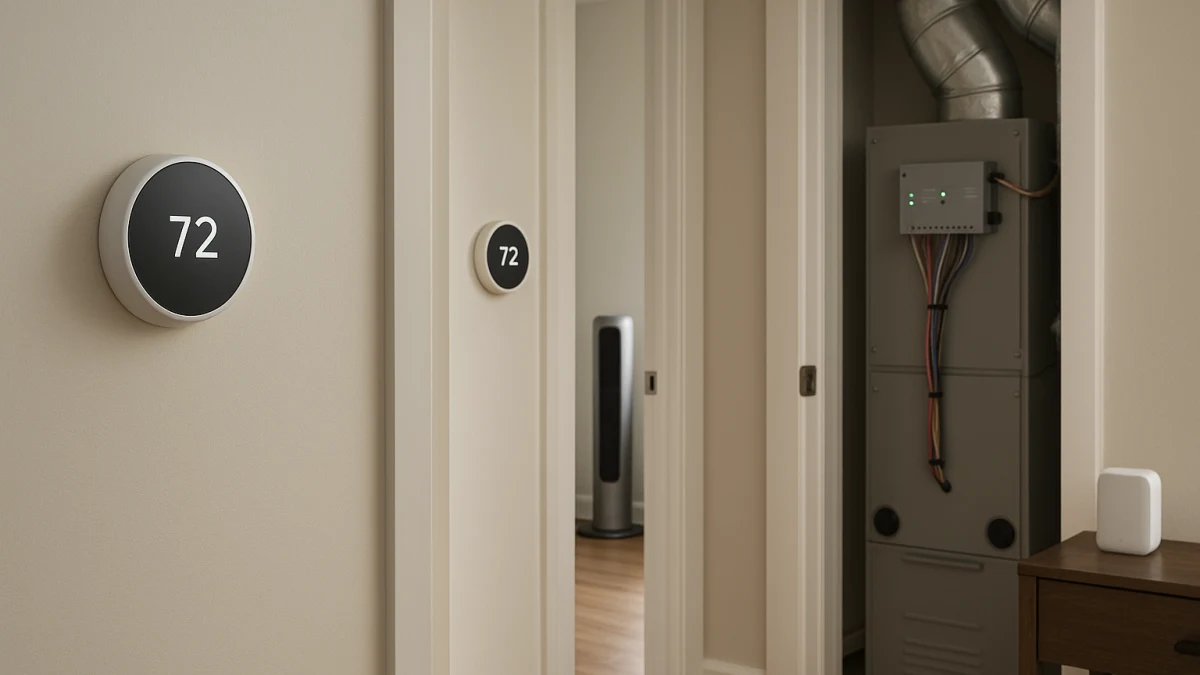
An existing multi-zone low-voltage HVAC system is usually not a one-thermostat purchase. If your home already has separate wired thermostats for different areas, treat each thermostat location as its own compatibility check before you buy smart replacements.
This page draws the boundary that a normal smart thermostat or smart fan listing often misses: smart thermostats can replace compatible low-voltage zone thermostats, room sensors can influence comfort logic inside a zone, and smart fans can add local air movement. Sensors and fans may help comfort, but they are not damper panels, zone controllers, or whole-home zoning hardware.
First decide whether you have zones, sensors, or just a stubborn room
| If this describes your home | Better fit |
|---|---|
| You already have separate low-voltage thermostats for different areas of the home. | One smart thermostat per existing low-voltage HVAC zone |
| You have one HVAC zone but want the thermostat to respond to a bedroom, office, or other room away from the hallway. | Remote-sensor-capable smart thermostats for comfort balancing |
| One room feels uncomfortable even after the thermostat setup is correct, and you only need controllable air movement. | Smart fans for stubborn hot or cold rooms |
| You need new dampers, a zone-control panel, proprietary control work, duct changes, or complete heating replacement. | Treat that as a separate HVAC zoning or equipment project outside this collection |
Before comparing products, count the existing wired thermostat locations. Then check 24V power, C-wire needs, conventional HVAC or heat pump compatibility, heating and cooling stages, and whether any zone-control panel or proprietary control system is involved. For sensor products, compare how the platform uses remote room readings. For fans, keep the decision limited to local air movement, not HVAC control.
Two wired zones usually means two smart thermostats
- If two separate wall thermostats control different areas, plan around replacing each compatible low-voltage thermostat rather than expecting one smart thermostat to run the entire home.
- Buying multiples is still not automatic. Each location can have different wiring, power needs, equipment type, or stage requirements.
- A remote sensor can help one thermostat pay attention to another room, but it does not create a new independent zone.
- A smart fan can make one room feel more comfortable through air movement, but it does not change which HVAC equipment serves that room.
Check each thermostat location before buying multiples
Use this checklist zone by zone:
- Confirm the thermostat location is for low-voltage HVAC, commonly shown through 24V thermostat compatibility details.
- Look for whether a C-wire is present or whether the thermostat requires a manufacturer-specified power accessory.
- Match the thermostat to the equipment type, such as conventional HVAC or heat pump.
- Compare supported heating and cooling stages against the equipment connected to that zone.
- If the home uses a zone-control panel, damper panel, or proprietary HVAC controls, check manufacturer compatibility guidance before purchasing.
- Do not assume the upstairs and downstairs thermostat locations have identical wiring or stage requirements just because they look similar on the wall.
Not a damper-panel, mini-split, or line-voltage zoning guide
This collection is for smart thermostat replacement in existing low-voltage HVAC zones, plus limited comfort add-ons. It is not a guide to selecting new dampers, zone-control panels, mini-split heads, line-voltage baseboard thermostats, hydronic zoning hardware, ductwork corrections, or a complete heating system replacement.
If that is the real project, a thermostat or fan comparison can send you in the wrong direction. Solve the zoning hardware or equipment question first, then come back to thermostat compatibility once each control location is clear.
Replace the thermostat at every wired low-voltage zone
For true existing multi-zone low-voltage HVAC, the main shopping path is one compatible smart thermostat at each existing wired zone. The products shown here are useful for comparing replacement thermostats, not for finding one master device that magically controls every zone in the home.
When you compare, look for product details tied to actual HVAC compatibility: 24V support, wired power, C-wire requirements, Wi-Fi, conventional HVAC support, heat pump support, and heating/cooling stage support. A product that only looks smart or app-connected still needs to match the wires, equipment, and staging at the specific thermostat location.
Read these products as candidates to inspect more closely, not as universal fits. If the product page is unclear about C-wire needs, supported stages, heat pump versus conventional equipment, or zone-controller compatibility, verify those details before buying several units. If the real goal is for one bedroom or office to influence a single thermostat, move to the sensor lane; if the issue is just perceived comfort in one room, the fan lane may be enough.
Manufacturer compatibility matters most on zoned systems
Zoned systems add a control layer that a product card may not fully describe. If your setup includes a zone-control panel, damper panel, or proprietary HVAC controls, use the thermostat manufacturer's compatibility tools, installation documentation, or support guidance before purchasing multiple thermostats.
Also verify power details per location. One zone may have an available C-wire while another may need a different approved power solution, and stage support should match the equipment connected to that zone.
Treat room sensors as comfort balancing, not new zones
Room-sensor-capable thermostats fit a narrower problem: one HVAC zone has rooms that feel too warm or too cool away from the main thermostat. In this lane, look for platforms that mention room sensors, remote sensors, temperature sensors, Indoor Air Sensor, Nest Temperature Sensor, or RedLINK-style accessory support, then confirm how that platform handles averaging, schedules, occupancy behavior, supported sensor count, and model compatibility.
Use these products as comfort-logic options inside a zone. A sensor may help the thermostat pay attention to a bedroom, office, or other room, but its behavior is platform-specific and it does not open dampers, control a zone panel, or make separate heating and cooling calls for each room.
Room sensors stop at comfort logic
The common wrong turn is treating a sensor bundle like zoning hardware. A remote temperature sensor is not a replacement for a wired thermostat in another zone, not a damper controller, and not separate equipment control.
Sensors make the most sense when the HVAC system already serves the room as part of the same zone and you want the thermostat's decisions to reflect that room better. If you already have multiple wired thermostats, return to the one-thermostat-per-zone replacement path.
Use smart fans only for local air movement
This is an add-on lane, not an HVAC control lane. A smart ceiling fan or smart tower fan can help a stubborn room feel more comfortable through controllable air movement. Compare fan type, room size fit, airflow, speeds, noise level, reversible motor, oscillation, and controls such as Wi-Fi, app control, Alexa, Google Assistant, voice control, or remote control when those details are shown.
Choose from this lane only if air movement is the problem you are trying to solve. A fan does not replace a thermostat, create an HVAC zone, control a damper panel, or correct ductwork; it is best treated as a convenience and comfort layer after the thermostat setup is correctly matched.
When the problem is the zoning hardware, not the thermostat
Skip the thermostat-or-fan purchase if the real issue is failed or missing dampers, a zone-control panel replacement, proprietary control work, duct changes, mini-split zoning, line-voltage baseboard control, hydronic zoning hardware, or a complete heating-system project. Those are separate HVAC zoning or equipment decisions outside this collection.
The safest order is simple: count the existing wired zones, verify each thermostat location with manufacturer compatibility guidance, then decide whether sensors or fans have a limited comfort role. If they do not match the actual problem, they are adjacent products rather than the right fix.