
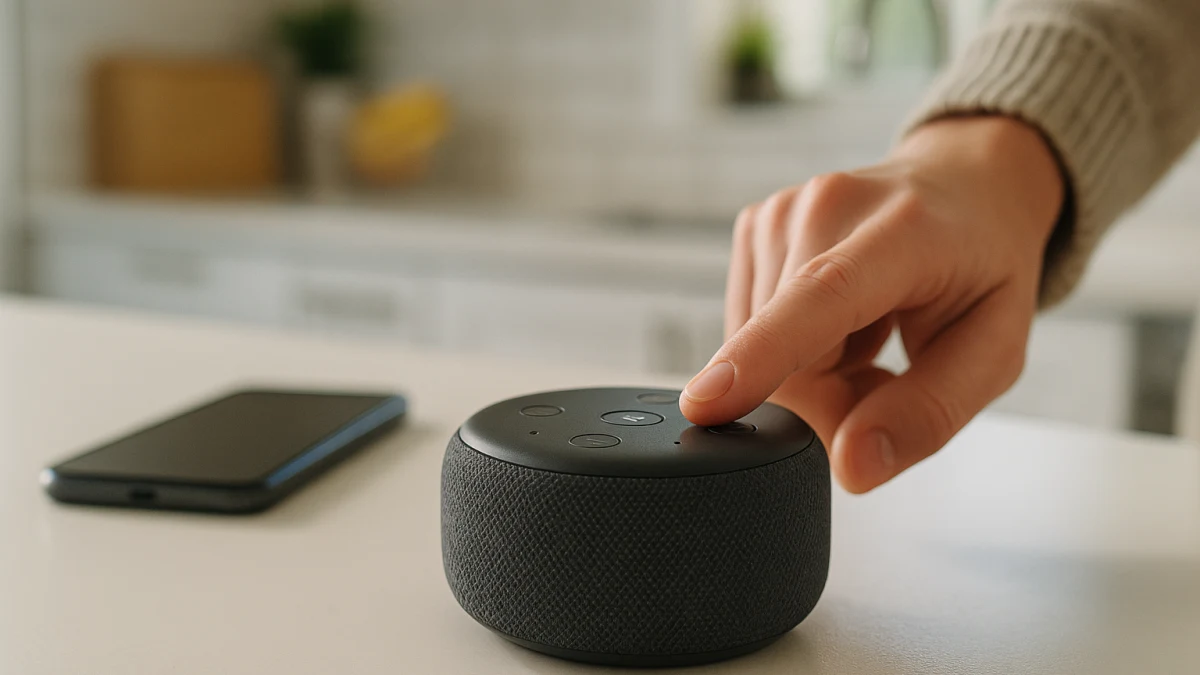
Most smart-speaker shopping pages start with the assistant badge, then move into sound, design, and smart-home extras. This guide starts with the microphone. For a bedroom, kitchen, office, or shared room, a visible mic off control is the most practical first shopping cue.
That order matters because a normal category or search page can blur several different ideas: advertised mic-off hardware, assistant ecosystem labels, voice-history settings, household account controls, and nearby products that are not smart speakers at all. Here, the first product lane focuses on listings that visibly mention mic off, a mic off button, or privacy controls with a mic off button. The second lane is intentionally shorter: it helps you check Alexa, Google Assistant, Siri, AirPlay, Cast, apps, and music services after the microphone-control question is on the table.
Use the mic-off signal before the assistant logo
| If this sounds like your situation | Better fit | What to check next |
|---|---|---|
| You want a speaker in a bedroom, kitchen, office, or shared room and need the shutoff control to be obvious. | Start with smart speakers with obvious microphone controls. | Look for visible mic off, mic off button, or privacy controls language in the listing. |
| A listing visibly says mic off button or privacy controls with mic off button. | Use that as the first filter. | Verify mute behavior and indicator lights with the manufacturer before buying. |
| Your household already uses Alexa, Google Assistant, Siri, AirPlay, Cast, or a specific music service. | Use the assistant-matched smart speaker lane as a secondary compatibility check. | Confirm the named assistant, app, streaming-service, connectivity, region, and power details. |
| You need voice history, delete recordings, household profiles, parental controls, or voice match to work a certain way. | Do not infer that from the product card alone. | Check current US manufacturer documentation or current market support details. |
As you compare, keep five questions separate: does the listing visibly mention mic-off controls, can the manufacturer explain the mute behavior, does the assistant ecosystem fit your household, do account controls work the way you need, and is the product actually a smart speaker rather than a lookalike from another category?
Mute-first signals for a shared room
Use these cues before comparing colors, sound claims, or smart-home extras:
- The listing uses concrete microphone language such as mic off, mic off button, or privacy controls with a mic off button.
- The product is a smart speaker, not a screen, camera, sound bar, receiver, router, or other adjacent device.
- The manufacturer can provide current details for mute behavior, microphone off status, indicator lights, and voice-history settings.
- Assistant labels such as Alexa, Google Assistant, Siri, Apple AirPlay 2, or Google Cast help with setup fit, but they do not prove household privacy controls.
- Shared-household features such as guest access, voice match, parental controls, and profiles should be checked separately in current US documentation.
Screens, cameras, sound bars, and routers stay outside this guide
This page is only about smart speakers. A smart display may also respond to voice, but the screen and camera change the privacy and placement decision. Security cameras, doorbells, desk lamps, routers, VPNs, firewalls, sound bars, receivers, and karaoke products may appear in nearby searches, but they solve different problems.
The same boundary applies to home-theater components and network privacy tools. A receiver or sound bar can support voice control without being the same kind of room speaker you place on a counter or nightstand. A router or firewall may affect network traffic, but it is not a microphone shutoff choice for a smart speaker.
Start where the listing says mic off
This is the main lane for shoppers who want voice convenience but do not want the microphone question buried under brand names or audio specs. The products shown here are useful when the listing itself visibly mentions mic off, a mic off button, or privacy controls with a mic off button.
Treat that language as a practical first filter, not as a complete privacy promise. A mic off button on a product card helps you identify speakers that advertise a shutoff control, but it does not tell you every detail about indicator lights, voice-history settings, recording deletion controls, local processing, or household account behavior.
Read these products as a shortlist of smart speakers with advertised microphone-control language. If two options both show the mic-off cue, then compare the parts that actually affect your room and household: where the speaker will sit, whether the button is easy to reach, which assistant you are willing to use, and whether the manufacturer’s current documentation answers your questions about mute behavior. If a product does not make the microphone-control language visible, do not let a familiar assistant logo substitute for that check.
Catalog proof stops at the mic-off claim
Product text can show that a mic off button or privacy-control feature is advertised. It cannot, by itself, prove how the mute behavior works, when indicator lights appear, how voice history is handled, whether recordings can be deleted in the way you expect, or whether any processing happens locally.
For those questions, use the manufacturer’s current product page, support documentation, and app settings for the US market. This is especially important for shared households where profiles, guest use, voice match, parental controls, and account access may matter as much as the physical button.
Use assistant fit as the second filter, not the privacy ranking
After the mic-off check, use this lane to reduce setup friction. Look for visible compatibility terms such as Alexa, Google Assistant, Siri, Apple AirPlay 2, Google Cast, app support, and streaming-service compatibility when your household already depends on a specific phone platform, music service, smart-home app, or account system.
Use these products as a compatibility shortlist, not as an Alexa-versus-Google-versus-Siri privacy comparison. Check the product page for the named assistant or platform, supported streaming services, connectivity, and any region or power details before buying. If you have not yet confirmed mic off or privacy-controls language, go back to the microphone-control lane first.
Final checks before a smart speaker joins the household
Before you buy, run through the checks that a product widget cannot settle on its own:
- Confirm the product is a smart speaker, not a smart display, camera, doorbell, sound bar, receiver, router, desk lamp, or karaoke product.
- Re-read the listing for visible mic off, mic off button, or privacy controls with a mic off button.
- Open the manufacturer’s current US documentation for mute behavior, microphone off status, indicator lights, voice-history settings, and recording-deletion controls.
- Confirm the assistant and platform fit: Alexa, Google Assistant, Siri, Apple AirPlay 2, Google Cast, the required app, and the music services your household actually uses.
- Check connectivity, power, region details, account requirements, and any subscription or app setup steps shown on the product page.
- For shared homes, verify household profiles, voice match, guest access, parental controls, and account permissions instead of assuming they come with the assistant label.
The strongest choice is the smart speaker whose mic-off control is visible, whose assistant ecosystem already fits your household, and whose current manufacturer documentation confirms the privacy and account controls you need.