
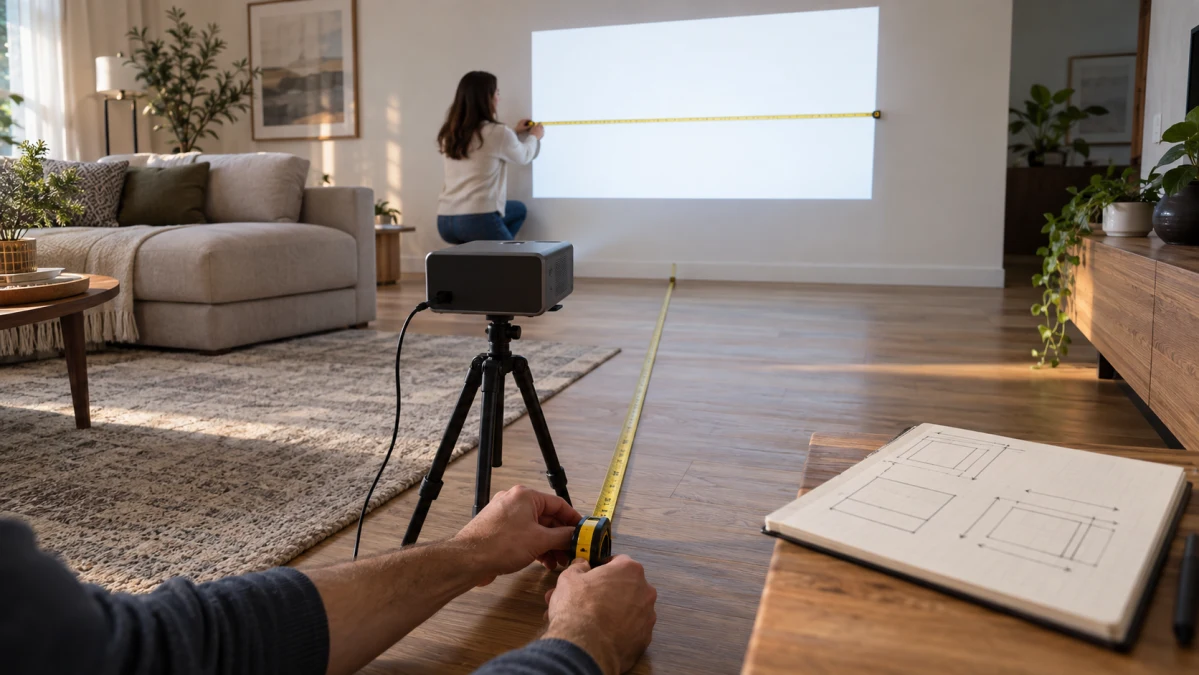
A listed throw ratio can help establish whether a projector is plausible for a room before purchase, but it cannot guarantee that a mount will fit. For a 100-inch 16:9 image, the stated ratios produce nominal lens-to-surface distances of 1.77 m (5.81 ft) for the HY260 PRO and 2.66 m (8.72 ft) for the Dolphin 2. These are editorial calculations from manufacturer- or supplier-stated specifications, not verified installation results.
Throw ratio concerns image width rather than diagonal, and the optical measurement starts at the lens, not an unspecified edge of the projector. Projector depth, plug and cable space, and model-specific ventilation clearance need additional room. The comparisons apply only to the named models, stated 16:9 scenarios, and documented limits.
Calculate distance from image width, or width from distance
The standard convention is R = D ÷ W, where R is throw ratio, D is the distance from the projector lens to the screen or wall, and W is image width. BenQ defines throw ratio as distance divided by image width. Keep D and W in the same unit.
- Distance needed for a target width: D = R × W
- Image width available at a given distance: W = D ÷ R
Do not put diagonal size directly into either equation. For a 16:9 image, width is diagonal × 16 ÷ √(16² + 9²); thus a 100-inch 16:9 image is about 87.2 inches wide. Use the conversion for the aspect ratio you actually intend to project.
For example, using a nominal 0.8:1 ratio and an 87.2-inch-wide 16:9 image gives 69.8 inches of lens-to-surface distance: 0.8 × 87.2 = 69.8 inches, or about 1.77 m. In reverse, 2.00 m at the same nominal ratio gives 2.50 m of image width: 2.00 ÷ 0.8 = 2.50.
That optical distance is not total wall-to-projector clearance. Add room for the chassis, cables and the candidate model's required airflow. Epson's installation guidance, for example, separately calls for clearance around intake and exhaust vents; check the exact projector's own installation guidance rather than assuming its body can sit at the calculated lens position.
Why one nominal ratio may not settle the installation
A single ratio is most useful when its convention and lens behaviour are documented. A fixed optical lens can have one nominal ratio, while an optical-zoom lens can have a usable throw-ratio range. Digital zoom electronically resizes or crops the image, and keystone digitally reshapes it; neither establishes a different optical lens-to-surface relationship.
The available listings leave material questions open for both models. ETOE describes Dolphin 2 automatic focus, keystone, screen fit and obstacle avoidance, but its product page does not state a throw-distance range, ratio convention or lens/zoom type. Guangdong Sinoy lists HY260 PRO's nominal ratio but does not define its convention or lens type in its product listing. Treat the calculations below as planning estimates, not instructions to set a mount at an exact point.
If ratio ordering is unclear, a range conflicts with another specification, or the relevant operating mode is omitted, do not adopt the most favourable reading. Confirm the exact model, mode, ratio convention, lens behaviour and installation guidance. Automatic focus, keystone or screen-fit features may help set up the displayed image, but they do not resolve missing optical-placement documentation.
Compare two documented 16:9 placement scenarios
Both scenarios assume the standard D/W convention and a 16:9 image, so the 100-inch target is 87.2 inches wide. The figures are editorial nominal calculations using the stated ratios, not guaranteed fit results.
| Model | Stated ratio and relevant limits | 100-inch 16:9 target | At 2.00 m lens-to-surface | Placement assessment |
|---|---|---|---|---|
| HY260 PRO | Guangdong Sinoy lists 0.8:1, 16:9, a 40–130-inch size range and a 0.6–2.5 m projection-distance range. | 1.77 m (5.81 ft) | 112.9-inch 16:9 diagonal | Plausible, conditionally: the calculated 100-inch result is within the stated size and distance ranges. |
| Dolphin 2 | ETOE lists 1.2:1 and 20–120 inches. A separate supplier specification says 40–120 inches, leaving the minimum unresolved. | 2.66 m (8.72 ft) | 75.3-inch 16:9 diagonal | Unresolved for mounting: both scenario sizes are below the shared 120-inch maximum, but no listed throw-distance range, ratio convention or lens behaviour confirms placement. |
For HY260 PRO, 0.8 × 87.2 inches = 69.8 inches, or about 1.77 m. Its stated 40–130-inch size range and 0.6–2.5 m distance range make that particular 100-inch, 16:9 scenario conditionally plausible. At 2.00 m, dividing by 0.8 yields a width equivalent to a nominal 112.9-inch 16:9 diagonal, also within its stated size range. Its listed automatic keystone and auto focus do not change either optical calculation.
For Dolphin 2, 1.2 × 87.2 inches = 104.6 inches, or 2.66 m. At 2.00 m, dividing by 1.2 yields a nominal 75.3-inch 16:9 diagonal. ETOE's stated 20–120-inch range covers both 75.3 and 100 inches, so the conflicting 20-inch versus 40-inch minimum does not affect these scenarios. Yet the manufacturer page supplies neither a throw-distance range nor an explanation of the ratio notation; confirm those details before treating 2.66 m as a mount position.
At the same 2.00 m lens-to-surface depth, the lower stated ratio produces the larger nominal image: about 112.9 inches for HY260 PRO versus 75.3 inches for Dolphin 2. That makes HY260 PRO the conditional choice between these two when depth is tight, not an overall winner. A buyer with roughly 2.66 m for a 100-inch 16:9 target can consider the Dolphin 2 calculation only after its missing placement details are confirmed.
Measure usable lens-to-surface depth first; choose the actual aspect ratio and target size; convert diagonal to width; then calculate both the required distance and attainable width. Compare the result with maker-stated image-size and distance limits, reserve room for the body, cables and ventilation, and allow tolerance for rounding and adjustment limits. Choose the lower-ratio HY260 PRO only when its stated range and the physical installation fit the intended 16:9 scenario; consider the longer-ratio Dolphin 2 only when its exact configuration confirms the calculated placement. If documentation cannot confirm the relevant configuration or clearance, choose neither confidently rather than risk a mount that cannot produce the intended image.