
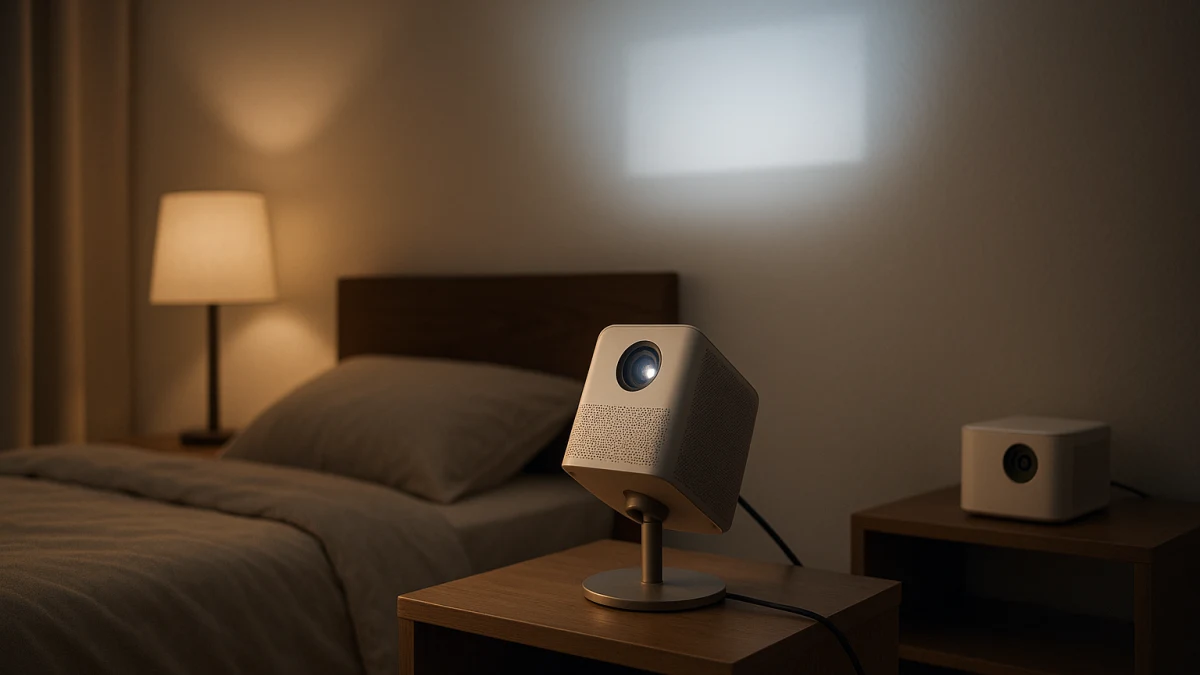
A smart projector for watching from bed is mostly an aiming decision, not just a question of whether the projector is small or has streaming apps. This collection separates models that clearly mention rotation, a rotatable body, or an adjustable stand from compact smart projectors that are easier to place on a nightstand or shelf but are not automatically ceiling-ready.
That distinction matters because a normal smart-projector listing can mix rotating models, mini models, vague portable wording, bedroom TVs, mounting accessories, and decorative light projectors. Here, compare the products around the real in-bed setup questions: upward-aiming hardware, keystone and focus correction, throw distance, image size, ceiling surface, cord placement, fan noise, heat, dark-room brightness expectations, and whether built-in streaming reduces extra gear near the bed.
First decide: rotate the image upward or just place the projector near the bed
| If you need... | Better fit |
|---|---|
| The image on the ceiling or a high wall while lying in bed | Start with adjustable smart projectors for ceiling or high-wall projection, especially listings that mention rotation, rotatable design, or an adjustable stand. |
| Fewer devices on a nightstand or shelf | Consider compact smart projectors with Wi-Fi, Bluetooth, built-in apps, Google TV, Android, Linux, or another built-in operating system. |
| A listing that only says mini, portable, or compact | Treat it as space-saving first. Do not assume ceiling viewing unless it also shows rotation or upward-angle support. |
| A fixed bedroom display instead of angled projection | Keep that as a separate bedroom TV decision, not the reason to choose from this smart-projector collection. |
Use the same split when reading product pages: rotation and adjustable-stand language answers the aiming problem; auto focus, electric focus, and keystone correction help clean up the image after placement; streaming features are mainly about reducing bedside clutter.
Ceiling-ready clues to look for before you browse
Look for these clues before comparing app lists or resolution claims:
- Physical aiming language: adjustable 270° stand, 180-degree rotation, 210-degree rotation, 360° rotating stand, rotatable body, or adjustable stand.
- Correction tools: auto keystone, manual keystone, auto focus, or electric focus. These can make angled setup easier, but they do not guarantee a perfect ceiling image in every room.
- Throw fit: check whether your bed, shelf, or nightstand position can create the image size you want at the distance available.
- Bedroom comfort checks: fan noise and heat matter more when the projector is close to where you sleep, so verify them instead of assuming a mini projector will be comfortable nearby.
- Dark-room expectations: brightness ratings are most useful here for judging bedroom viewing in low light unless the product page and your room conditions support more.
- Streaming convenience: Google TV, built-in apps, Android, Linux, Wi-Fi, and Bluetooth are useful when they reduce the need for a separate streaming stick or extra cables beside the bed.
Keep out the lookalikes: mounts, TVs, and star projectors
This page is only for smart projectors used for ceiling, high-wall, or in-bed viewing scenarios. It does not recommend ceiling mounts, tripods, shelves, wall brackets, furniture, speakers, or installation hardware as the main buying path.
It also excludes decorative galaxy, nebula, star, northern-lights, and night-light projectors. Those can create ambient effects, but they are not the same product problem as choosing a smart video projector for movies or shows from bed. Bedroom smart TVs are adjacent, too, but they solve a different fixed-display problem.
Rotating smart projectors for ceiling or high-wall viewing
If your main goal is watching from bed with the image above you or high on the wall, start here. The strongest product language is physical: an adjustable 270° stand, 180-degree rotation, 210-degree rotation, or a 360° rotating stand tells you more about ceiling-viewing potential than generic words like portable or compact.
The products shown in this lane are useful to compare because they pair upward-aiming language with smart-projector features such as Google TV, built-in apps, Wi-Fi, Bluetooth, auto focus, or auto keystone. Those features can reduce setup friction: rotation helps aim the projector, while focus and keystone tools help refine the picture after the projector is no longer pointed straight at a normal wall.
Read these products as the ceiling-aiming lane, not as a promise that every bedroom layout will work. A rotating stand may solve the angle problem, but you still need enough throw distance, a usable ceiling or wall surface, a sensible power-cord path, and acceptable heat and fan-noise conditions for your room. If a product’s smart features are strong but the rotation language is weak or unclear, compare it more cautiously against the compact nightstand lane below.
Ceiling viewing still depends on throw distance and cord placement
Before choosing a rotating model, map the setup in the room where you will actually use it. The key question is not only “Can it point upward?” but “Can it point upward from a spot that creates the image size I want?”
Check the product page for throw distance and image-size guidance, then compare that with the distance from your nightstand, dresser, or other stable surface to the ceiling or high wall. Also think through where the power cord will run, whether the projector’s exhaust area has breathing room, and whether the fan will be close enough to bother you at night. These are room-fit checks, not accessory recommendations.
Compact smart projectors when the nightstand is the setup
Choose this lane when simple placement matters more than proven ceiling aiming. Mini, portable, compact, small dimensions, and low weight are useful if the projector needs to sit on a nightstand or shelf, and smart features such as Wi-Fi, Bluetooth, Android, Linux, built-in apps, auto focus, electric focus, or auto keystone can make casual bedroom setup easier.
Treat these products as space-saving smart projectors first. They can be a better fit for a stable bedside surface, especially if you want fewer extra devices and cables. But if the listing does not clearly mention rotation, an adjustable stand, or upward-angle support, do not read “mini” or “portable” as ceiling-ready.
Bedroom proof-check: angle, keystone, focus, noise, heat
Before buying, run through the checks that a product grid usually hides:
- Angle: Does the listing clearly show rotation, a rotatable design, or an adjustable stand if you want ceiling or high-wall viewing?
- Keystone: Is correction automatic, manual, or not clearly described? Angled projection usually needs some kind of adjustment.
- Focus: Does it offer auto focus, electric focus, or manual focus, and is that practical from where the projector will sit?
- Throw distance: Will the projector create the image size you want from the actual bed, shelf, or nightstand distance?
- Surface: Is your ceiling or high wall suitable for the image, or will texture, color, or obstructions make the picture distracting?
- Power and ports: Can the cord reach safely, and are the ports or wireless options compatible with how you plan to stream?
- Heat and fan noise: Verify product-page details and customer-facing specifications where available; do not assume compact means cool or quiet.
- Brightness: Judge brightness for a dark bedroom unless the manufacturer’s specifications and your room conditions support brighter-room use.
- Streaming support: Confirm the listed platform, apps, Wi-Fi, Bluetooth, or operating system actually covers the services and devices you use.
Claims that need spec-sheet backup for in-bed viewing
Be cautious with any claim that sounds absolute. Orientation, keystone range, focus behavior, throw distance, fan noise, heat, and battery life should come from the current product page or manufacturer specifications before you rely on them.
Comfort claims also need care. A projector being mini, portable, or compact does not prove that it is quiet, cool-running, battery-powered, or suitable beside a pillow. Safety claims, including eye-safety, kid-safety, laser-safety, or blue-light claims, should be backed by official standards-based information rather than inferred from bedroom marketing language.
If ceiling or high-wall aiming is the main goal, start with the rotating lane and then verify the room-fit details. If bedside simplicity matters more, use the compact lane, but keep it framed as nightstand or shelf placement unless the product clearly supports upward aiming.