
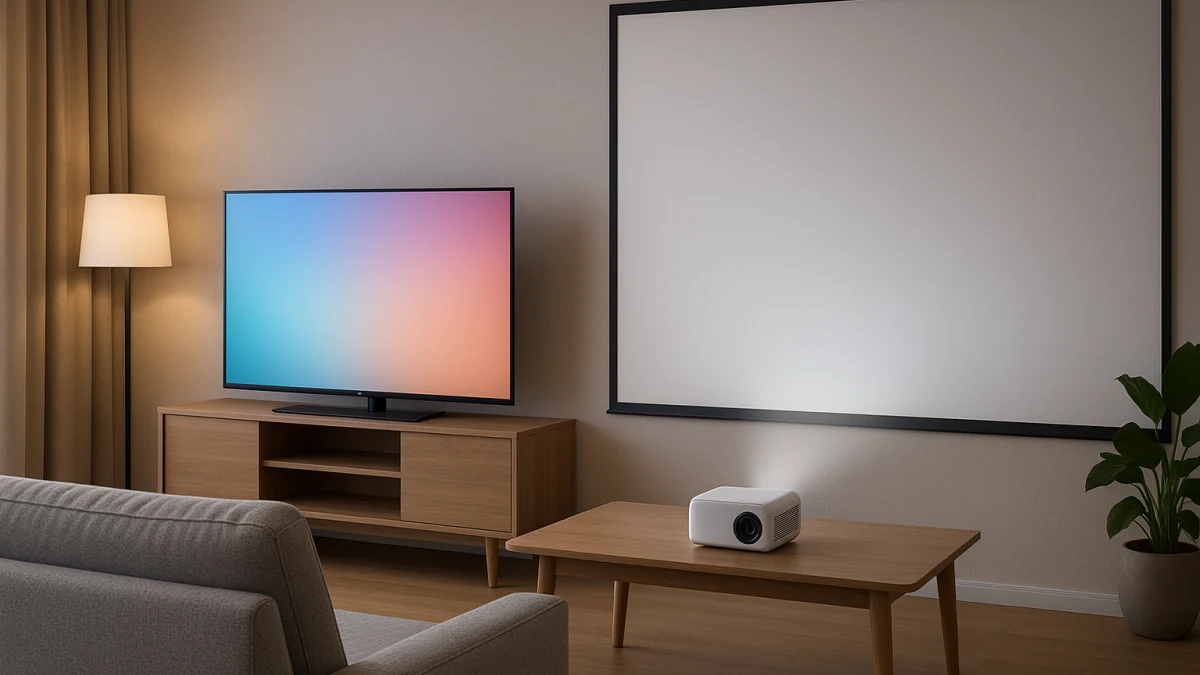
Smart TVs and smart projectors can both be smart living-room displays, but they are not solving the same job. This page starts with the choice a normal category grid skips: do you need a familiar screen that is ready for frequent mixed viewing, or do you want a larger cinema-style image badly enough to manage dimming, placement, and setup tradeoffs?
Use the product sections below as browsing lanes after that decision. The TV lane is strongest for built-in living-room convenience and actual display products, while the projector lane is strongest for big-image intent with smart-platform and connectivity details. Brightness, HDR, huge-screen value, and projector lumen language are treated as items to verify, not assumptions.
Daylight, dimming, or cinema scale: pick your starting lane
| If this sounds like your living room | Better starting lane |
|---|---|
| You watch frequently during the day, switch between shows, sports, games, and casual background viewing, and do not want to rearrange the room. | Smart TV as the always-ready main display |
| You mainly want movie-night scale and can dim the room, manage placement, and accept more setup friction. | Smart projector as the cinema-first large-screen display |
| You like huge-screen projector marketing but cannot control bright-room conditions. | Start with a smart TV, or verify the projector manufacturer’s brightness specifications before moving into the projector lane. |
| You are planning screen material, mounting, blackout control, audio, seating, or a dedicated theater-style room. | Treat that as outside this living-room display collection. |
As you compare, keep six practical checks in view: how much room light you need to tolerate, how large you expect the image to feel, how much placement work you will accept, which built-in smart platform and apps matter, whether picture-performance terms are actually comparable, and what setup or maintenance details the product page still needs to confirm.
Living-room display only: not screens, mounts, audio, or a theater buildout
This collection is about choosing the main smart display for a living room. It does not try to solve projector screen material, wall or ceiling mounts, media furniture, soundbars, AV receivers, outdoor movie setups, non-smart displays, or full theater-room planning.
That boundary matters because those adjacent products can make a projector decision look simpler than it is. If your real project involves blackout design, seating distance, a separate audio plan, or permanent installation, use this page only for the TV-versus-projector starting point and handle the room-design work separately.
Smart TV path: the everyday screen that behaves like a living-room TV
Choose this path if the main display needs to be simple, familiar, and ready for frequent mixed viewing without dimming or rearranging the room. The products shown here are actual smart TV displays, with patterns such as 40-inch Full HD 1080p and 32-inch HD Google TV rather than TV boxes, streaming sticks, remotes, adapters, or media players.
Look at this lane for built-in apps, casting, AirPlay, voice-assistant integration, and Bluetooth headphone compatibility when the display itself needs to handle everyday streaming. Also compare HDMI, USB, Wi-Fi, and Ethernet details so the TV fits your source devices and network setup. Treat HDR10 support and LED display language as product details to compare, not automatic proof of superior HDR quality or bright-room performance.
Read these products as the lower-friction living-room lane. If screen size, smart platform, app support, casting options, and connectivity line up with your normal viewing habits, a smart TV is the cleaner starting point. If the main reason you are hesitating is image scale rather than convenience, move on to the projector lane with the room-light cautions in mind.
Do not translate projector lumens into TV-like bright-room certainty
Before comparing projectors, be careful with brightness language. ANSI lumens, ISO lumens, LED lumens, generic lumens, listed brightness values, nits, HDR support, and daylight-viewing phrases are not interchangeable proof that a projector will perform like a TV in a bright living room.
Use those terms as prompts to check the manufacturer’s specifications and the exact measurement language. If the room is often bright and you cannot dim it, do not rely on huge-screen claims alone.
Smart projector path: the big-image choice that asks more from the room
Choose this path if you are willing to manage dimming, placement, and setup tradeoffs to get a larger, more immersive living-room image. The relevant products here are smart projectors, not star projectors, screens, stands, lamps, cases, mounts, or theater-room accessories.
Compare Android operating systems, smart-platform language, Wi-Fi, Bluetooth, HDMI, and USB to understand how each projector connects and streams. Then look at DLP projection technology, LED projection technology, resolution fields, Full HD claims, and listed brightness values as comparison points. Lower native-resolution listings or vague brightness language can change expectations once the image is large, so do not assume every projector will suit every room.
Read these products as a cinema-first option, not a drop-in replacement for the simplest everyday TV setup. If the product page gives you enough confidence on operating system, inputs, projection technology, resolution, brightness terminology, and room placement, the projector path can make sense for dimmable movie-night use. If those details are unclear, or the room needs reliable casual daytime viewing, the smart TV lane is the safer starting point.
Final checks before making one screen your everyday display
Before buying, run through this short verification pass:
- Screen-size expectation: decide whether a conventional TV size is enough or whether the larger projector image is the main reason you are shopping.
- Inputs: check HDMI and USB needs for game consoles, media devices, laptops, or other sources.
- Network fit: confirm Wi-Fi, Ethernet, or other connection details that matter for your room.
- Smart platform: make sure the built-in apps, Google TV or Android-style platform language, casting, AirPlay, voice-assistant support, or Bluetooth features match how you actually watch.
- Resolution language: compare HD, Full HD, native resolution, and other resolution fields carefully, especially if projecting a large image.
- Brightness and HDR: verify manufacturer wording before relying on lumen fields, daylight claims, HDR10 support, or bright-room expectations.
- Setup and ownership details: read the product page for placement requirements, included parts, and any maintenance information that is not clear from the listing card.
When the projector question has become a dedicated-theater project
A projector can start as a living-room display question and turn into a room-design project. If you are choosing screen material, mounting position, blackout control, external audio, seating layout, or a permanent theater-style installation, you are beyond the scope of this collection.
At that point, do not judge the purchase only against the smart TV lane. The real comparison becomes a broader theater setup with more variables than the product widgets here can resolve.
Match the screen to the room you use every day: smart TV for frequent mixed viewing and low-friction convenience, smart projector only when the larger image is worth dimming and setup tradeoffs. Verify brightness, HDR, value, and maintenance claims before making either one your everyday display.