
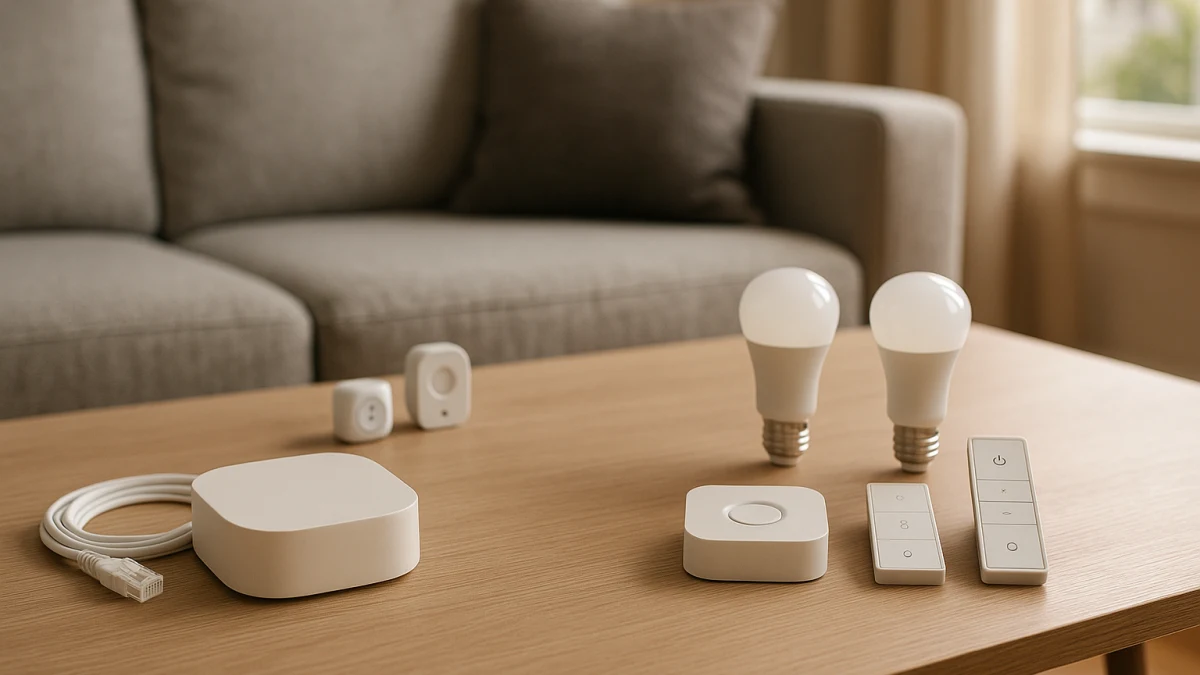
A normal smart home category page can mix hubs, bridges, starter bundles, remotes, switches, sensors, and one-off devices in the same stream. This page is built around the first decision that actually changes what you should buy: do you want a standalone controller first, or a kit where the controller is clearly included or required?
The stronger path here is the controller-first path, because the hub listings give you more to inspect: hub, gateway, bridge, smart home host, Zigbee, Bluetooth, Wi-Fi, Ethernet, app, Alexa, Google Home, and SmartThings language may appear in the products shown. The starter-kit path is more conditional. It only makes sense when the kit makes the hub, bridge, gateway, Hue Bridge, or Smart Hub role clear, and it should not be confused with endpoint-only bundles.
The first fork: controller-first or kit-with-controller?
| If this sounds like you | Better fit | What to check first |
|---|---|---|
| You already own smart devices or have a preferred ecosystem or protocol in mind. | Standalone smart home hub | Controller visibility, protocol support, app support, and ecosystem compatibility for the exact model. |
| You are starting from zero and want bundled components intended to work together. | Smart home starter kit, but only if the hub, bridge, or gateway is included or clearly required | Box contents, setup requirements, and whether the controller is included or must be bought separately. |
| The listing is mostly bulbs, switches, cameras, sensors, or plugs with no controller shown. | Do not treat it as a hub-based starter kit | Look for a hub, bridge, gateway, Hue Bridge, or Smart Hub before comparing it here. |
| Your only goal is pressing one existing physical button. | Treat a smart button pusher as a boundary exception | It may solve a narrow automation task, but it is not a replacement for a hub or a hub-based kit. |
The main tradeoff is guided setup versus expansion flexibility. A kit can make the first installation feel more contained, while a standalone hub can be a better foundation if you plan to add devices over time. Also watch for duplicate controller risk: buying a hub and then a kit with another bridge or Smart Hub may create overlap you did not need. Bundle value is not automatic, so compare current USD offers at the product level.
Choose the controller path before choosing the gadget bundle
Use the products shown here as a controller check, not a general smart-gadget ranking. Before you compare bulbs, sensors, switches, cameras, plugs, or remotes, decide what will control them.
Good signs for the standalone path include listing language such as hub, gateway, bridge, smart home host, Smart Hub, or Home Hub. Good signs for the starter-kit path include bridge included, hub included, gateway required, Hue Bridge, or Smart Hub listed as part of the setup.
If the controller is hard to find, slow down. A bundle can look beginner-friendly while still leaving you to solve compatibility later.
Why hub listings carry more evidence than starter-kit listings
The standalone hub lane is broader. The products shown commonly present themselves as hubs, gateways, bridges, or home hubs, and some listing titles include clues such as Zigbee, Bluetooth, gateway, bridge, or automation. Those clues help you build a shortlist, but they are not a promise that every device, ecosystem, or protocol will work.
The starter-kit lane is narrower. The clearest examples are kits where the controller role is visible, such as a smart light starter kit with a Hue Bridge and bulbs, or a smart dimmer switch starter kit with a Smart Hub, dimmer, and remote components. That is enough to compare hub-based kits, but not enough to make broad claims about all starter kits.
Treat compatibility language as a lead to verify, not as complete platform coverage. Matter, Thread, Zigbee, Z-Wave, Alexa, Google Home, Apple Home, and SmartThings support can vary by exact model, generation, region, and setup path.
Filter out endpoint-only kits and one-button pushers
Some listings can leak into this decision even though they do not answer the hub-versus-kit question. A pack of bulbs, switches, cameras, sensors, plugs, locks, or security accessories is not a hub-based starter kit unless the listing clearly shows an included or required hub, bridge, gateway, Hue Bridge, or Smart Hub.
Smart button pushers are another boundary case. They can be useful when the only task is physically pressing an existing button, but they should not be treated as a smart home hub, gateway, bridge, or starter kit foundation.
Start with a standalone hub when the controller path is already clear
Choose this lane if you already own smart devices, know the ecosystem you want to build around, or care more about future expansion than a preselected bundle. A standalone hub, gateway, bridge, or smart home host gives you a controller to evaluate first, then lets you add compatible devices later.
Use the widget to separate true controller listings from products framed mainly as a button, switch, remote, or endpoint device. Look for how each product describes its role and which connectivity or control clues are visible: Zigbee, Bluetooth, Wi-Fi, Ethernet, app support, Alexa, Google Home, and SmartThings language may all help you narrow the field.
Read these products as a controller-inspection lane. A listing titled as a Smart Hub, Home Hub, Zigbee Smart Gateway Hub, or Bluetooth gateway bridge may belong on your shortlist, but the title alone is not enough. Before buying, confirm the exact model generation, regional SKU, supported protocols, setup requirements, and the ecosystems you actually plan to use. If you do not yet know what devices you want to add, a guided kit may be easier, but only when its controller is explicit.
Avoid the duplicate-controller trap before opening kits
Pause before adding a starter kit to a cart after you have already picked a hub. Some kits include or require another controller, such as a Hue Bridge, Smart Hub, bridge, hub, or gateway. That can be useful if you are buying into that kit intentionally, but it can also create unnecessary overlap.
Check the kit contents against what you already own or plan to buy. If the kit includes another controller, ask whether it replaces your standalone hub choice, complements it for a specific ecosystem, or simply duplicates something you do not need. For value claims, compare the current USD price of the kit against buying the controller and first devices separately.
Use a starter kit only when the hub or bridge is part of the setup
A starter kit is the better first purchase only when you are starting from zero and the controller role is clear. Keep this lane focused on kits that visibly include or clearly require a hub, bridge, gateway, Hue Bridge, or Smart Hub, along with first devices such as bulbs, a dimmer, or a remote.
Use these products as a kit-contents verification lane, not a general bundle browser. A smart light starter kit with a Hue Bridge and bulbs or a dimmer switch starter kit with a Smart Hub, dimmer, and remote can make setup more guided because the components are intended to work together. Skip listings that are only endpoint bundles, and do not assume the kit is cheaper than buying separately without checking current USD pricing and availability.
Exact-model checks: hub, bridge, protocol, ecosystem
Before you buy either path, answer these product-page questions:
- Is the controller actually included, or is a hub, bridge, gateway, Hue Bridge, or Smart Hub required separately?
- What is the exact model name, generation, and regional SKU?
- Which protocols are listed for that exact model: Zigbee, Bluetooth, Wi-Fi, Ethernet, Matter, Thread, Z-Wave, or another setup path?
- Which ecosystems are named for that exact model, such as Alexa, Google Home, Apple Home, or SmartThings?
- Does the setup require a specific app, account, bridge, wired Ethernet connection, or existing controller?
- If it is a starter kit, what devices are in the box, and are they the devices you would have bought separately?
- If the listing claims bundle value, what is the current USD price of the kit compared with the controller and devices purchased separately?
- If you already own a hub or bridge, does this purchase add a second controller you do not need?
When a protocol logo needs outside verification
Protocol and ecosystem logos should be treated as exact-model claims. Matter, Thread, Zigbee, Z-Wave, Alexa, Google Home, Apple Home, and SmartThings support can depend on the product generation, firmware, regional SKU, included bridge, and the setup path the manufacturer supports.
Use the listing to decide what to investigate, then confirm important compatibility claims with the manufacturer or the relevant official standard information when available. The safest first purchase is the one where the controller role, included parts, and compatibility path are clear before checkout.
Bring the decision back to the fork: choose a standalone hub when you have known devices, a target ecosystem, or expansion plans; choose a starter kit only when the hub or bridge is clearly part of the setup.