
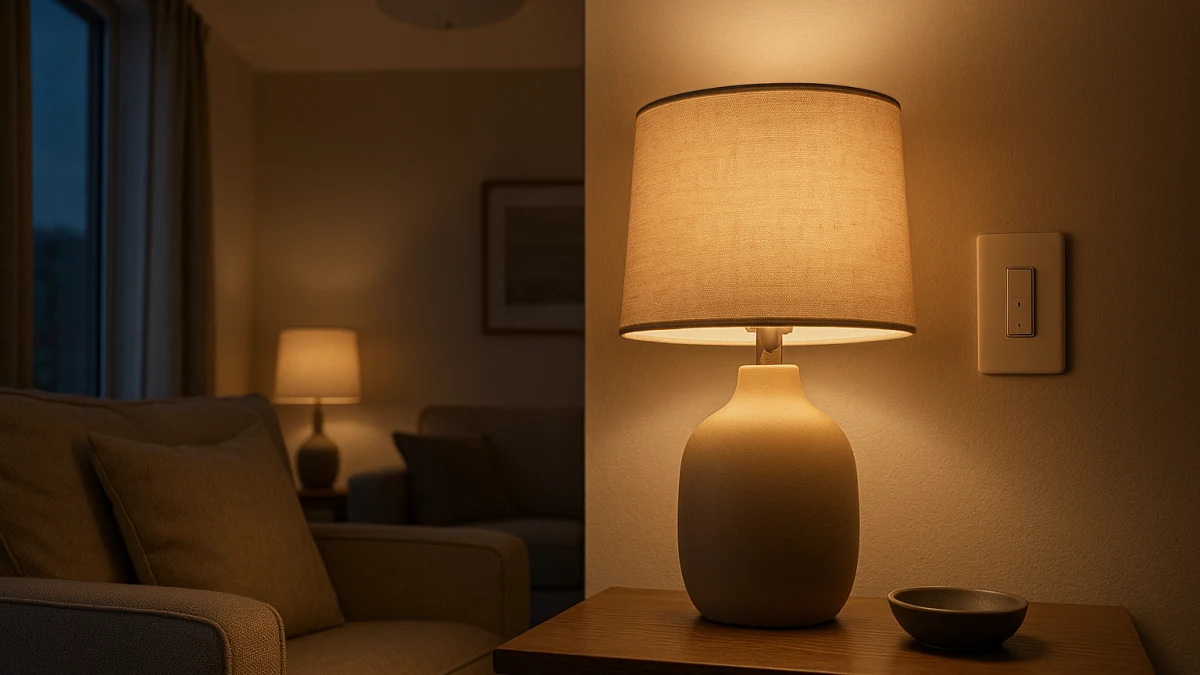
Smart bulbs and smart dimmer switches can both give you app or voice dimming, but they do not dim in the same place. A smart bulb changes brightness inside the bulb electronics; a smart dimmer switch changes the power delivered to a compatible lighting load at the wall.
That difference matters before you shop. A normal smart lighting category page may mix bulbs, switches, plugs, strips, and fixtures together, but this page separates the actual dimming decision: choose bulb-level control when the bulb should stay powered and manage its own brightness, or choose wall-based control when one switch should dim the fixture.
Where should the dimming happen: bulb electronics or wall load?
| If this is your situation | Better fit |
|---|---|
| You want color, tunable white, schedules, groups, or app and voice scenes for individual bulbs. | Smart bulbs with built-in dimming |
| You want one familiar wall control to dim a multi-bulb fixture or room circuit. | Smart dimmer switches |
| The existing fixture is already controlled by a physical wall dimmer. | Check the smart bulb manufacturer’s wall dimmer guidance before buying. |
| You are replacing a wall control and the listing mentions neutral wire, single-pole, 3-way, or dimmable LED load. | Smart dimmer switches, after verifying the circuit and load specifications. |
| You are dimming only a plug-in lamp or adding accent lighting. | Treat plug-in dimmers and LED strip controllers as boundary cases, not the main comparison. |
The main comparison axes are control point, power behavior, bulb or fixture compatibility, circuit and load requirements, and smart-home platform fit. Alexa, Google Home, Apple Home, SmartThings, Matter, HomeKit, Wi-Fi, Bluetooth, app control, voice control, and scheduling can appear in either product type, so do not let those shared features hide the more important question: what is actually doing the dimming?
Pick the control point before you pick the product
Use smart bulbs when the fixture can remain powered and the bulb itself should handle brightness, scenes, groups, color, or tunable white. In that setup, the wall switch is not the dimming device; the bulb, app, remote, voice assistant, or automation is.
Use a smart dimmer switch when the wall control should remain the main interface for the room. That is usually the better direction for a hardwired fixture with multiple compatible dimmable bulbs, provided the switch matches the circuit type and load requirements.
The common mistake is trying to solve one problem with both approaches at once. A smart bulb on a physical dimmer, or smart bulbs behind a smart dimmer, should only be considered when the relevant manufacturers explicitly allow that pairing.
What looks related but should not drive this dimming choice
Some nearby products can look like part of the same decision but answer a different question:
- Plug-in lamp dimmers are for lamps plugged into an outlet, not for deciding how a hardwired room fixture should dim.
- LED strip controllers are useful for accent lighting, but they do not settle the smart bulb versus smart wall dimmer decision.
- Non-smart wall dimmers may dim compatible bulbs, but they do not provide the smart switch behavior this comparison is about.
- Fixture replacement products may be the right project in some rooms, but they are not the same as choosing where dimming happens in an existing bulb-and-switch setup.
Use smart bulbs when the bulb can stay powered and dim itself
Choose this option when individual bulb behavior matters: app brightness control, voice scenes, schedules, groups, color, tunable white, or platform features. Look for direct built-in dimming language such as Dimmable: Yes, brightness control, or a stated range such as 1% to 100% rather than assuming every smart bulb will behave well on a physical wall dimmer.
As you compare the products shown here, check the practical fit details: E26 base, A19/A21/ST19 or other listed bulb shape, lumens, wattage, Wi-Fi or Bluetooth connectivity, and platform support such as Alexa, Google Home, Apple Home, SmartThings, Matter, or HomeKit. Those features matter, but they are secondary to the control method: the bulb is doing the dimming.
Read these products as smart bulbs with visible brightness-control or dimming-related features, not as universal replacements for bulbs currently on a wall dimmer. If your fixture is already controlled by a physical dimmer, check the bulb maker’s guidance before buying; another product type may be a cleaner fit if the wall control needs to remain the dimmer.
After smart bulbs, do not assume a wall dimmer is safe to keep
A smart bulb usually expects steady power to remain reachable by the app, voice assistant, remote, or automation. A physical dimmer changes the power delivered to the bulb, and that pairing is manufacturer-specific.
If a product page says Dimmer Compatibility: No, treat that as a stop sign for that use case. If the page does not clearly address wall-dimmer compatibility, do not infer support just because the bulb is labeled dimmable. In smart bulb listings, “dimmable” can mean the bulb dims through its own electronics, not that it is approved for every wall dimmer.
Use smart dimmer switches when one wall control should dim the fixture
Choose a smart dimmer switch when you want the wall control to dim a compatible hardwired lighting load. This is often the more natural fit for a room fixture with multiple bulbs where everyone still expects a familiar switch on the wall.
Here, the product details to compare are different from smart bulbs. Look for neutral-wire requirements, whether the switch is single-pole or supports the circuit you have, any 3-way limitations, hardwired power requirements, LED compatibility, dimming range such as 0% to 100%, and load ratings such as 150W dimmable LED or 600W incandescent/halogen when those ratings are listed. Some switches require a neutral wire, while some products may state that no neutral wire is required, so this is not a detail to guess.
Read these products as wall-based dimmers for compatible bulbs or fixtures. They can add app, voice, scheduling, and ecosystem control at the switch, but they are not automatically compatible with every dimmable LED bulb and should not be treated as universal controllers for smart bulbs unless both manufacturers support that setup.
Compatibility checks that matter more than the word dimmable
Before choosing either direction, check the product page for the compatibility details that match your room:
- For smart bulbs: base type such as E26, bulb shape such as A19, A21, or ST19, lumens, wattage, dimming range, app or voice platform, and any wall-dimmer compatibility statement.
- For smart dimmer switches: neutral-wire requirement, single-pole or 3-way support, minimum and maximum load, compatible load type, dimmable LED support, and wattage ratings.
- For smart-home setup: confirm the ecosystem you actually use, such as Alexa, Google Home, Apple Home, SmartThings, Matter, or HomeKit.
- For existing fixtures: verify that the bulbs or fixture connected to a smart dimmer are the type the switch manufacturer says it supports.
The word “dimmable” alone is not enough. For bulbs, ask how the bulb dims. For switches, ask what load the switch is allowed to dim.
When neither product type should be treated as the fix
Do not assume a new smart bulb or smart dimmer switch will automatically eliminate flicker, buzzing, dropout, or control problems. Those symptoms can depend on the exact bulb, fixture, dimmer electronics, load level, circuit setup, and manufacturer compatibility.
Skip this comparison as the only answer if the real issue is damaged hardware, uncertain wiring, an unsupported 3-way arrangement, or a fixture that needs inspection rather than a smart lighting upgrade. This page is not a wiring guide, and product listings should not be read as safety or performance guarantees.
The safest buying move is to choose one dimming strategy, verify the manufacturer-specific compatibility details for your fixture or lamp, and avoid stacking smart bulbs with wall dimmers unless that exact pairing is supported.