
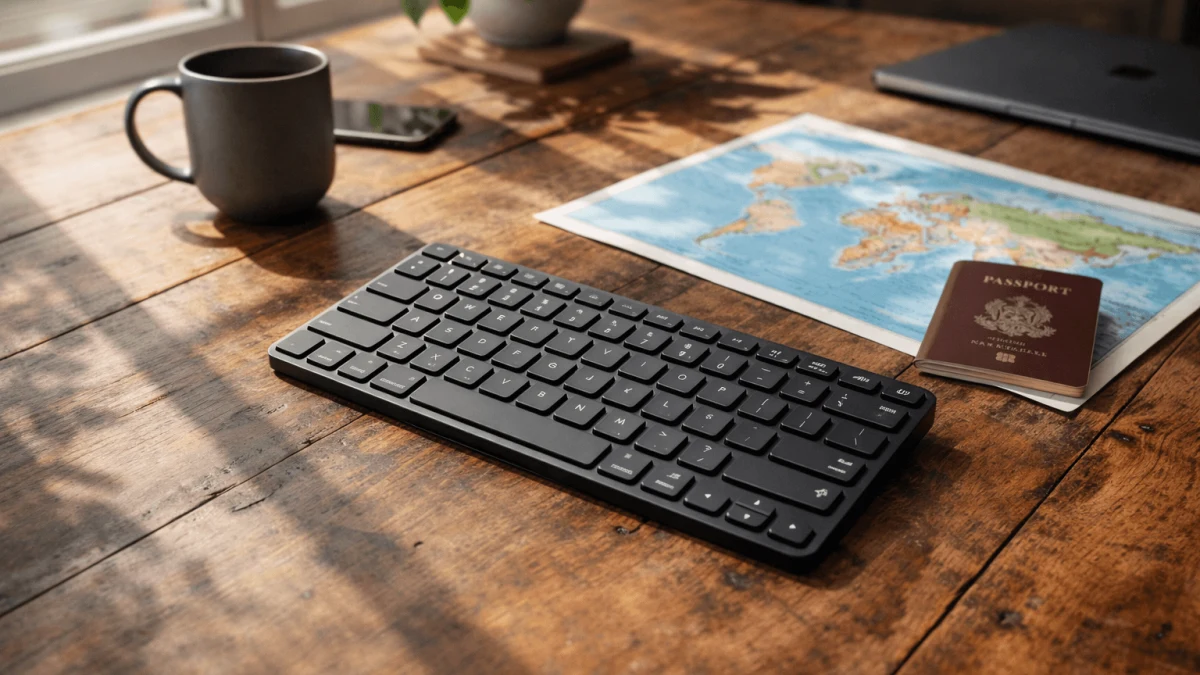
If you’re iPad-first and you type every day while hopping cafes, airports, and Airbnbs, the keyboard decision isn’t “which one is nicer?”—it’s “which one won’t quietly wreck my week.”
The trap is thinking there’s one perfect keyboard. There isn’t. There are two good answers depending on what you’re optimizing for: packability (always with you) vs typing comfort + iPadOS workflow (makes you faster). This guide will help you pick the right side of that trade-off—without realizing mid-trip that you chose the one that turns your thumbs into typos.
Ultra-Portables for Minimalist Nomads
If your life fits into a sling bag and you actually feel the difference between 300g and 600g, ultra-portable keyboards make sense—but they come with a very real “death by a thousand errors” risk.
The main question to ask yourself is brutally simple: Do you need a keyboard that’s always with you, even when you didn’t plan to work? If yes, the smallest keyboard that you’ll reliably carry often beats the “better” keyboard you left back at the apartment.
A good example of the ultra-portable mindset is the Wireless Laser Keyboard. It connects via Bluetooth and lists iOS compatibility (along with Android and Windows), so it’s clearly meant for on-the-go pairing across devices. But notice the other key spec: battery life up to 8 hours. That’s fine for “a work session” but it’s not the kind of battery spec that forgives forgetting to charge it the night before a travel day.
The trade-off you can’t wish away
Ultra-compact designs tend to create three common problems for daily typists:
- More typing errors (compressed spacing trains your fingers to miss)
- Slower output (you can’t get into flow if you’re constantly correcting)
- More fatigue (especially if you’re doing long replies, docs, or coding)
Who should pick this category anyway?
Choose ultra-portable if:
- You mostly type in short bursts (messages, email triage, quick edits).
- You need something you can toss in a pocket and forget.
- You’re okay with charging more often and treating it as a “tool,” not a desk substitute.
Takeaway: Ultra-portables can save your minimalist setup—just don’t pretend they’re built for hours of long-form typing. If you buy one, do a real test: type for 45–60 minutes and see if your speed and error rate collapse. If it does, you’ve got your answer.
iPadOS Integrated Keyboards for Seamless Workflows
If your iPad is your primary computer, keyboard “compatibility” is not the same as keyboard integration. A generic Bluetooth keyboard can technically type letters… while still breaking your workflow in annoying ways.
What matters for iPadOS-heavy work is whether your keyboard supports the stuff you do all day:
- Consistent shortcut behavior (copy/paste, app switching, search, etc.)
- Function-row style controls (brightness, volume, media—depending on your setup)
- Reliable wake/pair behavior so you’re not doing the Bluetooth dance in public
Here’s the honest take: if you rely on shortcuts for speed, it’s usually worth accepting a slightly bigger keyboard to get better iPadOS-native behavior. Those extra centimeters can buy you fewer weird edge cases (missed key combos, inconsistent modifier behavior, laggy reconnects).
Quick self-test
You’re in the “integration matters” camp if you:
- Use keyboard shortcuts constantly without thinking about them
- Switch between apps while writing (notes → browser → docs → chat)
- Hate fiddling with pairing when you just want to work
Takeaway: If your livelihood depends on fast, predictable iPad workflows, prioritize integration over absolute compactness. The keyboard should disappear and let you work—not become another device you manage.
Rugged Keyboards for Reliable Use While Traveling
When you travel internationally, “thin and clever” sometimes translates to “fragile and replaceable.” And being stranded isn’t dramatic—it’s what happens when your keyboard dies and your iPad suddenly becomes a glass notebook.
The biggest reliability factors for travel aren’t exciting, but they’re everything:
- Battery strategy: Can you go weeks, or are you charging constantly?
- Failure modes: Is it one hinge away from becoming e-waste?
- Serviceability: Replaceable batteries (or at least not a ticking sealed-battery clock)
The foldable trap
Foldables and ultra-thin designs are awesome… right up until:
- a hinge loosens,
- a key stops registering,
- or the battery degrades and you can’t swap it.
That’s why ruggedness matters more the longer your trip is and the less access you have to replacements.
Takeaway: If you’re doing long trips or remote work where “just buy another one” isn’t easy, choose the keyboard you trust to survive bags, bumps, and neglect—not the one that wins the thinnest-object contest.
Mechanical Keyboards for Typing Efficiency
If you write for a living (or you’re doing long client deliverables), typing comfort isn’t a luxury—it’s throughput. Mechanical (or high-quality tactile) keyboards can make you faster, more accurate, and less fatigued over long sessions.
Here’s the real trade: bulk for consistency.
Mechanical-style boards typically give you:
- clearer tactile feedback (fewer accidental presses)
- a rhythm that supports long sessions
- better “muscle memory” stability compared with cramped mini layouts
But they cost you space and weight, and you need to be honest about whether you’ll actually carry it daily.
Who benefits most
Pick a typing-comfort-first keyboard if:
- You do long-form writing, coding, or heavy editing most days
- Your hands start to ache on flat laptop-style keys
- You’d rather pack one slightly larger tool than fight a tiny one daily
Takeaway: If your keyboard is a core work tool, optimize for the experience of typing—not the experience of packing. The grams you save can turn into hours lost.
Options for Multi-Device Connectivity
If you bounce between an iPad, a phone, and maybe a work laptop, multi-device switching is either a superpower or a constant irritation—depending on how smoothly it works.
The decision point: Do you switch devices multiple times a day, or only occasionally?
- If you switch constantly, you want switching that’s fast and predictable (ideally a dedicated switch mechanism rather than re-pairing).
- If you switch rarely, you can tolerate a simpler setup.
Also consider your real travel workflow:
- iPad for deep work
- phone for comms / hotspot management
- occasional laptop for one stubborn app
If that’s you, convenience matters. But don’t let multi-device features seduce you into buying a keyboard you hate typing on.
Takeaway: Multi-device switching is worth prioritizing only if you’ll use it daily. Otherwise, put your budget and bag space into typing comfort and reliability.
Compact Layouts vs. Full Keyboards: Choosing the Right Fit
Layout is the silent productivity killer. A too-compact layout doesn’t just feel “small”—it changes how often you hit backspace, how much you hesitate, and whether you avoid certain tasks because they’re annoying on your setup.
The key question: How close to full-size do you need to type at your best?
A practical way to decide (without overthinking it)
Think in terms of your dominant work:
- Mostly messages + light edits: compact is fine.
- Daily long docs / writing / coding: you’ll probably want more spacing and a more standard layout.
And be wary of “I’ll get used to it.” Sometimes you do. Sometimes you just slowly accept being slower.
The real cost of tiny layouts
A compact keyboard can cost you:
- constant minor errors (which add up)
- more mental load (you’re thinking about keys instead of your work)
- reduced willingness to write long-form (you procrastinate because it’s uncomfortable)
Takeaway: Choose the smallest keyboard that still lets you type at your normal speed for an hour straight. If you can’t do that test comfortably, it’s not your daily-driver keyboard—it’s a backup.
Options With Integrated Trackpad for Better Navigation
An integrated trackpad can make iPadOS feel dramatically more “laptop-like”—especially for editing text, switching apps, and navigating without reaching up to touch the screen every 10 seconds.
However, there aren’t any relevant products available under the Bluetooth keyboard category at this time. Instead of forcing bad recommendations, I’ll give you the decision logic.
When a trackpad is worth the bulk
You’ll love a trackpad if:
- you edit text a lot (selecting, moving the cursor precisely)
- you work in split view / multitask frequently
- you want fewer screen touches (good for stand setups)
When you can skip it
Skip the trackpad if:
- you’re primarily typing and don’t mind tapping the screen
- you’re optimizing for ultra-light carry
- you already use a separate pointing device sometimes
Takeaway: Trackpads are a genuine workflow upgrade on iPad—but only if you’re okay with the extra size. If you’re already struggling with bag space, prioritize the keyboard you’ll carry every day; you can always add navigation tools later.