
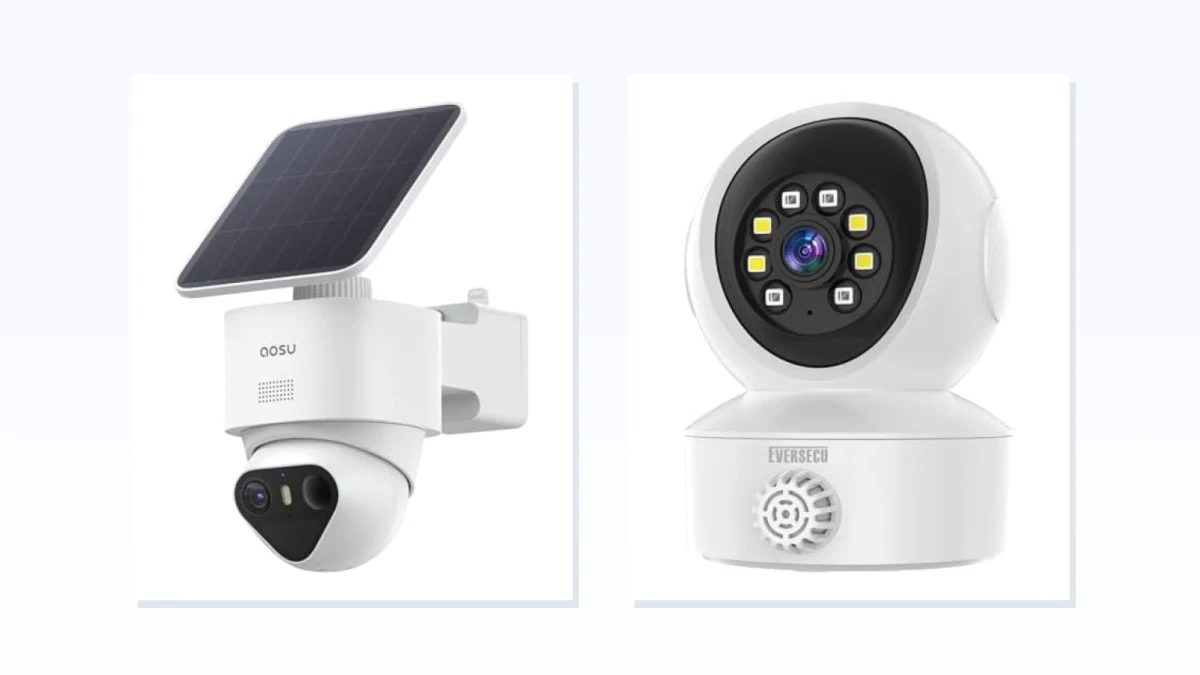
An indoor camera and an outdoor camera can share the same resolution, app, alerts, and two-way talk. That does not make them interchangeable. The mounting location creates a hard eligibility test: moisture, dust, temperature, direct sun, and the environmental rating of the camera’s cables and power hardware. Only after a model clears that test should video features and privacy controls decide the purchase.
A roof overhang is not climate control. A garage can stay dry while becoming much hotter or colder than a living room. A camera behind a window never gets rained on, yet the glass can create daytime glare and reflect the camera’s infrared light back into the lens at night. These gray areas are where a simple indoor-or-outdoor label is least useful.
This guide stays within the security-camera category rather than comparing video doorbells. It focuses first on placement, then on the model-level checks that determine whether a camera will work there. Power, network reach, and recording options still matter; treat them as final vetoes rather than reasons to ignore environmental fit.
Choose the lane by mounting location
| Mounting location | Safest starting point | What still needs verification |
|---|---|---|
| Exposed exterior wall, fence, pole, or roofline | Outdoor-rated camera | Exact IP code, temperature range, sun exposure, and weather rating of cables and connectors |
| Covered porch, balcony, or open carport | Usually an outdoor-rated camera | Wind-driven rain, humidity, condensation, and seasonal temperature extremes |
| Unheated garage, shed, workshop, or attic | Model-by-model decision | Operating temperature, humidity, dust exposure, and power-hardware limits |
| Dry, climate-controlled room | Indoor camera | Privacy mode, physical shutter, microphone control, account security, and shared access |
| Indoors, aimed through a window | Indoor or window-specific camera, or an outdoor camera mounted outside | Reflections, infrared night vision, motion detection, direct sun, and field of view |
The label on the room is not the deciding factor. A location can be physically inside a building and still exceed the conditions for which an indoor camera was designed.
An IP rating answers one question, not all of them
“Weatherproof” and “weather-resistant” are broad product labels. An IP code is more specific: under IEC 60529, its first digit describes protection against solid-particle ingress and its second digit describes protection against water under defined test conditions.
That makes an exact rating more useful than an unsupported weatherproof claim, but it is not a complete outdoor-suitability certificate.
An IP code does not, by itself, tell you:
- The camera’s permitted operating temperature
- Whether prolonged direct sun can overheat it
- Whether the housing is intended for constant UV exposure
- How it handles condensation, salt air, or corrosive environments
- Whether the power adapter, extension cable, connector, or junction box shares the camera body’s rating
- Whether the warranty covers the installation you have planned
Do not read IP65, IP66, and IP67 as a simple good-better-best ladder for every outdoor mount. Water jets and temporary immersion are different test conditions. The useful question is whether the exact rating and installation instructions match the exposure at your location.
Outdoor security cameras: match the complete installation to the weather
Start in the outdoor lane when the camera or any exposed part of its installation may encounter rain, snow, blown dust, persistent humidity, or temperatures outside a normal indoor range. A covered position may reduce exposure, but it does not automatically make an indoor model suitable.
Use the shortlist below to identify outdoor-oriented cameras, then verify the exact model rather than relying on a badge or title.
Read each candidate in this order:
-
Find the exact IP code. A specific rating is more informative than “weatherproof,” but confirm what component it covers. A sealed camera body does not protect an indoor-only adapter or an exposed cable joint.
-
Check the operating-temperature range. Do not copy a temperature range from another model in the same product family. Battery charging may also have a narrower permitted range than camera operation.
-
Look for placement guidance. Even an outdoor-rated camera may need shade from intense direct sun. Sunlight can heat the housing beyond ambient temperature and can wash out part of the image when it strikes the lens.
-
Inspect the cable path. Follow the installation from the camera to the outlet, network switch, solar panel, or junction box. Every exposed connection needs to be appropriate for that location.
-
Judge the actual view. A wide specification on paper does not guarantee a useful image from under an eave or beside a wall. Nearby surfaces can reflect infrared light, while a bright porch light or floodlight can produce glare at night.
A camera that survives the weather but cannot produce a clear face or usable approach view is still the wrong camera for the mount.
Covered porches, garages, attics, and windows are different problems
These locations are often grouped together as “protected,” but each creates a different failure mode.
Covered porch or balcony. The roof may block vertical rain while leaving the camera exposed to wind-driven moisture, humidity, dust, and freezing or hot air. Start with an outdoor-rated model unless the manufacturer explicitly approves the complete indoor-camera installation for those conditions.
Garage, shed, or workshop. A dry space can still be unconditioned. Check the hottest and coldest temperatures the space reaches, not the temperature when you happen to install the camera. Dust, vehicle exhaust, moisture from wet cars, and an open garage door can also make the environment less indoor-like than it appears.
Attic. Shelter from rain does not protect a camera from heat. Attics can become substantially hotter than the rooms below, while winter temperatures may approach outdoor conditions. An outdoor label is not enough if the attic can exceed the model’s published operating range.
Behind a window. This keeps the camera dry but introduces optical problems. Reflections from the room can reduce daytime clarity, and built-in infrared LEDs can bounce off the glass and wash out the night image. Placing the lens close to the glass, reducing nearby interior light, or disabling the camera’s infrared illumination may help, but results remain model- and window-dependent. Some motion-detection systems can also be less reliable through glass.
For dependable outdoor night monitoring, mounting an outdoor-rated camera outside the glass is usually the cleaner solution. A window-specific design can be a practical alternative when exterior installation is not possible.
Indoor security cameras: privacy is more than an app toggle
Inside a dry, climate-controlled room, weather sealing stops being the main advantage. The harder question is what the camera does when the people in the room do not want to be watched or recorded.
Do not collapse every privacy-related feature into the phrase “privacy mode.” Ask separate questions:
- Does privacy mode stop both live streaming and recording?
- Does it also disable the microphone?
- Can it be activated from the camera itself, or only through an account in the app?
- Is the lens physically covered or rotated away?
- Can another household member or shared user turn the camera back on remotely?
- Does the status light reliably indicate camera activity, and can that light be disabled?
- Can remote viewing be restricted without removing the camera from the account?
A software privacy mode can be useful, but its behavior varies by model. A physical shutter or a lens that visibly rotates into the housing provides clearer visual confirmation that the camera cannot see the room. It still does not automatically prove that the microphone is off, so audio control needs its own check.
A privacy zone is different again. It may mask or ignore part of the frame while the camera remains active. That can help avoid monitoring a neighboring window or a private area, but it is not the same as disabling the camera.
Use the indoor shortlist below to compare room-oriented models, then confirm the exact privacy behavior in the manual or manufacturer support documentation.
Two-way audio should be treated as a communication feature, not a privacy feature. It tells you that the camera has a microphone and speaker; it does not tell you whether audio recording can be disabled, who can initiate a conversation, or whether the microphone stays active during a privacy mode.
For living areas and other private rooms, account controls matter almost as much as the lens. Look for two-factor authentication, continuing security updates, clear shared-user permissions, and a way to remove access without resetting the entire system. Use a unique password and review every account that can open the live view.
Can an outdoor camera be used indoors?
Sometimes, but weather resistance does not make a camera automatically better.
An outdoor model may make sense in an unconditioned garage, dusty workshop, or similarly demanding interior space when its temperature and environmental specifications match the location. In a normal living room, however, the extra sealing may come with a bulkier mount, a more conspicuous design, a fixed outdoor-oriented viewing angle, or features such as a spotlight or siren that do not solve the indoor problem.
Privacy controls also vary independently of the indoor or outdoor label. Some outdoor cameras offer strong privacy features, while some indoor cameras provide little more than an app-based off switch. Compare the exact model rather than assuming that either category guarantees a particular behavior.
Using an indoor-only camera outside is the riskier shortcut. An overhang cannot guarantee protection from humidity, condensation, wind-driven rain, temperature swings, or an exposed power connection. Use an indoor model in a boundary location only when the manufacturer explicitly permits the complete installation.
Power, network reach, and recording can overrule the shortlist
A camera can be environmentally suitable and still fail as an installation.
Before buying, confirm:
- A safe way to power or recharge it at the mount
- The environmental rating of the adapter, cable, connector, and any extension hardware
- Reliable Wi-Fi or wired-network coverage at the exact location
- Whether walls, metal siding, or window coatings weaken the connection
- Whether the camera can record the kind of history you need
- Whether required features depend on a subscription, hub, memory card, or compatible recorder
Test wireless coverage at the intended height and position rather than standing nearby with a phone. A camera mounted outside a brick wall or behind metal can have a much weaker connection than a device several feet away indoors.
Verify the exact model before buying
Run through this final check on the manufacturer’s page or manual:
- Is the exact model approved for the intended indoor, outdoor, or unconditioned location?
- What is its precise IP code, and which parts of the installation carry that rating?
- What are its operating-temperature and humidity limits?
- Does a battery model publish separate charging-temperature limits?
- Does the manufacturer warn against direct sun or require a particular mounting orientation?
- Will infrared night vision, glare, or motion detection be affected by nearby glass or walls?
- What exactly happens when privacy mode is enabled?
- Is there a physical shutter or visibly parked lens?
- Can the microphone, status light, remote viewing, and shared access be controlled separately?
- Does the account support two-factor authentication and ongoing software updates?
- Will power, network coverage, and the recording plan work at the actual mount?
- Does the planned camera angle comply with local privacy and audio-recording rules?
Choose the outdoor lane when the environment could damage an indoor camera. Choose the indoor lane when the location is genuinely dry and climate-controlled, then make privacy behavior a product requirement rather than an optional feature. The category label gets you to the right shortlist; the exact model specifications determine whether the camera belongs on the mount.