
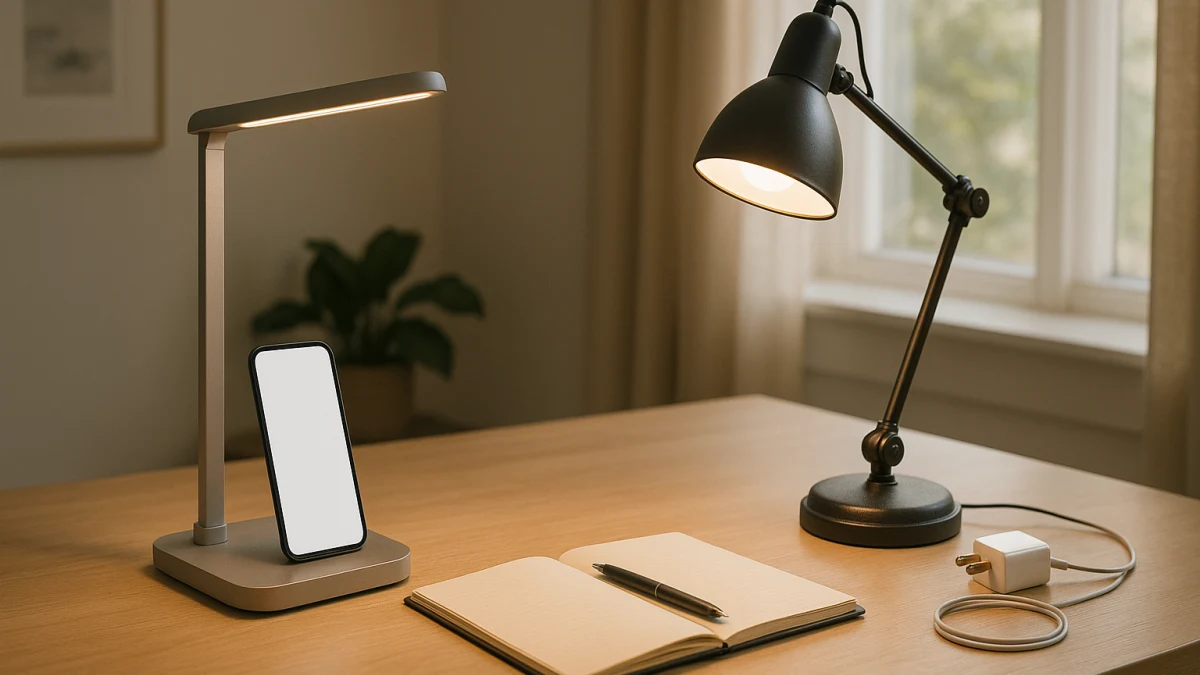
A desk lamp with phone charging sounds like an easy upgrade: one object for light plus a place to power a phone. The catch is that a USB charging port, wireless charging, Qi language, smart controls, and ordinary LED lighting can appear side by side in listings even though they answer different buying questions.
Use this page to separate charging convenience from lighting performance. A built-in charger can be useful when it truly reduces cable and outlet clutter, but a simpler lighting-first desk lamp plus a separate charger may be the better long-term setup when dimming, adjustable brightness, color temperature, light output, adjustability, or base footprint matters more. Treat USB-C, USB Power Delivery, Qi2, fast charging, wattage, and phone compatibility as details to verify on the exact product page, not as things to infer from broad charging language.
Choose by what you want the lamp to solve
| If this is the main need | Better fit |
|---|---|
| You want fewer visible cables and fewer occupied outlets on a desk, dorm desk, or compact work surface. | Charging desk lamp |
| You care most about LED lighting controls such as dimming, adjustable brightness, color temperature, or light output. | Simple lighting-first desk lamp |
| You want your phone charger to be replaceable or upgradable independently of the lamp. | Simple lighting-first desk lamp plus a separate charger |
| You expect USB-C Power Delivery, Qi2, fast charging, or a specific iPhone or Android match. | Spec-check the exact charging desk lamp; otherwise choose a simple lighting-first desk lamp with a separate charger |
As you compare, keep five questions separate: what charging method is listed, whether charging speed and phone compatibility are actually specified, how useful the lighting controls are, whether the lamp fits and adjusts on your work surface, and whether you want the charger tied to the lamp for the life of the purchase.
Start with the cable-and-outlet tradeoff
A charging desk lamp makes the most sense when the built-in feature solves a real desk problem: one fewer cable crossing the surface, one fewer charger block, or one fewer outlet being occupied near a compact workspace.
Choose the lighting-first path when the lamp needs to earn its place primarily through light. If you are comparing LED output, dimmable settings, adjustable brightness, color temperature, lumens, arm movement, or base size, do not let a charging feature decide the purchase before the lamp itself is good enough for the desk.
Also think about replacement. A separate charger can be swapped if your phone, charging cable, or preferred charging standard changes. A charging lamp ties some of the product value to built-in charging hardware.
Not a charger, power strip, or alarm-clock roundup
This page stays inside desk, table, and tabletop smart lamps. It does not cover standalone USB chargers, wireless charging pads, power strips, alarm clocks, speakers, bulbs, ceiling lights, floor lamps, or general nightstand organizers.
That boundary matters because broad searches for phone charging can pull in products that solve charging but do not solve desk lighting. The comparison here is narrower: should the charger be built into the lamp, or should the lamp stay lighting-focused while charging happens separately?
USB, Qi, Qi2, and fast charge are not interchangeable
Do not treat charging terms as synonyms. A listing that mentions a USB charging port may not tell you whether the port is USB-A or USB-C. USB-C wording by itself does not prove USB Power Delivery. Wireless charging does not automatically mean Qi, and Qi wording should not be read as Qi2 unless the exact listing says so.
Fast charging, 10W, 15W, 20W, MagSafe-style alignment, and specific iPhone or Android compatibility all need model-specific support. If those details matter, check the product page before letting charging drive the purchase.
Lamps that put phone charging into the desk light
Use this lane when you want the lamp to combine tabletop lighting with a visible integrated charging feature. The products shown here are desk or table lamps whose product text includes wording such as USB charging port, wireless charger, wireless charging, Qi-enabled, or Qi wireless charging.
The main reason to consider these lamps is convenience. If your desk is crowded, a lamp with built-in charging may reduce the number of visible cables or separate accessories you need. But the charger should not be the only thing you compare. These are still lamps, so look for lighting details such as LED lighting, adjustable brightness, and warm or cool white light where those are listed.
Read these as lamp-with-charging candidates, not guaranteed fast chargers. Before buying, check the exact port type, wireless charging language, wattage if listed, and any device requirements. If the charging details are vague or the base takes up too much of the work surface, the lighting-first lane may be the cleaner choice.
When the charger in the lamp should not decide the purchase
Common wrong turns to avoid:
- Buying on the word Qi alone, then discovering the listing does not state Qi2, wattage, or your phone’s requirements.
- Treating wireless charging as proof of fast charging without model-specific wattage and compatibility details.
- Ignoring the lamp base. A charging base may help with cables but still take up more desk space than you want.
- Accepting weaker lighting controls because the charging feature sounds convenient.
- Assuming a specific iPhone or Android fit, case compatibility, or magnetic alignment when the product page does not say so.
If the charger details are the deciding factor and they are not clear, do not force the purchase. A regular desk lamp plus a separate charger may be easier to verify and easier to upgrade later.
Lighting-first lamps that leave charging separate
This lane is for shoppers who want the lamp’s value to come from lighting hardware and workspace fit instead of built-in charging. Look here when the visible product information emphasizes LED lighting, dimmable output, adjustable brightness, adjustable color temperature, lumens, light output, or tabletop placement without a phone-charging claim.
This path does not solve phone charging by itself. Its advantage is separation: you can choose a lamp for light, adjustability, controls, and footprint, then choose a separate charger that matches your phone and charging expectations. If a product mentions app control or voice control, keep that tied to the specific lamp rather than assuming every smart lamp in this group works the same way.
Compare these products by how they would work on the desk: brightness controls, color temperature options, listed light output, adjustability, and base size. Choose this lane when you would rather avoid tying the lamp purchase to charging hardware, or when the charging lamps do not clearly state the USB, Qi, wattage, or compatibility details you need.
Spec checks before choosing a charging-base lamp
Before choosing a desk lamp because it charges a phone, check the exact product page for:
- The charging method: USB charging port, wireless charging, Qi, or another listed feature.
- The port type if USB matters to you, including whether the listing actually says USB-A, USB-C, or USB-C Power Delivery.
- The wireless standard if wireless charging matters, including whether Qi or Qi2 is explicitly named.
- Any stated charging wattage and whether fast charging is supported by the exact model.
- Phone compatibility details, including any iPhone or Android language and any case or placement requirements.
- Lighting controls such as LED, dimming, adjustable brightness, color temperature, lumens, or light output.
- Adjustability and base footprint, especially for compact desks, dorm desks, and small tabletop work areas.
- Control style, including touch controls, buttons, app control, or voice control only when the product itself lists them.
- Electrical certification language such as UL or ETL only if it appears in authoritative product information.
- Your upgrade path: if you expect to change phones or charging standards, decide whether you want the charger built into the lamp or kept separate.
Pick a charging desk lamp only when its listed USB or wireless charging details match your actual needs. Otherwise, choose the lighting-first lamp that fits the workspace and pair it with a separate charger you can verify and replace independently.