
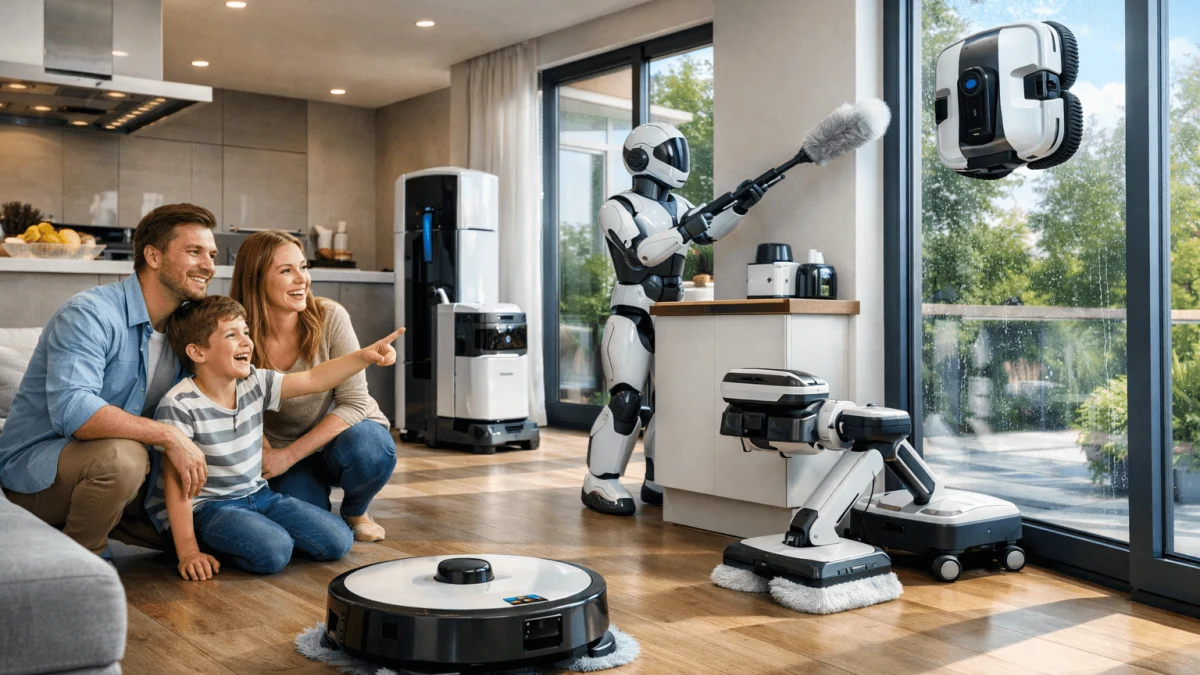
You’re basically deciding between two philosophies:
- “Keep it clean all the time with almost no effort” (robot mop‑vac)
- “Deep-clean on demand with maximum control” (steam/electric/manual)
This guide is for homeowners who are upgrading their routine—not just chasing a shiny gadget. We’ll walk through what robots are genuinely great at (daily maintenance), where they still disappoint (edges, grout, sticky messes), and how to avoid the two big regrets: floor damage and owning an expensive robot that still leaves you mopping anyway.
Automated Maintenance for Non-Demanding Homes
If your real goal is 'I want my floors to look consistently decent with minimal effort,’ a high-end mop‑vac robot can absolutely earn its keep—as long as you treat it like daily maintenance, not a replacement for every kind of mopping.
Robot vacuum‑mop combos tend to be best at:
- picking up everyday dust and crumbs
- handling light footprints and small spills
- keeping pet hair under control before it turns into tumbleweeds
But they’re still not magic. Even Wirecutter has noted that many combos can struggle with dried stains and that most do one job better than the other (vacuuming vs. mopping). If you’re expecting 'weekly deep mop, fully replaced,' that’s where people get disappointed. See their perspective in Wirecutter’s testing notes on robot vacuum‑mop combos.
What to look for if you want the robot route
You’ll be happiest if your robot has:
- precise mapping + app control (so it cleans the rooms you care about, not just vibes around)
- carpet detection / mop lifting (so you’re not dampening rugs)
- a dock that reduces chores (self-emptying, self-cleaning pads, drying)
A few examples from the options we have:
-
EXTRAVIS V5 Black 8500Pa suction power for deep cleaning is a nice 'practical household' example: it’s app-controlled, uses LiDAR navigation, does dry + wet cleaning, and lists 8500 suction power plus a 3.5 dustbin capacity. That’s the kind of spec set that fits daily upkeep without you babysitting it.
-
3i 3i P10 Ultra Grey/Black leans hard into lowering your ongoing effort. Its listed features include self-emptying, an all-in-one station, and AI obstacle identification alongside LDS lidar. This is the category of robot you buy when you really mean 'I don’t want another chore.'
-
EXTRAVIS V5 White Self-emptying base with 75-day dust bag calls out automatic dust collection, smart mapping, and intelligent mop lifting—the mop lift is especially important if you have rugs sprinkled around and don’t want to play 'move every carpet' before each run.
Takeaway
Choose a robot mop‑vac if your home mostly needs constant baseline cleanliness, and you’re okay with still doing an occasional targeted manual mop for the 'gross stuff.' If you routinely have sticky kitchen film, muddy paw prints, or bathroom grout drama, consider a deeper-clean tool in the mix.
Steam Mops for Deep-Cleaning Needs
If you’ve got sticky spills, bathroom funk, or you simply want that “reset the floors” feeling, steam is the high-intensity option—just not the safest one for every floor.
Steam mops shine when:
- you want sanitizing-style cleaning in kitchens/bathrooms
- grime is stuck on and needs heat to loosen
- you want to avoid detergents for routine jobs
The big caveat: wood and heat/moisture can be a risky relationship. Consumer Reports explicitly cautions against steam mopping wood floors because heat and moisture can damage them over time, and recommends using a damp (not wet) mop instead for surface-sealed wood (Consumer Reports on avoiding steam mops on wood).
Takeaway
Steam is fantastic for tile, sealed hard surfaces, and deep-clean zones, but it’s a “know your flooring first” tool. If you have hardwood (especially oiled or anything you baby), steam is usually the one I’d skip.
Gentle Care for Delicate Hardwoods
If you have delicate hardwood, oiled floors, or anything where refinishing would make you cry a little: the safest strategy is controlled moisture + gentle contact, not heat and not aggressive scrubbing.
Here’s the thing with robots on delicate finishes: even if the pad is soft, you’re still trusting a machine to:
- keep water output low enough everywhere
- not drag grit under the pad (which is how micro-scratches happen)
- avoid repeated passes in the same spot if it gets confused
That doesn’t mean “robots always ruin wood.” It means the risk tolerance is different when your floor is expensive and sensitive.
This is where the humble “boring” option wins: a microfiber mop and bucket gives you:
- full control over how damp the mop is
- instant response to grit (you’ll feel it)
- the ability to follow whatever your flooring manufacturer recommends (which also helps with warranty disputes)
And yes—this is less convenient. But it’s also the most predictable and least likely to turn into a flooring regret.
Takeaway
For delicate hardwood/oiled finishes: prioritize manual moisture control. If you do buy a robot, consider using it as a vacuum + very light damp maintenance, and keep a manual microfiber routine for your real weekly clean.
Balancing Low Ongoing Costs with Effective Cleaning
The “hidden” part of robot ownership isn’t just money—it’s friction. Pads, filters, dock cleaning, occasional clogs, tank refills… the robot can save time, but it also creates a new little ecosystem that needs care.
Here’s how costs typically stack up (in real-life terms, not spreadsheet fantasy):
- Consumables: mop pads wear out; filters degrade; brushes get wrecked by hair.
- Dock upkeep: self-empty/self-cleaning docks reduce daily effort, but you still clean the station periodically.
- Cleaning solutions: some systems push branded solution use; even when optional, people often buy it for convenience.
A robot with an all-in-one dock can be worth it precisely because it reduces the number of annoying maintenance moments. That’s why models advertising self-emptying and pad cleaning/drying (like the “all-in-one station” style) tend to feel more “hands-off” than budget bots.
Takeaway
If you’re trying to minimize long-term hassle and surprise costs: either (1) buy a robot with a dock that offloads the annoying parts, or (2) skip robot mopping entirely and put your money into a dependable manual/electric mop setup you’ll actually use.
Streamlined Cleaning for Complex Floorplans
If your home has rugs, thresholds, tight chair legs, narrow spaces, or lots of “stuff,” navigation is the difference between “I love this robot” and “why is it screaming under my sofa again?”
Two common failure modes in mixed-floor homes:
- Getting stuck / losing coverage (especially around tight furniture)
- Rug mishaps (robots dragging damp pads onto carpet)
Manufacturers themselves call out these pain points—iRobot has even referenced issues like robots getting stuck or smearing carpeted surfaces with wet mop pads as common trust-breakers (iRobot press release on solving rival robot pitfalls).
The features that actually help (not just buzzwords)
From the robots we have, you’ll notice the “layout-friendly” ones emphasize:
- LiDAR/LDS lidar for consistent mapping (less random bumping)
- AI obstacle identification to avoid cords, pet bowls, and mystery objects
- multi-floor mapping if you’ve got levels
Good examples:
- EXTRAVIS V5 Black 8500Pa suction power for deep cleaning lists LiDAR navigation and app control—strong fundamentals for not getting lost in a busy layout.
- 3i 3i P10 Ultra Grey/Black explicitly includes AI obstacle identification and LDS lidar, which is exactly the combo you want if your floors have lots of “robot trap” clutter.
- MOVA P10 Pro Ultra White calls out multi-floor mapping, an extendable & liftable side brush, and a cleaning strategy that includes heavy stain detection and recleaning—useful if your layout is complex and your messes aren’t always gentle.
Takeaway
If your house is rug-heavy or obstacle-heavy, don’t “budget” the navigation. Prioritize LiDAR/LDS + obstacle avoidance + mop lifting or you’ll end up doing constant rescues—and at that point, you might as well just mop yourself and keep the dignity.
Choosing the Right Tool for Grout and Sticky Messes
Robots are great at preventing grime. They’re much less reliable at removing it once it’s bonded to the floor—especially textured tile, grout lines, and dried sticky spills.
This is where people get the biggest mismatch: a robot’s pad (even spinning pads) is still limited by:
- downforce (how hard it can press)
- edge reach (baseboards and corners are still a weak spot)
- the reality that grout is basically designed to trap gunk
If your home regularly deals with:
- pet accidents
- kitchen grease haze near the stove
- bathroom grout that wants to turn colors
…then you’ll be happier planning for a hybrid routine: robot for daily maintenance, and a periodic deep-clean tool (steam on safe surfaces, or a more hands-on electric/manual scrub) for the “sticky and structured” areas.
Also: don’t ignore edges. One of the most common user complaints is robots missing that strip along baseboards—because, of course they do; they’re round and your walls aren’t.
Takeaway
If grout and sticky messes are your main pain, don’t buy a robot expecting it to replace deep-cleaning. Buy it to reduce how fast things get bad, then keep one “serious” tool for the hard jobs.
Ensuring Warranty Compliance and Flooring Safety
The safest move here is boring: follow your floor manufacturer’s cleaning instructions, not the cleaning tool’s marketing.
A few practical rules that prevent most disasters:
- If your wood floor guidance says “damp mop only,” take that literally.
- Avoid high heat on wood unless your flooring manufacturer explicitly OKs it (many don’t—again, see Consumer Reports’ warning on steam for wood floors).
- If you use a robot mop on sensitive surfaces, start with the lowest water setting and watch for:
- hazing/dulling
- raised grain
- darkened seams
If you’re renting, or if you have newer floors under warranty, being conservative is extra smart. Floors are expensive; mops are not.
Takeaway
When in doubt, choose the cleaning method that uses less heat and less water—and test in a hidden area. “I saved 45 minutes a week” is not a fun trade if you end up refinishing.
Choosing Tools for Low Maintenance and High Reliability
Low effort isn’t just “it runs by itself.” Low effort is how often it asks you for help.
If you want the most hands-off experience, the winning formula tends to be:
- robot vacuum‑mop combo
- plus a dock that handles the gross bits (emptying, pad cleaning, drying)
- plus you accepting that you’ll still do a manual deep clean occasionally
Among the robot options here, the ones that signal “less babysitting” are the ones listing dock automation:
- Ultra Robot Vacuum and Mop Combo with Self-Cleaning, 18000 Pa Suction (self-emptying, self-drying pad, all-in-one station)
- Robot Vacuum and Mop Combo with 13,000Pa Suction, Hot Water Mop Washing (self-emptying, self-drying, self-refilling; plus that mop washing detail)
On the flip side, if you know you’ll resent maintaining a dock and pads, a manual microfiber mop is ironically the most reliable: no app updates, no map corruption, no “error 27: please rescue me from the shoelace.”
Takeaway
If you want the easiest daily life: pick a robot that minimizes maintenance touchpoints (not just purchase price). If you want the fewest “systems,” go manual—and spend the savings on a mop you don’t hate using.
Sources
- We Tested 16 Newfangled Robot Vacuum-Mop Combos (Wirecutter) - limitations seen in testing (e.g., dried stains; combos often compromise)
- Why You Shouldn't Use a Steam Mop on Wood Floors (Consumer Reports) - steam/wood floor damage risk and safer damp-mop guidance
- iRobot press release on common robot pitfalls (staining rugs, getting stuck) - navigation and rug-smearing/getting-stuck issues as known problems