
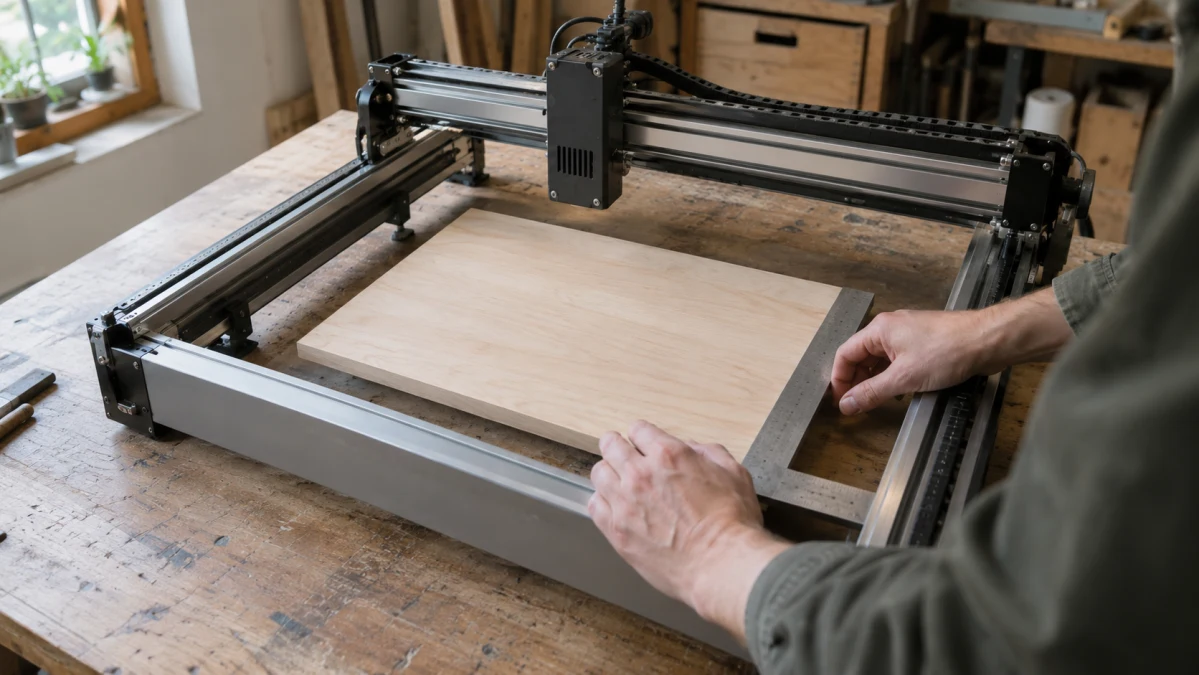
A work-area label is a starting point, not a fit guarantee. Measure your flat project's width and height, add the positioning clearance needed on each axis, then compare both totals with the usable engraving dimensions of the exact machine you would buy. If either total exceeds its corresponding usable dimension, the project does not fit—even if the other axis has room to spare. Neither of these lanes may qualify.
The documented 100 × 100 mm and 300 × 300 mm working areas below help narrow the search. They are not the machines' outside dimensions, and neither establishes how close every job can engrave to the published boundary.
Verify which area the numbers describe
Calculate required width as project width plus clearance on the left and right; calculate required height as project height plus clearance at the top and bottom. Ask for the usable flat-engraving width and height, with units, for the selected complete engraver and its exact configuration. A seller's area label, a package measurement, or an unidentified model is not enough to confirm a fit.
Software cannot make a physical area larger. LightBurn says its Working Size setting represents maximum X and Y travel, but changing the setting does not change the laser. Its workspace border uses machine-specific working dimensions, and framing previews where a gantry-laser job will run. Framing helps check placement; it does not establish that every point at a published boundary is usable for your job.
Compact, approximately 100-by-100-mm listed area
LONGER identifies the Nano Pro 12W as a complete laser engraver with a 100 × 100 mm working area in its standard configuration. A clearance-inclusive requirement of no more than 100 mm on both axes falls within that published area. This makes it a useful small-project candidate, not a confirmed edge-to-edge usable fit. LONGER's 100 × 300 mm working area requires a slide extension; it is not the standard area's size and still provides only 100 mm on one axis.
The supplier describes Smart Laser Engraver as an engraver and lists its engraving area as 100 × 100 mm. The generic name does not establish that it is the LONGER Nano Pro 12W, so the manufacturer's dimensions cannot be assigned to this offer. For a 90 × 90 mm requirement, confirm the offer's exact model, configuration, and usable margins before calling it a fit. Its unqualified outside “Dimensions” figure does not tell you its engraving area or how much bench space the assembled machine needs.
Larger, listed 300-by-300 work area
AtomStack identifies the Swift 12W as a complete frame laser engraver with a 300 × 300 mm working area in its published standard configuration. That gives this reference more published room on both axes than the standard Nano Pro. AtomStack lists a Swift 12W machine-only option separately from an extension-kit bundle; the supplied information does not establish an enlarged usable area for the bundle.
The supplier labels Swift 12W Laser Engraver an engraver but gives its work area only as “300, 300,” without units, and does not name its brand. That entry alone cannot establish a 300 × 300 mm area or an exact AtomStack match. A 190 × 130 mm clearance-inclusive requirement falls within the AtomStack reference's published working area, but the selected offer needs confirmed units, identity, configuration, and usable dimensions before it can be chosen for that job.
Compare the clearance-inclusive footprint on both axes
The following sizes already include positioning clearance. They are compared with LONGER's standard 100 × 100 mm working area and AtomStack's standard 300 × 300 mm working area, not with verified usable areas for the catalog offers.
| Total required footprint | Nano Pro published-area screen | Swift published-area screen | What it means |
|---|---|---|---|
| 90 × 90 mm | Within both axes | Within both axes | Either reference remains a candidate. |
| 190 × 130 mm | Exceeds both axes | Within both axes | Only the Swift reference remains a candidate. |
| 320 × 90 mm | Exceeds one axis | Exceeds one axis | Neither standard reference passes. |
If your requirement is comfortably within both published areas, the larger reference's extra room is unnecessary for this project; that does not prove the smaller-area machine takes up less bench space. If the requirement exceeds 100 mm on an axis but stays within 300 mm on both, check the larger lane rather than assuming a unitless seller figure is sufficient. At or near either published limit, usable margins matter especially: a boundary-size project must not be treated as fitting merely because the nominal numbers match.
Choose a lane only when the exact complete engraver's usable width and height, in the configuration you intend to buy, each meet or exceed your clearance-inclusive requirement. The compact reference may suffice for a smaller project; the larger reference screens in some projects the compact one cannot. If the selected offers' identities, units, or usable limits remain unconfirmed—or either required axis exceeds a supported usable limit—neither offer is an adequately established fit.