
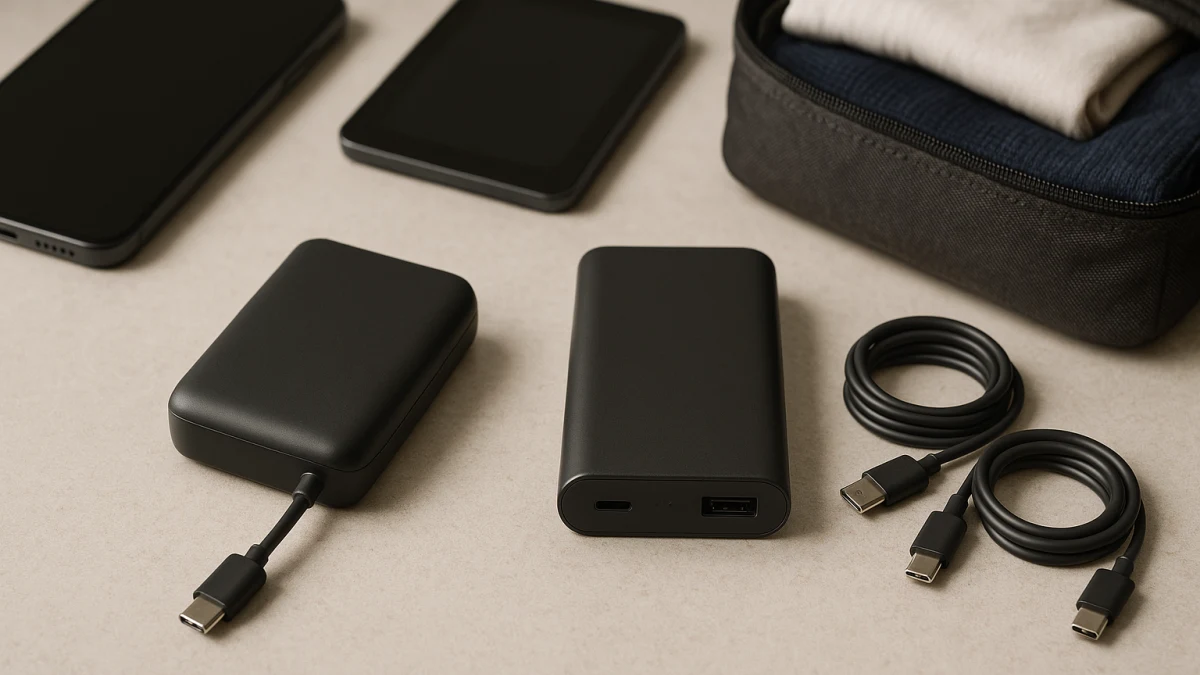
Use this comparison to decide whether attached-cable convenience beats separate-cable flexibility for the devices you actually pack. A normal power-bank page can mix built-in cables, port-only models, wireless variants, solar language, laptop claims, and travel wording until everything looks like the same battery with a different capacity.
The useful split is simpler: built-in USB-C, built-in Lightning, or multi-cable designs reduce packing friction when the connector matches your phone; port-only power banks keep the battery pack separate from the cable decision, which can matter more for shared bags, tablets, laptops, worn cables, and future connector changes.
Start with the cable you are most likely to forget
| If this sounds like your trip | Better fit |
|---|---|
| You mostly charge one phone and want fewer loose items in a travel bag. | Power banks with built-in cables |
| Your travel group mixes USB-C, Lightning, tablets, or laptops. | Port-only power banks |
| You want to replace a worn cable without replacing the battery pack. | Port-only power banks |
| You are tempted by wireless or magnetic charging to reduce cable clutter. | Treat it as a boundary case and only consider it if phone-ecosystem compatibility is central. |
| You care about fast charging, PD, Quick Charge, or flight-battery wording. | Check manufacturer specs or official US regulator guidance before relying on either style. |
The main comparison points are packing friction, connector compatibility, cable replacement, sharing across travelers, and charging-speed proof. Capacity still matters, but it should not be the first filter if the power bank has the wrong built-in connector or requires cables you will forget to bring.
Choose by connector lock-in, not just mAh
Before comparing battery sizes, check how the power bank expects to connect to your devices:
- Built-in USB-C or built-in Lightning can be convenient only if that attached connector matches the device you charge most.
- Multi-cable designs may reduce the number of loose cables, but each attached connector still needs to match your real devices.
- USB-C and USB-A ports give you more control, but only if you pack the right separate cables.
- Digital display or smart display language can help you monitor the pack, but it does not prove compatibility or charging speed.
- PD, Quick Charge, watts, and fast-charging wording should be checked against manufacturer specifications, especially when output may differ by port or cable.
Keep wireless, wall chargers, and loose cables out of the main fight
Wireless or magnetic power banks can reduce cable clutter, but they are not the same decision as built-in cable versus port-only. Qi, Qi2, MagSafe, case thickness, phone alignment, and ecosystem compatibility can become the real deciding factors, so treat those as boundary cases rather than a third equal path here.
This page also is not a guide to charging cables sold separately, wall chargers, plug adapters, smart luggage charging ports, charging stations, or jump starters. Those products can be useful, but they do not answer the travel question this page is focused on: should the cable be attached to the power bank or chosen separately?
Built-in-cable power banks when the connector already matches
Choose this style when the travel problem is forgetting cables, not supporting every possible device. The products shown here are for shoppers looking at portable chargers described with built-in, integrated, attached, built-in USB-C, built-in Lightning, or multi-cable language.
This can be the cleanest setup for quick phone charging from a purse, backpack, or carry-on pocket. Still, the convenience is only real if the listed connector matches your phone. If the product page mentions capacity, digital display, multiple output ports, slim design, or nylon-braided material, use those details as comparison points, not as proof that the attached cable is universally compatible, faster, or easier to replace.
Read these products by connector first. Check whether the attached cable is USB-C, Lightning, or a multi-cable setup, then look for extra output ports in case you need to charge a second device with a separate cable. If you regularly share with travelers who carry different devices, the port-only section may fit better.
Attached cables solve packing, not every replacement problem
The tradeoff with attached cables is ownership friction over time. A separate cable can usually be swapped when it wears out, gets left behind, or needs a different connector. With a built-in cable, the cable is part of the power bank decision.
That does not make built-in cables a bad choice. It just means you should buy them for the right reason: fewer loose items and a connector you expect to keep using. If your household is moving between USB-C, Lightning, tablets, and laptops, cable control may matter more than grab-and-go simplicity.
Port-only power banks when cable flexibility matters more
Port-only power banks are the better fit when you want the battery pack to outlast a specific cable setup. The products shown here focus on port-based charging, usually with USB-C or USB-A language, and they ask you to bring or use the correct cable for each device.
This lane is useful for mixed-device travel: one person may need USB-C, another may need Lightning, and a tablet or laptop may need a specific cable and output level. You may see capacities such as 14000mAh, 20000mAh, 24000mAh, or 30000mAh, along with smart display, PD, Quick Charge, solar, laptop, tablet, or included-cable language. Treat those as prompts to inspect the product page rather than automatic performance guarantees.
Compare these by port mix first: USB-C, USB-A, output wattage, display features, and whether a separate cable is included. If a product card drifts into wireless, magnetic, built-in-cable, wall-charger, charging-station, or jump-starter positioning, do not compare it as a clean port-only option without checking the product details carefully.
Claims to verify before you trust the listing
Some power-bank claims need more than ordinary listing text:
- Connector compatibility: Confirm the exact USB-C, Lightning, or other connector your phone, tablet, or laptop requires.
- Built-in cable output: A cable being attached does not by itself prove fast charging or the same output as another port.
- PD, Quick Charge, and wattage: Check manufacturer specs for the port or cable you will actually use.
- Wireless, Qi, Qi2, or MagSafe wording: Verify the standard and your phone-ecosystem compatibility before treating wireless as a cable replacement.
- TSA, FAA, carry-on, checked-baggage, or airline-approved language: For US flights, check current official regulator guidance instead of relying only on catalog wording.
- Laptop or tablet compatibility: Match the required connector and power needs to the manufacturer-provided output specs.
Final cable audit for your travel bag
Before choosing, run through the practical checks:
- Which device will you charge most often, and does it need USB-C, Lightning, or another connector?
- If the power bank has a built-in cable, is that connector still useful if your phone changes?
- If it is port-only, which separate cables must be packed every time?
- Are there enough extra output ports for a second phone, earbuds, tablet, or shared traveler?
- Do you care about a digital or smart display for checking remaining battery?
- Is the capacity appropriate for your trip without making assumptions about real-world charges?
- Are PD, Quick Charge, wattage, laptop, tablet, solar, or flight-placement claims backed by the right source?
Choose built-in cables if the connector is right and packing simplicity matters most. Choose port-only if flexibility, sharing, and replaceable cables are the habits you can maintain across trips.