
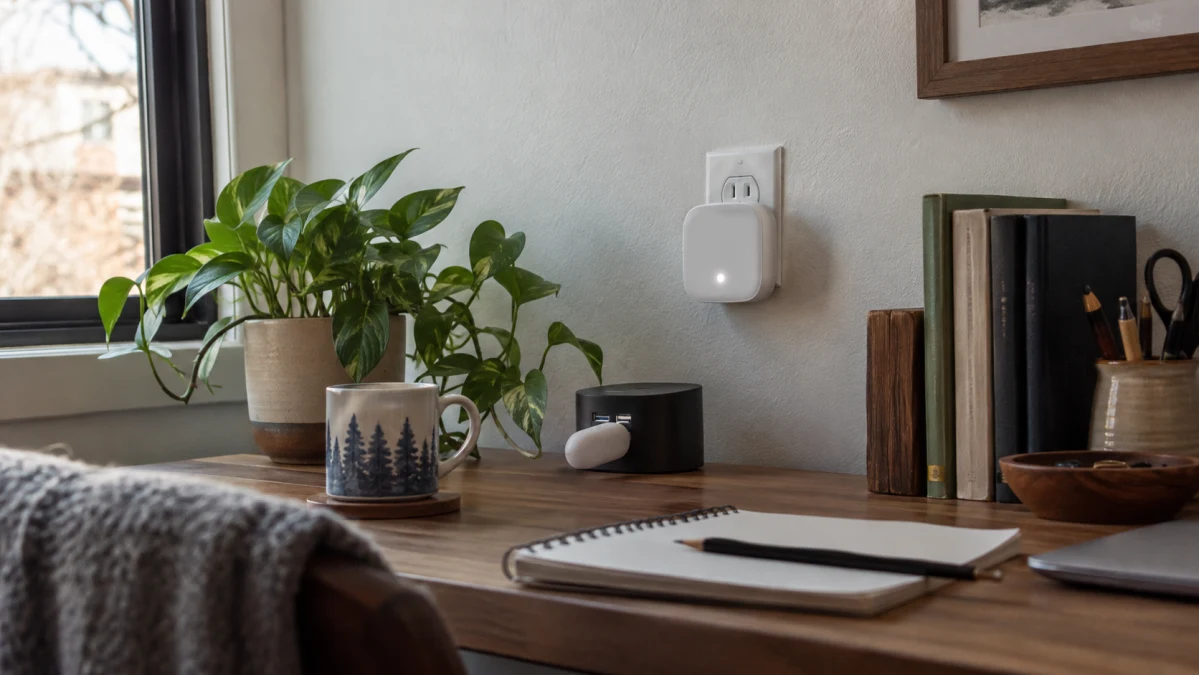
The Aqara Hub E1 is the hub to tuck out of sight: a small USB-powered gateway for compatible Aqara Zigbee accessories. The Hub M1S earns its space on a wall outlet with a nightlight and a speaker for chimes and alarms. The choice is less about “basic versus advanced” than whether you’ll use those extras.
For a few sensors and smart switches, the E1 can do the connecting without adding another conspicuous device to the room. An M1S makes more sense when you want something to happen at the hub—a light in the hallway or an audible alert you don’t have to check your phone to notice.
Aqara Hub E1: small, discreet, and dependent on the right USB port
The E1 has an integrated USB-A plug and needs a 5-volt power source capable of supplying at least 0.5 amps. Its USB connection supplies power; the hub still joins your router over 2.4 GHz Wi-Fi. Plugging it into a computer or router does not give it a wired network connection.
An always-powered USB port on a power strip or suitable adapter is a sensible home for it. Be more careful with a television or computer: if that port switches off when the host sleeps, your hub loses power too. Aqara’s 210-degree hinged design gives you some flexibility around neighboring plugs, but check the physical space rather than assuming it will disappear behind any piece of furniture.
The important omission is sound. Aqara confirms that the E1 has neither a speaker nor a buzzer. It can participate in an automation involving a separate compatible alarm device, but it cannot make an audible warning by itself. For a door chime or an alarm at the hub’s location, the M1S avoids that extra purchase.
Compare the E1’s total setup cost, not just the hub’s price. Aqara’s standard package contains the hub and manual, without a USB power adapter. A spare suitable port makes that irrelevant; needing another charger—and perhaps a separate device for sound—can change the value calculation.
Aqara M1S: buy it for the light and sound
Both the original M1S and M1S Gen 2 have a color-adjustable light ring, an illumination sensor, and a 2-watt speaker. These are not features reserved for Gen 2. Aqara’s generation comparison confirms that both versions offer the same basic combination.
That hardware gives the M1S a useful second job. Its light can serve as a nightlight, with the built-in illumination sensor available for brightness-based automations in Aqara Home. For a light that responds when someone walks into the hallway, you’ll also need a compatible motion sensor: sensing darkness is not the same as sensing movement.
Similarly, the speaker can provide a chime or siren, but the hub does not detect an opening door by itself. Aqara’s alarm and doorbell examples require additional accessories. Budget for the sensors or buttons that will trigger the sound, and configure the corresponding automation.
Placement matters more here than it does for a hub you only want to hide. Choose an outlet where the light is useful and the sound can be heard. A 2-watt speaker specification doesn’t tell you whether you’ll hear a particular alert through a closed bedroom door; test that from the rooms where it matters.
Original M1S or Gen 2?
Gen 2 adds custom ringtone uploads and WPA3 Wi-Fi security support. Custom sounds are useful when you want an alert to be recognizable, while WPA3 matters if your network uses that security mode. Neither feature is a reason to replace a working original M1S simply to get a nightlight or siren—it already has those.
At similar prices, Gen 2 is the more sensible new purchase, with one important exception: Xiaomi Home, also known as Mi Home. Aqara lists Mi Home for the original M1S but explicitly says M1S Gen 2 does not support it. If Mi Home is essential, confirm that the original unit you’re buying works with your account region and intended accessories before paying.
Check the model label when the product title is ambiguous. Aqara’s US specifications identify the original as HM1S-G01 and Gen 2 as HM1S-G02. Both plug into an electrical outlet and use 2.4 GHz Wi-Fi; neither offers Ethernet. For a US installation, get the appropriate US plug and check clearance around neighboring chargers.
Regional compatibility also matters for either hub. Aqara’s activation-region policy warns that using products outside their supported region can limit functionality or services. A travel plug adapter does not resolve an app-region mismatch.
Choose the sensors and ecosystem—not just a familiar logo
Start with the exact accessories you intend to use. These hubs are built around supported Aqara Zigbee devices; a Zigbee logo alone is not a promise that another brand’s sensor will pair. Likewise, Aqara cautions that not every supported accessory works with every third-party platform. Being able to add a sensor to Aqara Home and being able to use all its functions in Apple Home or Google Home are different questions.
Matter support does not make either hub a Thread hub
Aqara’s current Matter compatibility guide lists the E1, original M1S, and M1S Gen 2 as Zigbee-to-Matter bridges. With suitable firmware and supported accessories, they can make those Zigbee devices available to a Matter ecosystem. That ecosystem still needs its own Matter controller.
This is a translation role, not an upgrade to every smart-home protocol. Neither hub becomes a Thread border router or a Matter controller that can accept arbitrary new Matter accessories.
For a concrete example, Aqara’s Door and Window Sensor P2 uses Matter over Thread. It needs a compatible Matter controller and Thread border router—not direct pairing with an E1 or M1S. Buying everything from Aqara does not, by itself, guarantee the connection you expect.
Apple Home users have a separate “hub” requirement
The E1 and both M1S generations support Apple HomeKit, so Matter is not the only way to bring compatible accessories into Apple Home. But neither Aqara box replaces Apple’s own home hub. For remote access and Apple Home automations, plan on a HomePod or compatible Apple TV configured as a home hub.
Also check the particular function you want to automate. For example, Aqara’s M1S Gen 2 feature table lists its light and security-system functions under HomeKit, while the illumination sensor is listed under Aqara Home. Plan on using Aqara Home for the hub’s built-in light-sensing routines rather than assuming every control will appear identically in another app.
“Up to 128 devices” is not a coverage guarantee
Aqara advertises up to 128 connected Zigbee accessories for the E1 and both M1S generations, with compatible Zigbee repeaters required to reach that capacity. Examples include Aqara smart plugs and supported wall switches with a neutral connection.
That figure is not a promise that one hub will directly reach 128 battery-powered sensors scattered throughout a house. For a growing installation, think about where compatible powered repeaters can sit between the hub and distant accessories. The M1S’s larger enclosure is not, on its own, a reason to assume it will solve a coverage problem.
The E1 also has a separate 2.4 GHz Wi-Fi repeater mode limited to two connected Wi-Fi devices. Don’t confuse that with its Zigbee capacity. It is a small extra, not a replacement for a properly placed router or a whole-home Wi-Fi system.
What keeps working when the internet goes down?
Aqara distinguishes between cloud-dependent automations and those executed locally. Its E1 FAQ explains that local rules can continue when the internet connection fails, provided the hub and participating devices can still communicate. Aqara makes the same local-automation claim for the M1S and M1S Gen 2.
That does not mean every scene, integration, or notification works offline. Check the execution mode of an important routine, then test it with the router’s internet connection disconnected while leaving the local network and devices powered.
An internet outage is also different from a power outage. Neither a USB-powered hub nor an outlet-powered one can keep running after its power source disappears. For an alert you intend to rely on, test the actual setup—not just whether the sensor responds during installation.
Which one is worth buying?
Before paying full price for an E1, compare the newer Aqara Hub M100. It also uses USB-A power but adds Matter-controller and Thread-border-router functions, making it worth considering for a small new setup mixing Zigbee and Thread devices. It is not a straight capacity upgrade: Aqara’s comparison chart rates it for up to 20 Zigbee and 20 Thread devices.
Between the E1 and M1S, choose the E1 when you have a suitable always-on USB location, your accessories are compatible, and you don’t need the hub to make sound. Its appeal is doing the connecting without occupying much space.
Choose the M1S Gen 2 when a nightlight, chime, or siren will earn its place on the wall. Consider the original M1S at a worthwhile discount or for confirmed Mi Home compatibility, not because its shared name makes it interchangeable with Gen 2.
The useful upgrade is the one you’ll notice in daily life. A hallway chime can justify paying more; an extra feature you’ll never configure cannot.