
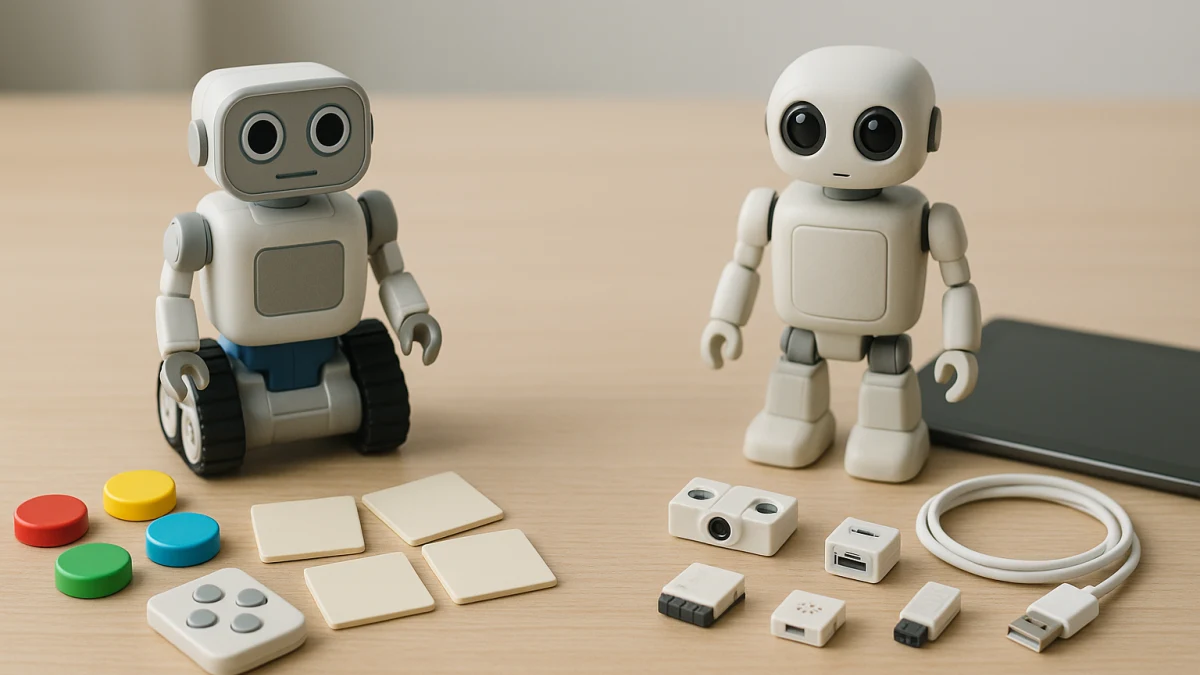
Most coding-robot shopping pages mix buttons, cards, remotes, apps, Bluetooth, Wi-Fi, Scratch, Python, and even non-robot STEM toys in one grid. This page starts with the control interface instead: how the child actually tells the robot what to do.
Use this comparison to separate setup-light, physical-command robots from connected models that depend on apps, wireless links, or programming environments. The right fit depends on control method, setup burden, progression depth, child independence, supervision needs, and whether your real priority is robotics or simply screen-free STEM play.
Choose by control interface before you choose the robot
| If you need... | Better fit |
|---|---|
| Minimal device setup, easier turn-taking, or a child who responds well to buttons, cards, tiles, or physical commands | Screen-free or physical-control coding robots |
| More complex programming interfaces, programming languages, wireless control, sensors, or app-style progression | App-controlled or device-connected coding robots |
| A household or classroom device is available, but app, Bluetooth, Wi-Fi, iOS, Android, account, or subscription requirements are uncertain | Pause on app-controlled models until manufacturer compatibility details are checked |
| Avoiding screens matters more than buying a robot with an educational coding play pattern | Consider a non-robot STEM toy only as a secondary alternative |
Before comparing individual products, ask five questions: What is the primary control method? What setup and compatibility checks are required? Is the progression path simple commands or named programming languages? How much adult supervision is likely for setup, small parts, updates, or accounts? And is a coding robot actually the goal, or is screen-free play the bigger priority?
The interface fork: physical commands or connected programming
| Shopper situation | Start here | Watch for |
|---|---|---|
| You want a child to arrange commands, press buttons, use cards, move tiles, or share a hands-on activity | Physical-control coding robots | Do not assume every listing is fully screen-free just because app details are not obvious |
| You want the robot to connect to a device or support deeper coding paths | App-controlled or device-connected robots | Check app, Bluetooth, Wi-Fi, USB, iOS, Android, account, and update requirements |
| You want a remote-controlled robot for play | Only include it if the product also shows a coding or educational programming pattern | Remote-control language alone is not the same as coding |
| You want Scratch, Python, Arduino, Blockly, C/C++, sensors, or internet-control cues | Connected programming robots | Confirm the exact programming environment and recommended age on the product page |
The fork is not a quality ranking. A button-, card-, or tile-based robot can be the better fit for shared play and simple setup. A connected robot can be the better fit when the buyer is prepared for compatibility checks and the child is ready for more expandable programming.
False friends: no-app silence, remote toys, and STEM spillover
Some listings look screen-free because they do not mention an app, but silence is not proof. Look for positive cues such as screen-free, no app, buttons, cards, tiles, activity sets, or other physical commands before treating a robot as device-light.
Remote-control wording also needs care. An RC-style programmable robot may belong in the physical-control lane when it clearly supports coding play, but a remote toy with no educational programming pattern should not be treated as a coding robot.
Broad STEM wording is another common spillover. A science kit, building toy, or puzzle may be a good screen-free activity, but it is outside the main comparison unless robotics and coding are part of the product pattern. This page keeps those items as a fallback, not a third main lane.
Screen-free coding robots with buttons, cards, tiles, or remotes
This lane is for shoppers who want the child to program through physical commands instead of making an app the main interface. Look for visible cues such as screen-free, no app, buttons, cards, tiles, activity sets, mechanical coding robot language, RC-style programmable robot wording, or a card-and-pen coding robot kit format.
These products are useful when setup simplicity, shared turn-taking, or younger-child accessibility matters more than named programming languages. The comparison point is the interaction style: can the child build a sequence with physical pieces, commands, or remote-control coding play, and can an adult quickly understand what is included?
Read the products shown here for the control surface first, not just the robot shape. A mechanical coding robot, programmable RC robot, or card-and-pen kit may solve a different problem than an app-connected model. Still check the product page for recommended age, included pieces, batteries, small parts, and supervision needs; this lane should not be read as a guarantee that every item is completely screen-free.
When physical commands stop being enough
Physical commands can be the right starting point, but they may feel limiting when the buyer wants:
- A progression path that names Scratch, Python, Arduino, Blockly, C/C++, or similar programming environments.
- Wireless or wired connection options such as Bluetooth, Wi-Fi, USB, or internet-control features.
- Sensor-based projects or robot kits that invite more complex building and debugging.
- A child to move from arranging commands to working inside an app or programming interface.
- More room for experimentation, with the tradeoff of device setup, app updates, and adult compatibility checks.
That is the point to compare connected robots instead of stretching a buttons-and-cards product beyond what it is meant to do.
App-controlled coding robots with connected programming interfaces
Choose this lane when the goal is a more expandable coding robot: app-controlled movement, Bluetooth or Wi-Fi setup, USB connections, sensors, or named programming paths such as Scratch, Python, Arduino, Blockly, or C/C++. These cues point to a different kind of learning curve than buttons, cards, tiles, or remote-control coding play.
The added depth comes with more pre-purchase work. A connected robot may depend on a compatible phone, tablet, computer, operating system, app version, regional app availability, account setup, subscription terms, or network access. Do not assume that app-controlled means it will work with every iOS, Android, tablet, laptop, or classroom setup.
Use the products shown here to compare connection methods and programming paths side by side. Some listings are clearer than others, so prioritize cards that explicitly name app control, Bluetooth, Wi-Fi, USB, Scratch, Python, Arduino, Blockly, C/C++, or sensors. If the product page does not clarify compatibility, accounts, subscriptions, batteries, recommended age, or included parts, treat that as a reason to pause rather than guess.
Compatibility, pieces, and safety checks before checkout
Before choosing either control style, verify the details that are easy to miss in a product grid:
- For app-connected robots: supported devices, iOS or Android requirements, tablet or computer needs, app version, Bluetooth or Wi-Fi requirements, USB needs, account setup, subscription language, regional support, and privacy details.
- For programming-language robots: which languages or environments are actually supported, such as Scratch, Python, Arduino, Blockly, or C/C++, and whether extra software or modules are required.
- For physical-control robots: whether the product clearly says screen-free or no app, and what physical controls are included, such as buttons, cards, tiles, pens, remotes, or activity pieces.
- For all coding robots: recommended age, included pieces, batteries, small parts, assembly needs, and supervision guidance.
These checks matter because the two lanes fail in different ways. A screen-free-looking robot may still have unclear control details, while a connected robot may look appealing but depend on a device, network, or app setup your household or classroom cannot support.
If screen-free matters more than having a robot
If the main goal is avoiding screens, not buying a robot, do not force the decision into a coding-robot lane. A non-robot STEM toy can be a better secondary alternative when the buyer values hands-on play more than robotics, wireless control, sensors, or programming-language progression.
Keep that fallback narrow. It should not replace the main comparison between physical-control and connected coding robots; it is simply the exit path for shoppers who realize that screen-free play matters more than robot behavior.
Choose the control style first, then confirm the product page details: app requirements, connection method, programming languages, age range, included pieces, batteries, small parts, and supervision needs. That order prevents the most common mismatch: buying a robot that looks educational but asks for the wrong kind of setup.