
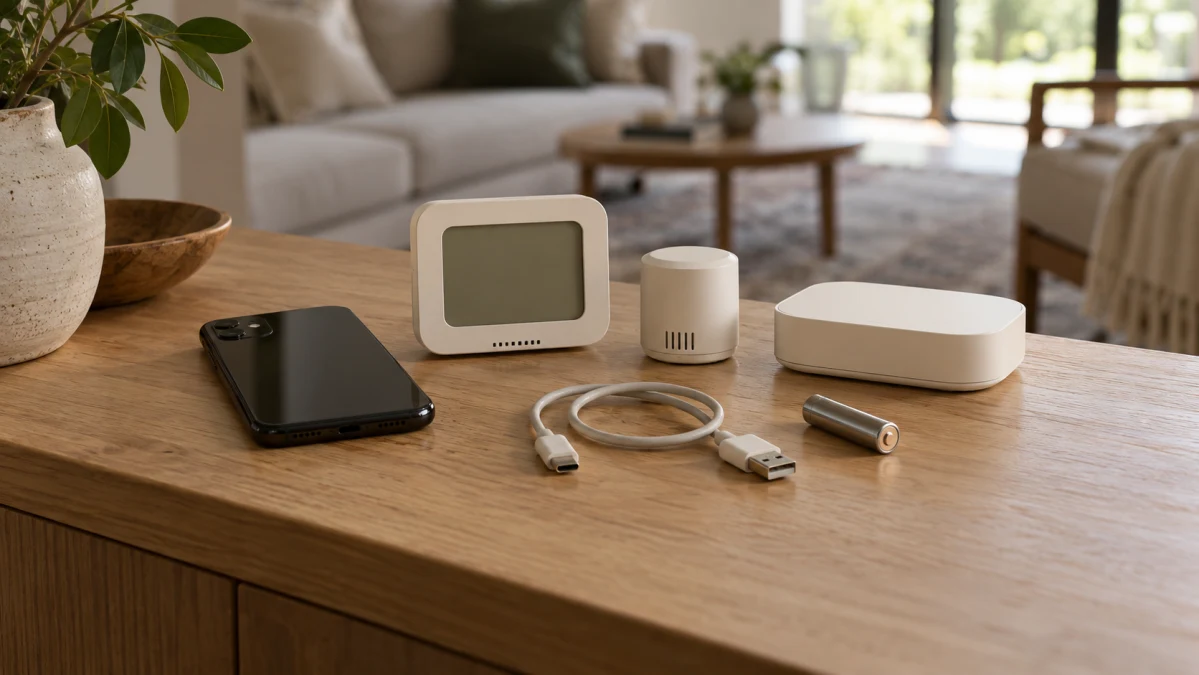
Choose a temperature and humidity sensor by where you need to read it: on the device, on a nearby phone, or while away from home. For room-side checks, start with a documented screen. For off-site monitoring, verify the complete connection path—not just a Wi-Fi label.
A display and app access can coexist. The more consequential differences are what additional hardware you need, what must stay connected, and whether you want readings alone, a warning or an automated action.
Where do you need to read the measurements?
Three kinds of access serve different routines:
- On-device readings: you look at the sensor’s screen while in the room.
- Nearby app access: your phone connects to the sensor or synchronizes its records. Downloading stored measurements is not necessarily the same as seeing a live reading.
- Off-site monitoring: a supported connection path makes readings available when you are elsewhere. Wi-Fi connectivity or an app listing alone does not establish that path.
These are not mutually exclusive product categories. Xiaomi’s Smart Temperature and Humidity Monitor 3 Mini, for example, shows temperature and humidity on an LCD and synchronizes recorded measurements through a connected smartphone. It therefore combines screen readings with app-based history access, without establishing a particular nearby live-reading experience.
Its remote configuration is a separate proposition: Xiaomi requires a separately sold Bluetooth Mesh gateway for remote viewing. Similarly, a display-equipped Wi-Fi model needs its app-access modes checked, while a Sensibo accessory must be assessed together with its compatible controller. The group name is a starting point, not a complete description of what you can read or where.
Need readings on the device? Start with the screen
If you mainly want to glance at conditions while in the room, the Mini is a straightforward screen-first choice: Xiaomi documents simultaneous temperature and humidity readings on its LCD. Its recorded-data synchronization adds a way to review past conditions without making live phone access the reason to buy.
For checking the room while away, the decision changes. The Mini is not a direct-Wi-Fi monitor, and its remote-viewing gateway is an additional purchase. Before choosing that configuration in the US, confirm a compatible gateway, account requirements and any applicable service fees.
The Smart Temperature Humidity Sensor Mini corresponds to Xiaomi model MJWSD06MMC. Choose it for its established screen function; treat smartphone history synchronization and gateway-based remote viewing as distinct capabilities with different requirements.
If you want a screen and phone access in one device, the Temperature Humidity Sensor is another configuration to investigate. Its seller lists an LED display, Wi-Fi, Bluetooth and Smart Life. Before relying on that combination, get confirmation of whether the app provides nearby readings, off-site readings or both, what Bluetooth does, and whether the screen works independently of an account or network connection. The feature list alone does not answer those questions.
Need app monitoring? Verify the complete access path
For an away-from-home check, the useful question is: how do measurements get from this particular sensor to your phone, and what must keep working along the way?
TV Box Australia advertises Smart Life remote monitoring, historical analysis and configuration for the Tuya sound-and-light sensor. That is a supplier description, and the listing does not identify a unique manufacturer model that settles the exact US configuration. If off-site readings are essential, obtain model-specific confirmation of the access path and its requirements before ordering.
The advertised threshold alarm also makes this an option to investigate for a local warning. It is not a substitute for confirming the warning behavior you need, especially if you expect a message on your phone while away.
The Smart WiFi Temperature Humidity Monitor Sensor is the Tuya option described by that supplier. Its advertised history function could be useful for reviewing changing conditions rather than a single snapshot. Before relying on it for that purpose, check where records are stored and how long they remain available; “historical analysis” does not specify either. Likewise, do not assume its sound-and-light alarm includes push notifications.
Already own Sensibo Air or Air PRO? Consider the accessory
For an existing compatible Sensibo owner, the Room Sensor offers a way to extend an established system. Sensibo documents temperature, humidity and motion sensing, app monitoring and motion-based automation, with Air or Air PRO required.
The accessory cannot operate standalone, and Sensibo explicitly excludes Sky. If you do not already own Air or Air PRO, buying the sensor also means buying a compatible controller and accommodating its power, networking and setup requirements. That is a different commitment from adding an independent room monitor.
The Room sensor is therefore a conditional fit for an Air or Air PRO owner who wants additional sensing within that system. Its connection is to the supported controller, not directly to Wi-Fi.
Sensibo also describes occupancy-triggered AC activation and shutoff through Air. That may matter more than another place to view readings, but confirm service entitlement and operating limits before buying for automation. The action is described through Air; do not assume every detail transfers to Air PRO merely because the accessory supports both controllers.
Check what setup requires—and what must keep running
Separate initial onboarding from continuing operation, and included equipment from additional purchases. A screen does not establish account-free, network-free or setup-free use.
- Xiaomi Mini: Xiaomi lists a pre-installed CR2450 battery, along with the monitor, manual, wall adhesive and warranty card. Its remote-viewing Bluetooth Mesh gateway is sold separately. Confirm setup and account requirements for your intended access mode. For remote use, also settle US gateway compatibility, what connectivity the gateway must maintain and any service fees.
- LED-display Smart Life monitor: the seller specifies DC 5V/1A power through micro-USB. Plan for wired power, but confirm whether the necessary cable and adapter are included. Account requirements, network setup and continuing connection requirements need clarification for the access mode you want; do not infer independent screen operation from the display alone.
- Tuya sound-and-light sensor: the supplier lists AAA battery power and a package containing one sensor. Confirm battery inclusion, the required account, Wi-Fi band, any gateway, ongoing connectivity and applicable fees. These details determine whether the advertised app monitoring fits your home and budget.
- Sensibo Room Sensor system: onboarding calls for a logged-in app, stable Wi-Fi and the network password; the accessory pairs with Air or Air PRO rather than directly with Wi-Fi. The Room Sensor is battery-operated and has a stand and tape mounting, but confirm battery type and inclusion. Nonowners also need the compatible controller. Check what must remain powered and connected for the monitoring or automation you intend to use.
For an Air PRO-based system specifically, Sensibo lists 2.4GHz Wi-Fi and 5V/1A micro-USB power, with the controller, cable, adapter and mounting kit included. Those are Air PRO specifications—not the Room Sensor’s power requirements or confirmation of Air’s package contents.
Service tiers can change the cost of the function you want. Sensibo lists remote mobile control and daily temperature/humidity graphs and logs under free Basic service; advanced statistics and Anti-Mold are in the paid Energy Saver Plan. These controller-service descriptions do not establish every Room Sensor automation’s entitlement or every accessory off-site reading mode. Confirm the particular function rather than assuming either that everything is free or that the accessory necessarily requires its own subscription.
Rule out a configuration if its required controller, power arrangement, account, continuing connection or paid function is unacceptable. An unresolved essential requirement is a reason to confirm the configuration before purchase, not to assume support or incompatibility.
Do you need readings, a warning or an automated action?
A displayed measurement gives you information when you look. A push notification sends a message to your phone. A local alarm produces sound or light at the device. An automation causes another device to act. App access and Wi-Fi do not, by themselves, establish any of those warning or action functions.
For the Tuya sensor, the supplier advertises sound and flashing light when user-set temperature or humidity thresholds are exceeded. Treat this as an advertised local alarm, not confirmed push support or a promise of immediate warning. If it is a deciding feature, check how thresholds are configured, whether triggering depends on a cloud connection, and what happens during a network interruption. The listing does not establish dependable audibility or a particular compatible automation through its unspecified “smart linkage.”
Sensibo’s occupancy-triggered AC activation and shutoff through Air follows a different chain: the accessory senses occupancy, and the controller mediates the AC action. It is not an audible sensor alarm. Confirm the relevant service entitlement and operating requirements; do not assume that the action continues through an outage.
Update intervals are also not alert guarantees. Xiaomi describes a six-second screen refresh, hourly measurement records and typical gateway cloud uploads every five to ten minutes. Those are different processes: a frequently refreshed screen does not mean equally fresh app readings, and neither interval establishes notification timing.
If a warning or action is essential, verify its actual destination or effect, setup, service tier and interruption behavior before buying. None of these descriptions supports a ranking of notification speed or reliability.
Read measurement and battery claims in context
These examples concern room-air temperature and humidity. A humidity reading is not mold detection. Sensibo’s paid Anti-Mold function is described as running the AC fan after use to dry residual moisture and limit mold growth—a controller action, not mold sensing or independently demonstrated prevention.
Resolution is different from accuracy. The Mini’s 0.18°F and 1% RH resolution describe measurement increments, not how close its readings are to the actual conditions. Nor does a seller’s “high precision” label establish which sensor measures more accurately.
Battery estimates also depend on how the device is used:
- Xiaomi Mini: Xiaomi estimates up to two years in standard mode or three years in saving mode, with actual endurance varying by environmental conditions. Saving mode requires Xiaomi Home 10.0 or later and may slow automated updates—a trade-off if those updates matter to you.
- Tuya sensor: the supplier advertises up to 180 days on AAA batteries, also described as standby duration. The workload is unspecified, so do not budget on that being typical active-monitoring endurance.
These are supplier estimates under different conditions, not comparable test results. They do not establish an accuracy, battery-life or reliability winner.
If room-side readings are enough, choose the Mini for its established screen function. If you already own Air or Air PRO and want sensing within that system, consider the Room Sensor after checking the functions and terms you need; without a controller, weigh that additional purchase first. For screen-plus-app access or a local threshold alarm, investigate the LED-display Smart Life and Tuya configurations respectively, without treating either as a confirmed US off-site setup.
If off-site readings are nonnegotiable, buy only after the exact access path, hardware and continuing service requirements are settled—including the Mini’s US gateway configuration if that is your choice. Then verify any essential warning or action separately. A connectivity label is not a remote-access promise, an accessory is not an independent monitor, and a local alarm is not a phone alert.