
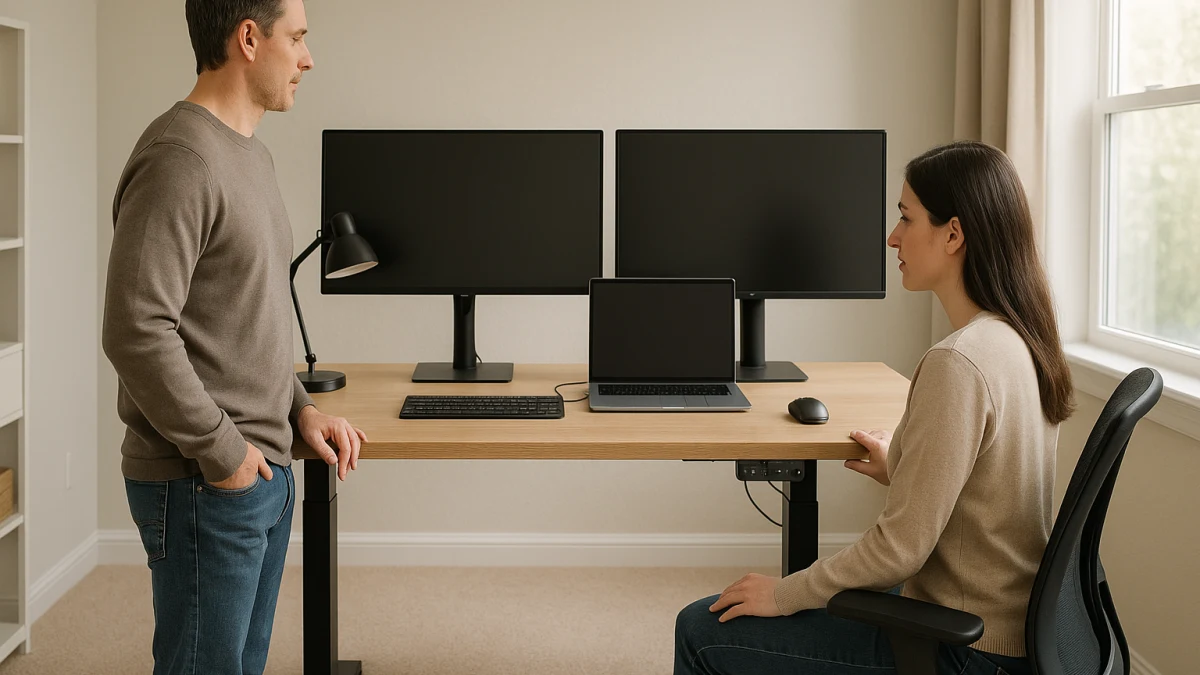
A shared home office makes the standing-desk decision less about “does it go up and down?” and more about whether two people can use the same surface without constant resetting, crowding, cord problems, or guessing at height fit. This guide separates frequent multi-user height switching from occasional shared use, so the products shown here are not treated as one interchangeable standing-desk list.
Use the first path when memory presets, preset buttons, programmable controls, stated height range, desktop size, load capacity, and cable planning will do real work every week. Use the simpler path only when one person is the main user and the second user’s needs are occasional enough that fewer controls are an acceptable tradeoff.
Decide if presets are doing real work in the shared office
| Shared-office need | Better fit |
|---|---|
| Two or more people change between sitting and standing heights often | A programmable adjustable desk, because memory presets, preset buttons, programmable controls, and a stated height range reduce repeated manual resetting. |
| One person uses the desk most of the time and another person only uses it occasionally | A simpler standing desk may be enough, if the height-adjustable range, desktop dimensions, and controls still work for the occasional user. |
| The setup includes monitors, laptops, and shared gear on the same surface | Start with the programmable path and compare desktop dimensions such as 48 x 24 inches, larger L-shaped workspaces, and load capacity such as 176 lb where the product page states it. |
| The main problem is the chair, not the work surface | Treat seating as a separate decision; a smart chair does not solve shared desk height, desktop size, power access, or memory-preset needs. |
As you compare, keep six checks in view: memory presets and programmable controls, stated height range, desktop width and depth, load capacity, motor and control behavior, and the room’s outlet and cable layout. A desk can look right in a product grid and still be wrong if one user’s height, monitor setup, or power routing does not work.
Preset-or-not decision for one shared desk
Choose the preset path when the desk has to serve more than one daily routine. If two people will regularly switch between their own sitting and standing positions, preset buttons and programmable controls are not just convenience features; they are what make repeatable changes realistic.
A basic up/down control can still adjust height, but it asks each user to find their position again every time. That may be fine for a guest session or a few hours a week. It becomes tedious when both users expect the desk to move quickly between known heights while monitors, laptops, and other equipment stay on the surface.
Look for product pages that make the controls clear: memory settings, preset buttons, programmable heights, electric adjustment, and any stated anti-collision language. Then verify the actual height range, desktop dimensions, and load rating instead of assuming the standing-desk label means it will fit both users.
Check both users against the height range before shopping
Before comparing finishes or storage, write down what each person needs from the desk: the approximate sitting height, standing height, monitor or laptop layout, and whether shared devices stay on the desktop during adjustment. Height ranges around the high-20s to upper-40s inches appear in this category, but those numbers still need to match the people using the desk.
Also measure the room. A 48 x 24 inch desktop can be practical for some shared setups, while a larger or L-shaped workspace may be more useful when monitors, laptops, docking stations, speakers, or paperwork stay out. Do not forget the less visible constraints: wall outlets, power strips, charging cables, monitor cables, and the space needed for the desktop to rise without snagging cords.
Keep chairs, converters, and accessories out of the desk choice
This page focuses on complete standing desks for a shared home office. Office chairs, smart chairs, monitor arms, cable trays, risers, converters, and other accessories may be useful, but they do not replace the core decision: whether the shared work surface has the right height adjustment, controls, desktop area, and equipment capacity.
A standing desk converter can change a single user’s keyboard or monitor height, and a chair can change seating comfort, but neither gives two people a shared desktop with repeatable electric height settings. Treat those as follow-up decisions after the desk fit is clear.
Programmable standing desks for frequent shared use
Start here if the desk will be adjusted by more than one person often. The strongest candidates in this group are complete electric standing desks that make repeatable adjustment visible through memory presets, preset buttons, programmable controls, stated height range, and clear load-capacity information.
Desktop size matters just as much as the lift mechanism. A 48 x 24 inch surface may work for a laptop-plus-monitor setup, while larger or L-shaped electric standing desks can be more practical when two people share monitors, laptops, storage, or other equipment. Load ratings such as 176 lb, where stated by the manufacturer or seller, are useful comparison points when devices remain on the desk while it moves.
Also compare the control and motor language carefully. Dual motor wording, anti-collision language, wobble-resistance descriptions, and manufacturer-stated stability details can help you sort similar desks, but they should be treated as specifications to verify, not as broad safety or durability guarantees.
Read these products as a specification-inspection set, not a ranking. Favor desks that clearly show how many height settings they can remember, what the adjustment range is, how large the desktop is, what load capacity is stated, and whether the product page explains electric controls or anti-collision behavior. If those details are missing or unclear, the desk may still be usable, but it is harder to judge for frequent two-user switching.
When fewer controls are an acceptable compromise
Fewer controls make sense only after you decide that repeatable multi-user switching is not the real problem. If one person owns the desk most of the time and another person uses it occasionally, manual height finding or simpler electric adjustment may be tolerable.
This is the wrong compromise when both users expect the desk to remember their positions, when the desktop carries several devices during every adjustment, or when the second user’s height needs are very different from the primary user’s. In those cases, stepping down from presets can save complexity but create daily friction.
Simpler adjustable desks for occasional sharing
Use this shorter path for a lighter shared setup: one main user, one occasional user, and fewer expectations around saved height positions. Basic electric or height-adjustable desks with drawers, storage, or glass surfaces can be reasonable if the product page still gives enough information to check adjustment range, surface size, storage layout, and control convenience.
Do not read this group as a cheaper equivalent to programmable multi-user desks. It is a compromise path for occasional sharing. If memory presets, programmable controls, dual motor language, or anti-collision details are important to how the desk will be used, go back to the programmable group instead of relying on simpler adjustment alone.
Final shared-desk fit check: monitors, laptops, outlets, and cords
Before choosing, run through the practical setup rather than only the product title:
- Both users: Check the stated height range against each person’s sitting and standing use.
- Desktop size: Compare width and depth with the actual monitor, laptop, keyboard, mouse, and paperwork layout.
- Shared equipment: Add up what stays on the desk during adjustment and compare it with the stated load capacity where provided.
- Room footprint: Make sure the desktop shape works with doors, walls, shelves, and walking paths.
- Power access: Confirm the desk can reach outlets without stretching cords when raised.
- Cable routing: Plan for monitor, laptop, charger, and power-strip cables before assuming the desk can move freely.
- Controls: Decide whether the control panel is convenient for both users, not just the person who assembles the desk.
The least complicated desk is the right choice only if it still fits both users, their equipment, and the room.
Treat stability and ergonomic wording as source-sensitive
Be cautious with broad claims about ergonomics, stability, durability, safety standards, commercial-grade construction, ANSI, BIFMA, or stable-at-full-height performance. Product pages may use helpful descriptive language, but stronger claims should come from manufacturer specifications or an official standard source.
For this collection, use those terms as prompts to verify details rather than as promises. Check the manufacturer’s stated height range, desktop dimensions, load capacity, control type, motor description, memory-preset information, anti-collision language, and any stability wording before buying.
Choose the least complicated standing desk that still solves the shared problem. If two people will adjust it constantly, presets and programmable controls deserve priority. If sharing is rare, a simpler adjustable desk can work—but only after the height range, desktop space, power access, and cord routing all check out.