
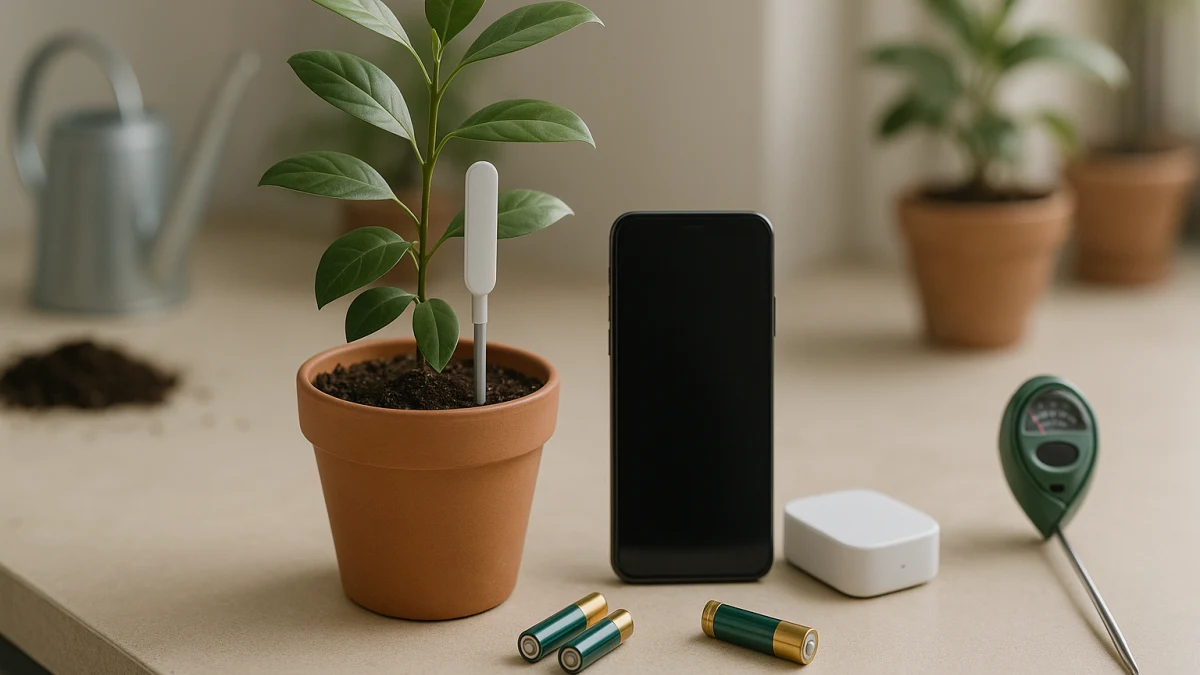
A soil moisture sensor with an app is only useful if the connection workflow fits your plants, phone, and home setup. This collection separates connected moisture sensors from basic probe meters instead of treating every soil tester as the same purchase. The main mistake to avoid is buying a product that measures moisture but does not actually give you the app behavior, range, hub setup, battery routine, or phone compatibility you expected.
Use this page as an uneven comparison: connected monitoring is the main lane, and manual probe meters are only a fallback. Before comparing individual probes, compare the parts that a normal category page often hides: wireless protocol and ecosystem, Android or iOS fit, alert behavior versus simple app viewing, battery or solar maintenance, indoor or outdoor placement limits, extra measurements, and whether you are willing to check each plant by hand.
Choose by connection burden before choosing a probe
| If this sounds like you | Better fit |
|---|---|
| You want phone-based plant monitoring and can verify the current app, Android or iOS compatibility, alert behavior, range, and battery details. | Connected soil moisture sensors with app-based monitoring |
| You already use Tuya, SmartThings, Home Assistant, Hubitat, HomGar, Netro, Amazon Alexa, or another smart-home setup. | Connected soil moisture sensors, after confirming the hub and protocol requirements |
| You are willing to walk up to each plant and read moisture, pH, temperature, fertility, sunlight, ambient humidity, or electrical conductivity (EC) locally. | Basic read-at-the-probe soil moisture sensors |
| You need a product that physically waters plants, runs a pump, or controls irrigation. | Skip this collection; automatic watering devices and irrigation systems are outside the scope |
EC describes how readily soil or a solution conducts electricity and is used to assess dissolved salts; it is a different measurement from moisture (Hanna soil EC tester). An EC reading does not show that a device can send app alerts.
The fastest way to narrow the page is to decide how much setup friction you will accept. Wi-Fi, Bluetooth, Zigbee, Tuya, app, Android, iOS, and smart-home wording can point toward connected monitoring, but those labels still need to be checked against the product page and current app support.
Moisture reminders, not automatic watering
This collection is for products that monitor soil moisture or related plant conditions. It is not a shortcut to a smart watering system.
Skip this page if you need a pump, irrigation controller, hose timer, automatic watering kit, indoor garden system, or a plant app that does not include a physical sensor. Even when a sensor is connected to an app or smart-home ecosystem, treat it as a monitoring or reminder tool unless the specific product clearly says it performs watering functions.
A connected label is not the same as a proven alert
Wi-Fi, Zigbee, Bluetooth, Tuya, Android, iOS, smartphone, hub, Alexa, SmartThings, Home Assistant, Hubitat, HomGar, Netro, battery, solar, indoor, outdoor, and IP67 terms are useful starting points. They do not, by themselves, prove that a sensor sends reliable push notifications, works remotely without a hub, supports your current phone OS, avoids subscriptions or accounts, or has enough range for your garden layout.
For any connected model, check the current product page, app details, and manufacturer documentation before treating app alerts as guaranteed. Also verify outdoor and water-exposure claims from the stated rating and manufacturer limits rather than assuming that an indoor/outdoor phrase means the sensor can be left anywhere.
Connected soil moisture sensors: app, hub, and range first
This is the primary lane for shoppers who want phone-based monitoring rather than a readout at the plant. Look first for the connection path: Wi-Fi, Bluetooth, Zigbee, Tuya app compatibility, Android, iOS, smartphone wording, hub requirements, or smart-home compatibility such as Amazon Alexa, SmartThings, Home Assistant, Hubitat, HomGar, or Netro.
Then separate ecosystem fit from alert certainty. A sensor can belong in this lane because it has app or wireless language, but you still need to confirm whether it supports the alert behavior you want. Some products may also list moisture plus temperature or light, along with power and placement clues such as battery, solar, indoor, outdoor, or IP67. Those details matter because a sensor that is awkward to maintain or poorly matched to its location may not be useful even if it connects.
Read the products shown here by connection burden first, not by the longest feature list. A Wi-Fi model, a Bluetooth model, and a Zigbee or smart-home model can mean very different setup paths. If a product does not clearly answer your app, OS, hub, remote access, range, battery, subscription, account, or notification questions, pause before buying. If the whole app setup feels like more work than the plant check itself, the manual fallback below may be the cleaner choice.
Only drop to manual meters if app setup is the problem
Move to the manual lane only after deciding that phone monitoring is not worth the tradeoff. Good reasons to step down include not wanting to install another app, pair a wireless device, manage a hub, check OS compatibility, troubleshoot range, or depend on unclear notification behavior.
Do not switch lanes just because a basic tester lists more readings. Moisture, pH, temperature, fertility, sunlight, ambient humidity, or EC can be useful local information, but extra measurements do not create app alerts, remote dashboards, or smart-home monitoring.
Manual probe meters when phone alerts are not worth the setup
This compact fallback is for shoppers who are comfortable walking up to each plant and reading a local display or probe-style meter. These products can include soil testers, soil detectors, soil analyzers, and multi-function meters that measure moisture and may add pH, temperature, fertility, sunlight, ambient humidity, or EC depending on the model.
Use this lane to compare local read-at-the-probe tools, not remote monitoring systems. Basic meters can avoid app setup, wireless pairing, hub compatibility, and notification questions, but they do not answer the main app-alert need. If you still want phone reminders or connected monitoring, return to the connected lane and verify the setup details instead of assuming a manual meter can fill that role.
Final app-support checks before choosing a sensor
Before you choose a connected soil moisture sensor, confirm the details that most often change the real ownership experience:
- The current app name and whether it is available for your Android or iOS device.
- Whether the product offers push notifications, threshold alerts, or only in-app viewing.
- Whether remote access requires Wi-Fi, a hub, a cloud account, or a specific smart-home platform.
- The wireless protocol: Wi-Fi, Bluetooth, Zigbee, Tuya, or another ecosystem path.
- Any stated hub requirement for SmartThings, Home Assistant, Hubitat, HomGar, Netro, Amazon Alexa, or similar systems.
- Battery or solar maintenance, including how often you may need to service the sensor.
- Range expectations for the actual plant location, especially across walls, patios, or garden areas.
- Indoor, outdoor, water-resistant, waterproof, IP65, or IP67 language, checked against manufacturer limits.
- Subscription, account, cloud-service, or app-support requirements.
- Which measurements you actually need: moisture alone, or moisture plus temperature, light, pH, fertility, sunlight, ambient humidity, or EC.
Choose the simplest workflow you will actually maintain. A connected sensor is the better fit only when its app, hub, OS, alert, battery, range, subscription, and placement details match your setup; otherwise, a basic local probe may be the more honest tool.