
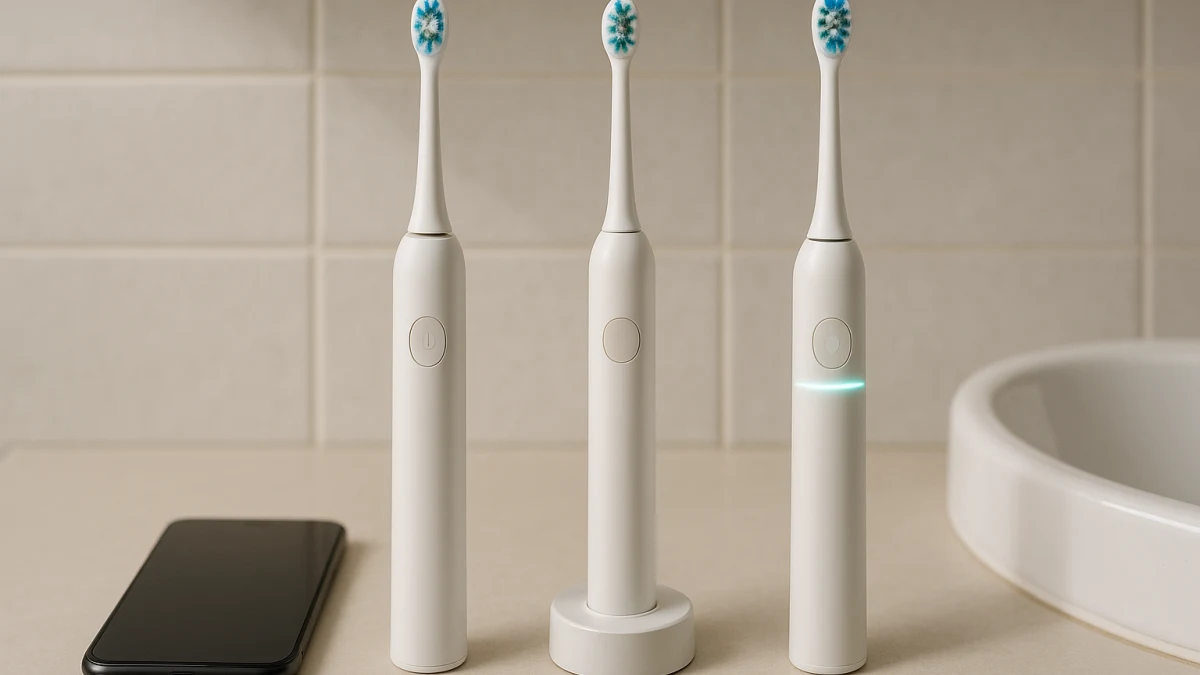
Smart electric toothbrushes can add Bluetooth, app control, oral maps, brushing reports, and tracking, but those features only change your routine if you will actually open the app and review the feedback. A simpler electric toothbrush can still give useful structure with a 2-minute timer, 30-second pacer, or quadrant reminder without phone pairing.
This page separates connected coaching value from ordinary premium extras. Displays, USB-C charging, travel cases, multiple modes, and extra brush heads may be useful, but they are not the same decision as paying for app-linked feedback, habit history, or missed-spot tracking.
Choose by the feedback loop you will actually use
| If your main need is... | Better fit |
|---|---|
| Phone-linked feedback, brushing reports, oral maps, missed-spot tracking, or habit accountability | App-connected electric toothbrushes with coaching or tracking |
| Brushing prompts without app setup, phone pairing, notifications, or connected coaching | Non-app electric toothbrushes with timers and pacers |
| A warning when you press too hard, not maps, scores, or app history | Pressure-sensor electric toothbrushes without full smart features |
| Gamified kids or shared family smart-brushing modes | Treat this as an edge case, not the main adult smart-versus-simple decision |
Use four checks before comparing products: how deep the feedback is, how much daily friction it adds, whether pressure awareness is enough, and whether the model clearly says what its Bluetooth or app features actually do. Battery life, charging style, displays, travel cases, and bundles matter too, but weigh them separately from the coaching question.
Pick the coaching you will actually open
Choose the connected lane only if the phone-linked part solves a real problem for you: checking brushing reports, reviewing missed areas, following real-time feedback, or using a brushing map as accountability. If you know you will ignore the app after the first week, a timer, pacer, or pressure alert may give you the routine support you wanted with less friction.
Also separate price value from polish. A higher-priced brush may include a premium finish, travel case, display, or more modes, but the smart-versus-simple decision is whether app coaching and tracking are worth the setup, account comfort, and current USD price difference at checkout.
Smart timer is not the same as app coaching
Product language can be slippery. A “Smartimer,” “smart timer,” “intelligent cleaning” claim, or 30-second zone alert usually points to built-in timing behavior, not necessarily Bluetooth control or app tracking. Likewise, a display on the handle does not automatically mean brushing maps, reports, or missed-spot tracking.
Treat Bluetooth as a clue, not a complete answer. Before you count a brush as truly app-connected, check whether the product page specifically mentions app control, guided brushing, real-time feedback, oral mapping, brushing reports, habit tracking, or missed-spot feedback. If it does not, compare it as a simpler timer or feature-rich brush instead.
App-connected brushes for maps, reports, and habit feedback
This is the lane for shoppers deciding whether phone-linked brushing feedback is worth the setup and possible price premium. Look here when the product visibly points to Bluetooth, app control, real-time oral maps, missed-spot tracking, brushing reports, or habit accountability.
Do not let ordinary premium features blur the decision. Connected models may also show timers, pressure sensors, multiple modes, displays, USB-C charging, rechargeable batteries, or travel-ready accessories. Those can be helpful, but they do not prove that the app experience is meaningful for your routine.
Read the products shown here by checking which connected feature is actually named. If a model only says Bluetooth, confirm whether that unlocks coaching, maps, reports, or history in the manufacturer’s app. If you mainly want a reminder to brush for two minutes, the next lane may solve the problem with less phone dependence.
The app-friction test before you go simpler
Before you rule connected brushes in or out, picture the daily steps. Will you keep your phone nearby while brushing? Are you willing to pair the brush, maintain the app, manage notifications, and check reports often enough for them to matter?
If the answer is no, that is not a downgrade; it is a better fit signal. A lower-friction brush with a timer or pacer may be easier to use consistently because the feedback happens on the handle instead of in an app. If you are comfortable with accounts, app permissions, and occasional setup checks, then connected coaching may still be worth comparing.
Timer and pacer brushes for no-phone brushing routines
This lane is the simple-use baseline. Look for 2-minute timers, 30-second alerts, quadrant reminders, Smartimer language, or Quadpacer-style prompts when your goal is pacing without Bluetooth pairing, app setup, or connected coaching.
Once the timing behavior is clear, compare the practical extras: mode count, battery life, charging method, included brush heads, and whether a travel case matters for your routine. Keep those extras in their lane; they should not turn the choice into a generic premium-toothbrush roundup.
The products shown here are useful when you want the brush itself to handle the routine. If a product uses “smart” language, check whether it means a built-in timer rather than app tracking. If you want brushing reports or oral maps, go back to the connected lane; if you mainly want a pressure warning, the middle-ground lane below may be more relevant.
When a pressure sensor is enough feedback
A pressure sensor is a narrower kind of feedback than app coaching. It can help you notice when you are pressing too hard, but it does not automatically provide brushing maps, scores, habit history, or missed-spot reports.
Use this middle ground when you want one specific in-brush cue without building your routine around a phone. Check how the alert is described: light, vibration change, slowdown, LED or LCD signal, or another response. Also confirm whether the brush still includes basics such as a 2-minute timer, modes, rechargeable battery, travel case, or included brush heads.
Pressure-sensor brushes when you want feedback, not an app
This compact lane is for shoppers who want pressure awareness without full smart-app positioning. The key question is not whether the brush looks premium; it is whether the pressure alert is clear and whether the model avoids visible app-based coaching claims.
Use the products shown here to compare alert style and everyday basics. If a listing starts to emphasize Bluetooth, app coaching, brushing maps, or reports, treat it as a connected candidate instead. If it only gives time prompts, it belongs closer to the simple timer/pacer lane.
Verify app, timer, and pressure alerts before checkout
Before buying, check the product page for:
- App feature depth: Does it say app control, guided brushing, oral maps, brushing reports, missed-spot tracking, or only Bluetooth?
- Phone compatibility: Does the manufacturer list iOS and Android requirements for the app you plan to use?
- Timer behavior: Is there a 2-minute timer, 30-second alert, quadrant reminder, Smartimer, or Quadpacer-style prompt?
- Pressure alert style: Does the brush use a light, vibration change, slowdown, LED or LCD message, or another signal?
- Battery and charging: Are battery-life expectations, rechargeable battery details, USB-C charging, or the charging base clearly described?
- Included parts: Which brush heads, travel case, charger, or accessories are included with the exact model?
- Connected-feature value: Are you paying for coaching you will use, or mostly for finish, bundles, or travel accessories?
Do not turn coaching copy into health or privacy claims
Catalog feature copy can help you separate app coaching, timers, pacers, and pressure sensors, but it should not be stretched into claims the listing does not support. App feedback should not be treated as proof of better gum health, plaque reduction, or prevention of dental problems unless a stronger official or clinical source is provided.
The same caution applies to privacy, subscriptions, child-data handling, and long-term app support. If those issues matter to you, verify them with the manufacturer or official sources before checkout. The safest buying rule is to choose the lowest-friction feedback system you will actually use: app coaching for ongoing review, timer and pacer prompts for simple routines, or pressure alerts for targeted feedback without app dependence.