
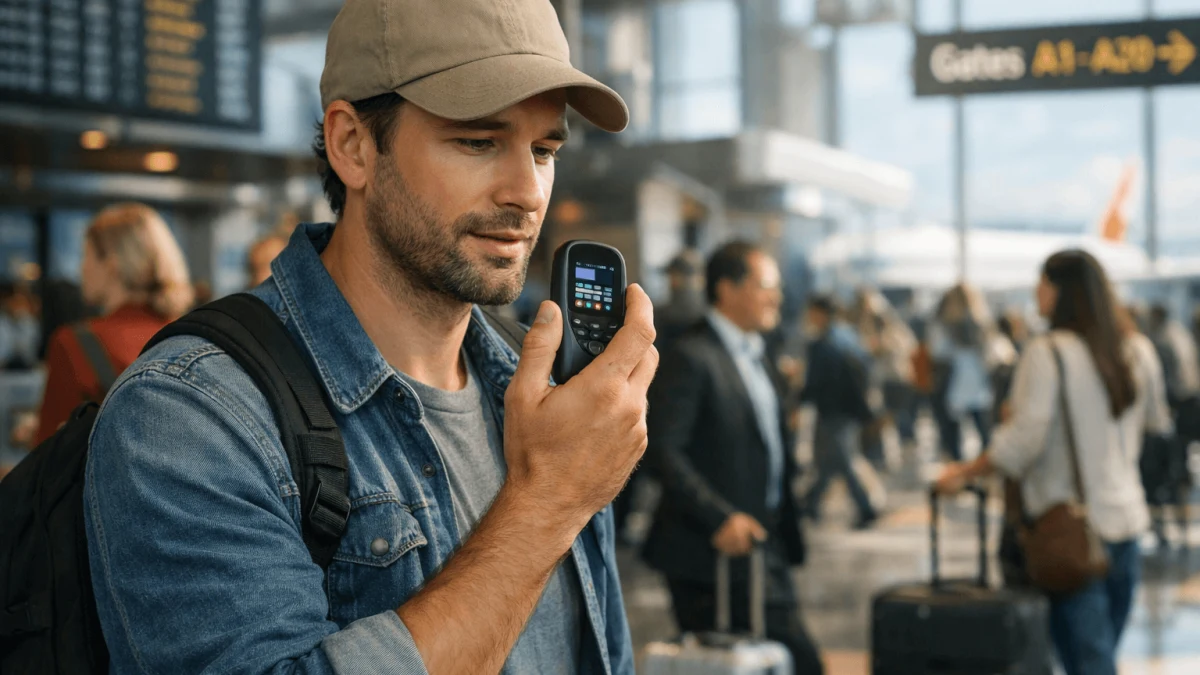
You’re basically choosing between “always available” and “always with me”—and the smartest answer for 2026 travel is usually a hybrid: set up your phone for solid offline use, then add a dedicated device only if you have truly high-stakes, low-connectivity needs (or you’re serious about keeping conversations off the cloud).
Travel translators have gotten better, but none are magic. Noise, accents, fast speech, and travel-stress mumbling can break even “98% accuracy” marketing. So the real win is building a setup that fails gracefully: if one option is dead (battery, no service, policy changes), you still have a way to communicate.
Opt for Dedicated Translators for Offline Reliability
If you’re headed somewhere with spotty coverage (rural hikes, islands, long train routes) and you cannot afford to be stranded linguistically, a dedicated translator-style device can be the most comforting “this will still work” layer—but read the fine print on what “offline” actually means.
Here’s what jumps out from the devices we pulled:
- Rpbznr M3 Black is a great example of the modern dedicated category: it claims both offline and online real-time transcription, plus lock screen encryption (6-digit password) and USB data encryption. That combo matters if you’re translating sensitive stuff (medical info, passport issues) and don’t love the idea of it floating around in the cloud. Just note the trade-off: it lists 134 online translation languages but only 15 offline—so it’s reliable offline, but not universally so.
- Rpbznr M5 Black AI transcription to text in 134 languages leans even harder into capturing speech in messy real-life settings with 2 directional + 6 omni-directional microphones and “intelligent noise reduction.” Like the one above, it lists 134 online languages / 15 offline, which is a recurring theme: offline is often a subset.
- Papanoo X6 PRO DS Silver is interesting because it explicitly lists Translation Modes: Offline, Online, Photo, Real-time, Text, Voice and ENC noise cancellation. If you like “all modes in one gadget,” it’s a tidy idea (and the built-in stand is a nice travel quality-of-life feature).
The key question to ask before you buy
Offline what? Offline speech-to-speech conversation is harder than offline text translation. Many devices do offline for limited language pairs, or offline transcription but online translation. That “134 online / 15 offline” spec is exactly the kind of detail you should expect across the category.
A reliable rule of thumb: offline = more privacy and availability; cloud = wider language coverage and often better accuracy. That trade-off is echoed in explainers comparing offline vs real-time cloud translation in apps (HereAndNowAI’s overview).
Takeaway
Buy a dedicated device if “no signal” is a real part of your itinerary and you can live with offline language limitations. If you’re mostly in cities, you’ll get more value by making your phone bulletproof (offline packs + battery plan) and using cloud translation only when you want the extra accuracy/language breadth.
Select Handheld Translators for High-Noise Environments
If your personal nightmare is trying to explain a rebooked flight at a chaotic counter while announcements are blaring, speed + noise handling matters more than “supports 134 languages.”
In loud places, two things go wrong:
- Speech recognition struggles (background noise + accents + people talking over each other).
- Any delay makes the interaction awkward fast—humans don’t like 3-second pauses mid-conversation.
Dedicated handheld translators often do better here because they’re designed around microphones, speaker placement, and push-to-talk workflows—not the do-everything priorities of a smartphone.
That said, don’t over-trust “noise cancelling” claims on the box. Real-world results vary, and many travelers report translation earbuds in particular can be disappointing in chaotic environments (the noise + turn-taking is brutal). Even the business/industry writeups admit earbuds can struggle in noisy airports compared to dedicated pocket translators (Alibaba’s comparison article).
My practical advice for high-stakes situations
- Use short, clean phrases (one idea per sentence).
- Confirm with numbers (gate numbers, times, platform, address) by showing them on-screen or writing them down.
- Have a non-voice fallback ready (offline typed translation + screenshots of reservations).
Takeaway
For airports, stations, and emergency-style conversations, pick a solution that’s optimized for fast turn-taking and strong microphones, and practice using it before the trip. The best translator is the one you can operate while stressed, half-asleep, and holding a suitcase handle.
Embrace Smartphone Solutions for Convenience and Integration
If you hate extra gadgets (valid) and you already rely on your phone for boarding passes, maps, and payments, then a smartphone-based translator setup is usually the best “default.” It’s the one device you’re already protecting, charging, and keeping on you.
But: not all “travel-friendly” phones are travel-friendly for translation. The key is balancing battery + app availability + connectivity.
Here’s how the phones we saw fit into a travel translator mindset:
- Honor Play6C VNE-AN40 5G connectivity (Honor Play6C 5G VNE-AN40) is the classic “big battery travel phone” idea with a 5000mAh battery. That’s the kind of capacity that lets you run offline translation packs, camera translation, and occasional voice translation without worrying about battery life. However, it explicitly states Google Play Support: Not Support, which means mainstream translation apps may not be available, diminishing its travel-friendly utility.
- Xiaomi 13 Blue Qualcomm Snapdragon 8 Gen 2 octa-core processor (Xiaomi 13) is the “power user” route: strong chipset, lots of storage, and IP68 water/dust resistance. For translation specifically, the relevant part is: you can store tons of offline packs/media and still have room, plus it’s a sturdier device for all-day use. Good cameras also assist with menu/sign translation.
- SOYES XS11 Android OS has specs like 1GB RAM / 8GB storage and 3G connectivity that can make modern translation apps feel cramped. This is more of a “backup phone” than a primary translator, especially since it may struggle to handle the demands of 2026 translation applications.
- QIN F21 Pro Black 4G LTE network support (Android 11, 2150 battery capacity) is a niche pick. Although physical keys can be nice, the small screen can be challenging for showing translations to someone else, which often is the most vital part of communication.
The travel-proof phone translation setup (what I’d do)
- Download offline language packs and test them in airplane mode.
- Add an eSIM for “cloud translation when you want it,” but treat it as a bonus, not your only plan. (If you’re weighing eSIMs, a lot of “free translator app” experiences quietly depend on data and can disappoint when throttled or capped—see HolaSIM’s explainer on real-time voice translators.)
- Put translation on your lock screen / quick launch so you’re not hunting for it in a panic.
- Carry a small power bank—because the most advanced translator is still a paperweight at 0%.
Takeaway
If you want minimal gear, go phone-first—but choose a phone that won’t sabotage you with weak battery, limited app access, or tiny screens. Offline packs + a battery plan is what makes smartphone translation “reliable,” not just convenient.
Choose Wearables for Hands-Free Convenience
Wearables are tempting because they promise the dream: talk naturally, hands free, while you’re juggling bags, scanning tickets, or pointing at a map. In practice, they’re best when you treat them as an accessory to your phone, not a standalone “always works” translator.
From the earbuds we found, think of them in two buckets: comfort + mic performance + battery.
- Clip on Earbuds Open Ear Wireless Bluetooth Headphones with Mic Unmatched Comfort and Secure Fit are ultra-light at 5.3g, with Bluetooth 5.4, and a stated 50 hours with the case / 6 hours single charge. Open-ear designs can be great for travel because you can still hear announcements—useful in stations and airports. It lists ENC technology (environmental noise cancellation), which can help calls and voice pickup.
- Soundcore P40i Adaptive noise cancellation emphasizes mic count (6 microphones) and Adaptive Noise Cancellation, plus strong endurance (12h earbuds / 60h with case). If you’re trying to capture clearer speech for translation/calls, multi-mic plus ANC is generally what you want.
Reality check: earbuds aren’t a guaranteed translator
Even when earbuds claim translation features, many systems still route audio through your phone/app, and noisy environments can still break the experience. Also, conversational translation requires turn-taking—someone has to know when to speak, pause, and wait for the output.
Takeaway
Buy earbuds for hands-free communication and comfort first, and treat translation as a nice extra. If your trip includes high-stakes conversations, keep a phone-based offline mode (or a dedicated device) as your “this will work even when the wearable experience gets weird” backup.
Consider Battery Life and Minimalism for Prolonged Trips
Battery is the silent dictator of travel translation. The more you lean on one device (your phone), the more catastrophic it is when it dies.
Minimalist rule that actually works: one primary + one independent fallback. That fallback can be:
- a small power bank, or
- a secondary device (dedicated translator / spare phone), or
- a paper backup for essentials (addresses, allergies, key phrases).
If you’re trying to travel with “just one device,” your biggest risk is that translation, maps, tickets, and emergency contact all compete for the same battery. Minimalism is doable—but it demands planning, not vibes. That trade-off is basically the core critique of one-device minimalism discussions (Wisetek’s note on battery as the limiting factor).
Takeaway
If you want light packing, don’t add three gadgets. Add one thing that prevents total failure: usually a power bank, or a dedicated offline device if you’re going remote.
Prioritize Privacy with Offline Processing Options
If you’ll be translating anything sensitive—medical details, legal trouble, border questions, work conversations—privacy isn’t paranoia. It’s just sensible.
Your privacy choices usually look like this:
- On-device/offline processing: better privacy, works without internet, often faster response.
- Cloud translation: often higher quality and broader language support, but your audio/text may be transmitted to a service.
This is why offline options are often recommended when privacy is the priority, even if cloud is more capable overall (HereAndNowAI’s comparison).
Practical privacy tips that don’t require a tech degree:
- Prefer solutions that can operate offline for your key languages.
- Disable auto-upload/history where possible.
- For devices that store recordings/transcripts, use lock codes and encryption when available.
Takeaway
If privacy is a top requirement, prioritize offline-capable translation and treat cloud translation as “only when needed,” not your default mode.
Assess Connectivity Needs for Urban and Remote Trips
Here’s the clean decision: Are you traveling where the internet is reliable enough to be part of your plan? If yes, cloud translation via eSIM can be amazing. If no, it’s a trap.
A good connectivity plan looks like this:
- Urban-heavy itinerary: phone + eSIM + offline packs (so you’re not helpless in metro tunnels, dead zones, or when you hit a data cap).
- Remote-heavy itinerary: offline-first phone setup plus a dedicated offline device if communication failure would be dangerous.
And don’t underestimate throttling/caps on “cheap data”—voice translation can chew through data faster than you think, and “free real-time translator” experiences often quietly assume stable connectivity (HolaSIM’s breakdown).
Takeaway
Plan like connectivity will fail at the worst time (because it will). If you’re mostly urban, eSIM + offline packs is the sweet spot. If you’re going remote, bring something that translates without the network.
Sources
- Real-Time vs Offline Translation in Mobile Apps (HereAndNowAI) - supports trade-offs between cloud accuracy vs offline privacy/speed/reliability
- Wireless Earbuds With Real-time Translation vs Dedicated Pocket Translator (Alibaba) - supports the claim that earbuds can struggle in noisy airports compared to dedicated translators
- The Truth About Free Real-Time Voice Translators (HolaSIM) - supports the idea that many “real-time” translator experiences depend heavily on stable data and may disappoint under limits
- Tech Minimalism: Is It Possible to Live with Just One Device? (Wisetek Store) - supports battery life as a key constraint when relying on a single device