
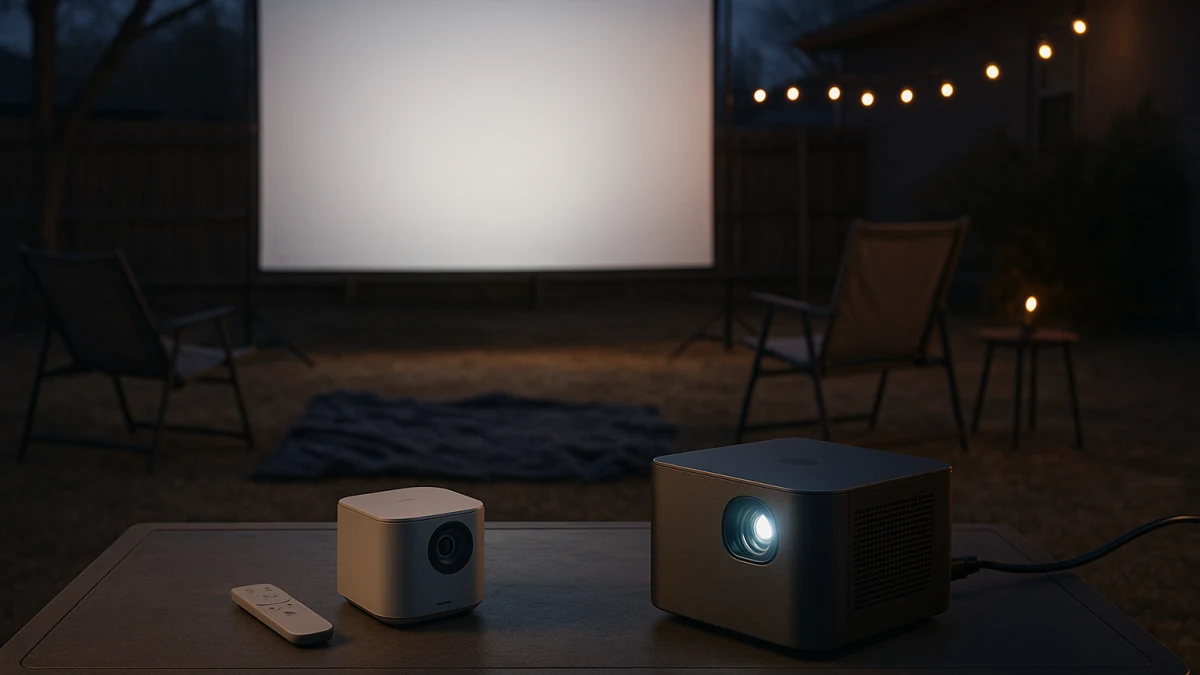
Backyard movie night is not just a projector spec problem. It starts with darker viewing conditions, where power is available, how far the projector has to be carried, how much image size you want, and what the listing actually says about brightness, apps, speakers, weight, and storage.
This collection separates easy-carry smart projectors from brighter plug-in smart projectors for casual after-dusk use. Indoor smart TVs are included only as a short boundary comparison, because screen size, Wi-Fi, ports, and a voice remote do not make a TV outdoor-rated.
Start with dusk, power access, and how far you carry it
| If this sounds like you | Better fit |
|---|---|
| You want portable, mini, compact, or low-weight wording, plus conveniences like Wi-Fi, Bluetooth, built-in apps, a built-in speaker, auto focus, or auto keystone. | Portable smart projector for occasional backyard use |
| You have nearby power and want a larger image, so brightness figures, ANSI lumen wording, laser, Google TV, 4K support, or larger screen-size claims matter more than smallest size. | Brighter plug-in smart projector for larger outdoor images |
| You expect strong daytime outdoor projection, wet-condition use, or weatherproof construction from an ordinary listing. | Skip unless the product page clearly proves those claims. |
| You are thinking about moving a 1080p smart TV with Wi-Fi, voice remote, ports, power cord, weight, and dimensions outside for one night. | Treat it as a cautionary side option, not the main recommendation. |
As you compare, keep seven checks in view: power and runtime, brightness wording versus outdoor light, smart app support, auto focus or keystone correction, built-in audio expectations, weight and storage, and any weather or outdoor-power language.
Choose by carry distance, power access, and image size
A compact projector makes the most sense when the job is simple: carry it out, connect to Wi-Fi or Bluetooth if needed, place it, watch after dusk, and bring it back inside. In that path, low weight, compact dimensions, built-in apps, a built-in speaker, auto focus, and auto keystone are convenience features that reduce setup friction.
A brighter plug-in projector is the step-up path when you can plan around power and want a larger image. Here, brightness figures, ANSI lumen wording, laser or home-theater positioning, Google TV, 4K support or decoding, and stronger speaker claims become more important than the smallest possible body.
The promise: backyard movies after dusk, not daylight projection
This page is built around occasional backyard or patio viewing after dusk. That matters because outdoor light changes the whole decision: brightness specs may help after dark, but they should not be read as a promise that a projector will look strong in full daylight.
Use the products here to compare portable convenience against brighter plug-in capability. Do not use this collection as proof that any ordinary smart projector can replace a daytime outdoor display.
Outside the frame: outdoor TVs, enclosures, screens, and patio gear
This is not an outdoor TV guide, projector-screen guide, speaker guide, extension-cord guide, generator guide, furniture guide, or permanent patio installation plan. Those decisions can matter, but they are outside the main question here.
The focus stays on the projector itself: how easy it is to carry and store, whether it has the smart features you want, how its brightness language is stated, and whether the listing supports the way you plan to use it.
Weather and outdoor power claims need proof
Words like outdoor, portable, water resistant, dust resistant, battery, runtime, built-in streaming, and built-in speaker need careful reading. A product name or broad marketing phrase is not the same as a clear weather-resistance rating, confirmed battery life, or complete app support.
Before using any projector outside, check the product page for power requirements, runtime if a battery is claimed, supported apps, speaker details, brightness wording, weight, dimensions, and any stated weather-resistance or IP language. Do not assume a device is safe to leave outside or use in wet conditions.
Portable smart projectors for quick after-dusk setup
Choose this path when the main goal is convenience: a projector that is easy to carry outside, position for a casual movie, and store again afterward. The products shown here fit portable, mini, compact, portable-size, or battery-oriented patterns, with many listings also pointing to Wi-Fi, Bluetooth, built-in apps, built-in speakers, auto focus, or auto keystone.
Read those features as setup helpers, not universal promises. Portable wording does not automatically mean built-in battery operation, high brightness, every streaming app, or enough audio for every yard.
Use these products to compare size, weight, smart features, and setup correction first. If the listing is light on brightness details, speaker specs, app support, or power requirements, treat that as a reason to slow down. If your real goal is a larger after-dusk image and you have reliable power nearby, compare the plug-in projector path next.
Brightness terms before stepping up to plug-in
Brightness language is where many backyard projector decisions get muddled. ANSI lumen wording is more useful than vague brightness claims when it is available, but even a visible brightness number should be judged against your actual conditions: after dusk, screen or wall choice, image size, and ambient light.
Also separate 4K support, 4K decoding, and native resolution. A listing can use 4K language without necessarily meaning native 4K projection. Before stepping up, compare ANSI lumen wording where provided, supported versus native resolution, stated screen-size range, speaker specs, and projector weight.
Brighter plug-in smart projectors for bigger after-dusk images
This is the better fit when you can plan around power and want a larger, brighter-looking image than the smallest portable models typically target. The products shown here lean on visible brightness figures, ANSI lumen wording, laser or home-theater language, 4K support or decoding, Google TV or built-in app positioning, Wi-Fi, Bluetooth, autofocus, keystone correction, or larger screen-size claims.
The tradeoff is that this path is less about pocketable storage and more about a controlled setup. Check whether the projector needs to be plugged in, how heavy it is, what speaker specs are stated, and whether the smart interface supports the apps you actually use.
Read this group as the larger-image option for after-dusk viewing, not as a daylight or bad-weather solution. If a product uses 4K wording, verify whether that means native resolution or supported input. If portability, compact storage, and fast setup matter more than image size, the portable group may still be the better fit.
Why the TV idea stays a side door, not the main path
Moving a smart TV outside can sound simpler than setting up a projector, especially if the TV already has Wi-Fi, ports, a remote, and built-in apps. But a TV brings different problems: fixed screen size, glare, weight, power needs, carrying risk, storage, and no automatic proof of outdoor-rated construction.
That is why the TV comparison stays short. It helps you test whether you were really shopping for a temporary screen, not whether you should build a permanent outdoor entertainment setup.
Indoor smart TVs as a short-term comparison, not the recommendation
Only consider this as a reality check. The products shown here are indoor smart TVs with visible screen-size and smart-feature cues, such as 1080p, Wi-Fi, voice control or assistant support, ports, power requirements, weight, and dimensions.
If a TV still seems tempting, compare its size, weight, glare, power cord, and storage needs against the projector options above. Do not treat indoor smart TV features as proof of weather resistance, water resistance, dust resistance, or wet-condition suitability.
Final listing checks before the projector goes outside
Before choosing, open the product page and verify:
- Power requirements: plug-in only, battery-oriented, or clearly stated runtime.
- Brightness wording: especially ANSI lumen language where available.
- Resolution language: supported resolution, 4K decoding, and native resolution are not the same thing.
- Smart features: Wi-Fi, Bluetooth, built-in apps, Google TV, or streaming support vary by model.
- Setup correction: auto focus and auto keystone can help with temporary placement.
- Audio: built-in speaker claims and speaker wattage help set expectations, but may not replace separate audio for every yard.
- Weight and dimensions: make sure you can carry, place, bring in, and store the projector easily.
- Weather wording: confirm any water resistance, dust resistance, IP rating, or outdoor-use language directly in the listing.
Skip this collection for daylight, wet weather, or a permanent patio setup
Skip these projector paths if you need strong daylight viewing, wet-weather use, a device that can be left outside, or a permanent patio theater. Those needs point beyond ordinary smart projectors and beyond this collection.
For casual after-dusk movie nights, choose the portable path when easy carry-and-store setup matters most. Choose the brighter plug-in path when you have power available and want a larger image after dark.