
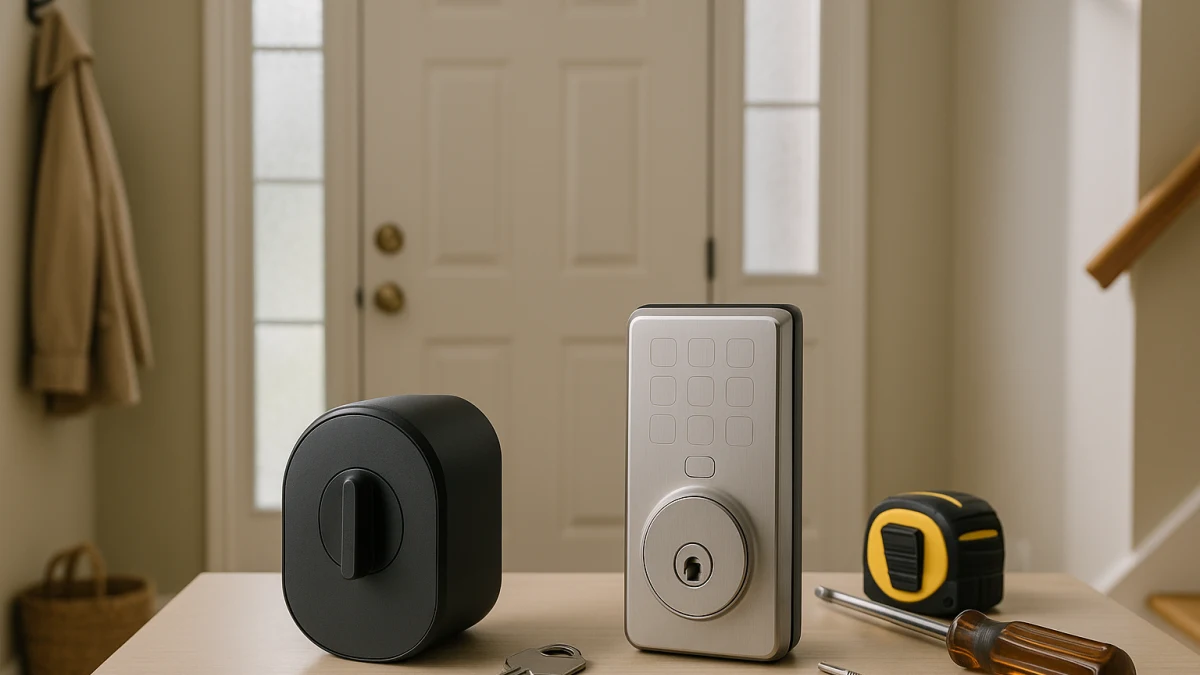
For an existing door, the first smart-lock question is not brand, finish, or app ecosystem. It is what you are willing to change on the door: keep the outside deadbolt and keyway, replace the deadbolt with a smart exterior interface, or move to a handle-style product because the opening is not a deadbolt fit.
A normal smart-lock listing can mix retrofit locks, keypad deadbolts, lever locks, doorbells, and adjacent access products. This collection separates those choices by exterior hardware change, outside access method, existing-door fit, installation footprint, door form factor, and backup entry, so you can open the product widgets with the right kind of lock in mind.
Decide by what changes on the outside of the door
| If this is what you need | Better fit |
|---|---|
| You want to keep the existing exterior deadbolt hardware, keyway, or outside appearance. | Retrofit smart locks |
| You want a keypad, touchscreen, fingerprint reader, passcode entry, or other keyless interface built into the outside of the lock. | Full-replacement smart deadbolts |
| The opening uses a knob, lever, handle, or latch setup instead of a deadbolt-style lock. | Smart lever or handle locks |
| You mainly want to see or verify visitors before unlocking the door. | Use a video doorbell separately; do not treat it as the smart-lock fit answer. |
When two products look similar online, compare the physical clues first: whether the exterior hardware changes, how someone unlocks from outside, what door thickness and backset are required, whether the product is inside-only or a full swap, whether the door is actually a deadbolt opening, and what backup entry or battery access method is available.
Choose by the hardware you want to keep
Start with the current exterior keyway. If you want that keyway and outside face to stay in place, look first at retrofit wording such as inside-only, no-drill, existing deadbolt, or compatible single-cylinder deadbolt. If you want the smart interface on the outside of the door, look at replacement deadbolts with keypad, touchscreen, fingerprint, passcode, NFC, or Apple Home Keys language.
A handle, knob, or lever product should not be the tie-breaker between those two deadbolt choices. It only becomes the better path when the door itself is not set up for a deadbolt-style lock.
Fit checks before brand, app, or finish
Before comparing apps or colors, check the door and lock prep. Useful pre-purchase checks include deadbolt type, door thickness, backset, bore, latch requirements, handedness, current thumb turn, battery access, backup key or emergency power method, and whether you expect to keep the existing keyway.
Standard U.S. deadbolt-hole wording can be helpful, but it is not a substitute for the manufacturer’s exact compatibility chart. A product can have the right unlock method and still be wrong for the door if the bolt, thumb turn, latch, thickness, or handedness does not match.
Not lock choices here: repairs, doorbells, and mechanical deadbolts
This page is for smart-lock selection on existing doors. It does not solve door repair, sagging-door alignment, strike-plate work, locksmith services, garage access, cabinet locks, padlocks, bike locks, or mechanical-only deadbolts.
Video doorbells and cameras can help you see who is there, but they do not answer the lock-fit question. Treat visitor verification as a separate add-on, not as a substitute for choosing the right retrofit lock, replacement deadbolt, or handle-style smart lock.
Retrofit smart locks for keeping the outside deadbolt
Choose this path if your main goal is to add smart control while keeping the existing exterior deadbolt hardware. Product cards in this group are worth scanning for terms like retrofit, inside-only, no-drill, existing deadbolt, single-cylinder deadbolt, and existing keyway. Those phrases point to a different installation expectation than replacing both sides of the lock.
This is also the right place to compare app control, auto-lock, activity history, and optional keypad-style access when those features appear. Just keep the priority clear: the reason to start here is preserving the outside look or keyway, not getting every possible exterior smart interface.
Read these products as a keep-what-you-have shortlist. They help when the outside deadbolt should stay familiar, but they still need model-specific fit checks for deadbolt type, door thickness, backset, thumb turn, and keyway expectations. If you want a built-in exterior keypad, touchscreen, or fingerprint reader as the main entry method, the replacement-deadbolt group is usually the cleaner comparison.
Replacement smart deadbolts when the outside interface matters
Use this path when you are willing to replace the existing deadbolt hardware to get a smart interface on the outside of the door. These products commonly advertise keypad, passcode, fingerprint, app, Bluetooth, Wi-Fi, or other connected access methods, and some may mention Matter, NFC, or Apple Home Keys. Treat those as access-method cues rather than turning the decision into a general smart-home protocol guide.
The important tradeoff is visible: you are accepting a deadbolt swap in exchange for exterior keyless entry. Before treating a model as a drop-in replacement, check the manufacturer’s door prep requirements, including door thickness, backset, bore, latch, handedness, battery access, and backup entry method.
Use the products shown here to compare what changes on the outside of the door and which unlock methods are built in. This group is the stronger fit when keypad, touchscreen, fingerprint, passcode, or phone-based entry from outside is the priority. Skip it if your main constraint is preserving the existing exterior deadbolt hardware.
Only use the handle lane when a deadbolt is the wrong form factor
Handle, knob, and lever smart locks are easy to confuse with replacement deadbolts because they may also offer fingerprints, keypads, app access, or Bluetooth. The difference is the door hardware they replace. If the opening has a deadbolt, decide first whether to keep the exterior deadbolt or replace it. If the opening uses a knob, lever, handle, or latch setup instead, then the handle-style products become relevant.
Do not assume a handle lock performs the same role as a deadbolt replacement. Its suitability depends on the model, latch type, door thickness, handedness, backup access, and intended use.
Smart levers and handles only for non-deadbolt openings
Inspect this shorter group only after you have ruled out a deadbolt-style retrofit or replacement. Look for door knob, handle lock, smart lock with handle, door lever, door-thickness range, and left- or right-hand installation language.
These products can be useful for certain interior access doors, offices, bedrooms, side doors, or handle-based entries, depending on the product and door. Compare unlock methods, battery setup, backup key or emergency power, latch compatibility, and handing. If the door is a standard deadbolt entry door, return to the two deadbolt sections instead of treating this as a coequal substitute.
Claims that need manufacturer specs or official rules
Fit and compliance claims need better sources than a product-card summary. Use manufacturer documentation for exact compatibility, including deadbolt type, door thickness, backset, bore, latch, handedness, current thumb turn, battery access, and backup entry.
Be cautious with ANSI/BHMA grade language, security ratings, fire-rating claims, weather-performance claims, renter approvals, HOA rules, egress requirements, and local code assumptions. Those should come from official standards, the manufacturer, or the property rules that apply to your door.
The safest buying path is the least hardware change that still gives you the access method you need: retrofit if you can keep the outside deadbolt, replacement deadbolt if the exterior smart interface matters, and handle-style only when the door form factor calls for it.