
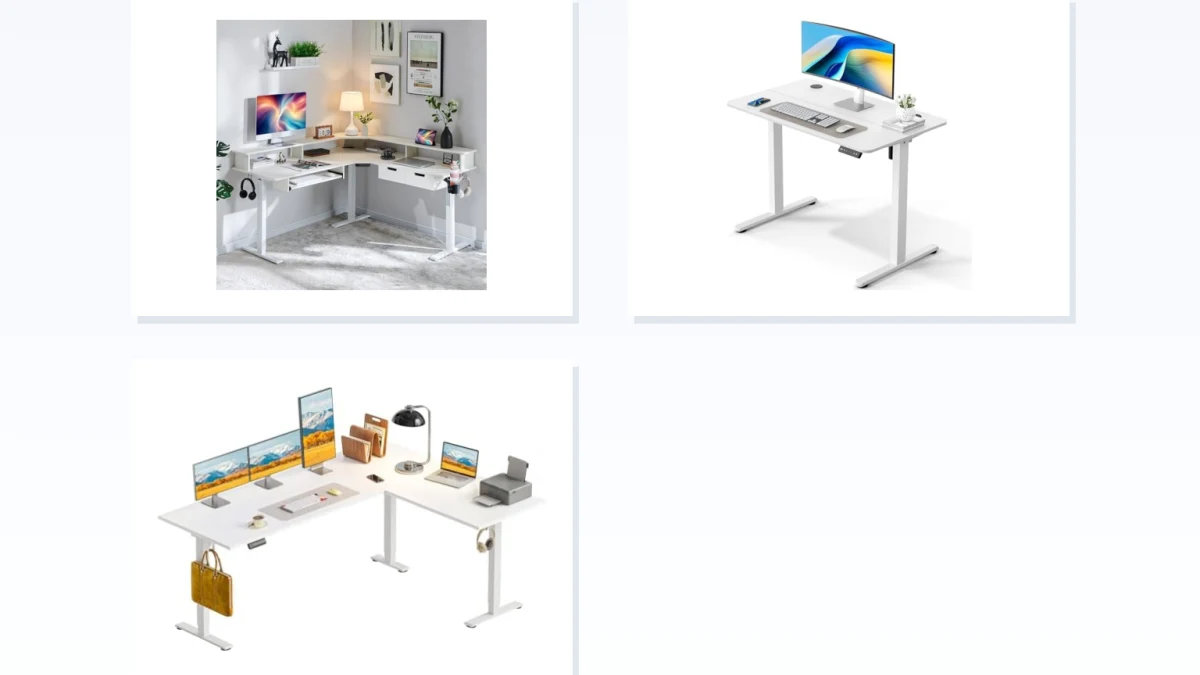
L-Shaped vs Straight Standing Desk: Which Fits Your Room?
Choosing between an L-shaped and a straight standing desk is mostly a question of available floor space, work-surface needs, and how you arrange your equipment. An L-shaped desk can use a corner efficiently and create separate work zones, while a straight desk is easier to place along a wall and usually requires a simpler footprint.
Neither shape is automatically better for ergonomics, productivity, or multi-monitor use. A straight desk can accommodate multiple monitors if it is wide and deep enough, while an L-shaped desk can be useful when you need additional surface area or want equipment and secondary tasks on a separate return. Start with your room and equipment measurements, then choose the shape that supports them.
Match Your Room Layout to the Right Desk Shape
Use these starting points:
- You have an available corner and want additional surface area or separate work zones.
Better fit: L-Shaped Standing Desk - You want the desk along one wall, have limited floor depth, or prefer one continuous work surface.
Better fit: Straight Standing Desk - You already want an L-shaped desk but need flexibility in which side the return occupies.
Consider: Reversible L-Shaped Desk - You prefer a contoured front edge or a particular corner configuration.
Consider: Curved or specialized L-shaped designs, but compare their actual dimensions rather than assuming the shape will fit better.
The number of monitors alone should not determine the choice. What matters is whether the desktop provides enough width and depth to position your primary screen, keyboard, mouse, and frequently used accessories comfortably.
Corner vs Wall: Measure Your Space First
Measure the room before comparing desk features. For an L-shaped desk, check both runs of the intended footprint rather than relying on a single advertised width. Also measure the depth of each section and confirm that the desk will not interfere with doors, drawers, radiators, windows, closets, or normal walking paths.
For a straight desk, measure both the available wall length and the maximum acceptable depth into the room. A desk can fit the wall on paper and still make a narrow room uncomfortable if the desktop or frame projects too far into the available walkway.
Also check:
- desktop dimensions rather than only frame dimensions;
- the full footprint of the feet or base;
- clearance required for a chair;
- cable and power-outlet locations;
- whether nearby doors and drawers can still open;
- the manufacturer's required clearance from walls or other furniture, if specified.
If you plan to use monitor arms, large displays, speakers, or other deep equipment, desktop depth can be just as important as width.
Shape Does Not Replace Ergonomic Setup
An L-shaped desk is not inherently more ergonomic than a straight one, and a curved front edge does not automatically create a healthier working position. Ergonomics depends on how the workstation is arranged.
Your primary monitor and main input devices should normally be positioned so you can work without repeatedly twisting your head, torso, or arms. Frequently used equipment should remain within comfortable reach. With multiple monitors, the screen you use most should generally occupy the primary viewing position.
An L-shaped surface can provide useful extra depth or a secondary area for documents, devices, or another task. However, placing your main monitor permanently off to one side simply because the desktop extends there can create an awkward working position.
Choose the shape first for space and workflow, then arrange the workstation around a neutral primary working position.
Common Shape Mismatches to Avoid
Several purchasing mistakes are easy to prevent:
- Buying an L-shaped desk without measuring both sides. An L-desk may fit one wall but collide with furniture or a doorway on its return side.
- Assuming you need an L-desk for two monitors. Many straight desks can accommodate dual-monitor setups when their width, depth, and load capacity are sufficient.
- Choosing a straight desk solely because it occupies one wall. If you need substantial additional surface area, a corner configuration may use the available room more effectively.
- Assuming every reversible L-desk can be configured in any orientation. Reversible designs differ. Check the assembly instructions or product specifications to confirm which side can be changed.
- Treating a curved edge as an ergonomic guarantee. A contour changes the geometry of the work surface, but monitor placement, working height, reach distance, and equipment arrangement remain more important.
- Comparing only desktop size. Standing-desk frames, feet, crossbars, control boxes, drawers, shelves, and other components can change the usable space and physical footprint.
L-Shaped Standing Desks for Corner Workspaces
An L-shaped standing desk makes sense when your room can accommodate two connected work surfaces and you have a practical use for the additional area. The return can hold secondary monitors, documents, a laptop, audio equipment, peripherals, or another work zone while leaving the main section focused on your primary task.
Corner configurations can also provide additional usable depth for some workstation layouts. That can be helpful with larger displays or setups that require more distance between the user and the monitor.
The tradeoff is footprint. L-shaped desks occupy space in two directions, and their dimensions vary substantially between models. Compare the complete measurements of both desktop sections, the frame footprint, height range, load rating, and orientation before choosing one.
Features such as programmable height presets, cable management, shelves, drawers, charging ports, and integrated power are model-specific rather than inherent advantages of the L-shaped format.
When comparing these desks, prioritize the dimensions that affect your actual room. A larger surface is useful only if the desk leaves enough space to sit, stand, move around it, and access nearby furniture.
Straight Standing Desks for Flat Walls and Flexible Placement
Straight standing desks are the simpler option for most wall-based layouts. Because they extend primarily in one direction, they are generally easier to position in bedrooms, home offices, shared spaces, and rooms where a corner needs to remain accessible.
A sufficiently large straight desk can support a laptop setup, one or several monitors, monitor arms, speakers, and other accessories. You do not need an L-shaped desktop simply because your workstation uses multiple screens.
Width determines how much equipment can sit side by side, while depth affects monitor distance and the amount of usable space in front of the screen. If you use a large monitor or a stand with a deep base, verify that the desktop is deep enough for a comfortable setup rather than choosing solely by width.
Height range and load capacity also matter. Check that the desk can reach suitable sitting and standing positions for you and that its published capacity covers the desktop, monitors, arms, computers, and other equipment you intend to place on it.
A straight desk can also be easier to relocate or reconfigure later because it does not depend on a particular corner. Its main limitation is that all equipment shares one continuous work surface, so buyers who need distinct work zones may prefer an L-shaped configuration.
Before You Browse Curved or Reversible L-Desks
Curved and reversible models are variations of the L-shaped format rather than a separate alternative to straight desks.
A reversible L-shaped desk may allow the return to be assembled on either the left or right, which can be valuable if your room layout may change. Do not assume every component is reversible, however; shelves, drawers, control panels, cable trays, or frame parts may impose additional restrictions.
A curved or contoured desktop changes the front edge or corner geometry. Some buyers may prefer the way this brings parts of the work surface within reach, but the presence of a curve alone does not establish that the desk will be more ergonomic. Check usable depth at the position where the keyboard and monitor will actually sit.
Curved and Reversible L-Desks for Specific Layouts
Once you know that an L-shaped desk fits your room, reversible and curved designs can help refine the configuration.
Reversible models are useful when left-versus-right orientation matters or when you want more flexibility for a future room change. Curved designs may appeal if you prefer a contoured working edge or want a particular arrangement around the inside corner.
Compare these desks using the same fundamentals as any other L-shaped model: full footprint, desktop depth, usable surface area, height range, load capacity, frame placement, and assembly configuration.
If the specialized configuration does not solve a specific layout or workflow need, a conventional L-shaped desk may be the simpler choice.
Your Pre-Purchase Checklist: L-Shaped vs Straight Desk
Before choosing an offer, verify:
- Room dimensions: wall length for a straight desk, or both available runs for an L-shaped desk.
- Desk depth: enough room for your monitor setup and a comfortable viewing distance.
- Walking and chair clearance: enough open space to sit, stand, move the chair, and pass behind or beside the desk.
- Desktop dimensions: confirm the actual usable surface rather than relying only on a model name or nominal size.
- Height range: make sure the desk can reach appropriate sitting and standing positions for you.
- Load capacity: include monitors, monitor arms, computers, speakers, and other accessories in the expected load.
- L-desk orientation: confirm which side contains the return and whether the model is genuinely reversible if that matters.
- Frame and feet: check the complete floor footprint, not just the desktop outline.
- Accessories: verify whether drawers, shelves, cable management, power outlets, or charging ports are actually included with the specific version.
- Assembly and product configuration: distinguish complete desks from frames, desktops, add-on returns, and other partial kits when reviewing partner listings.
The best standing-desk shape is the one that fits your room while keeping your primary equipment comfortably positioned. Choose between straight and L-shaped layouts based on measured space and the work surface you actually need; treat reversible, curved, storage, and charging features as secondary refinements.