
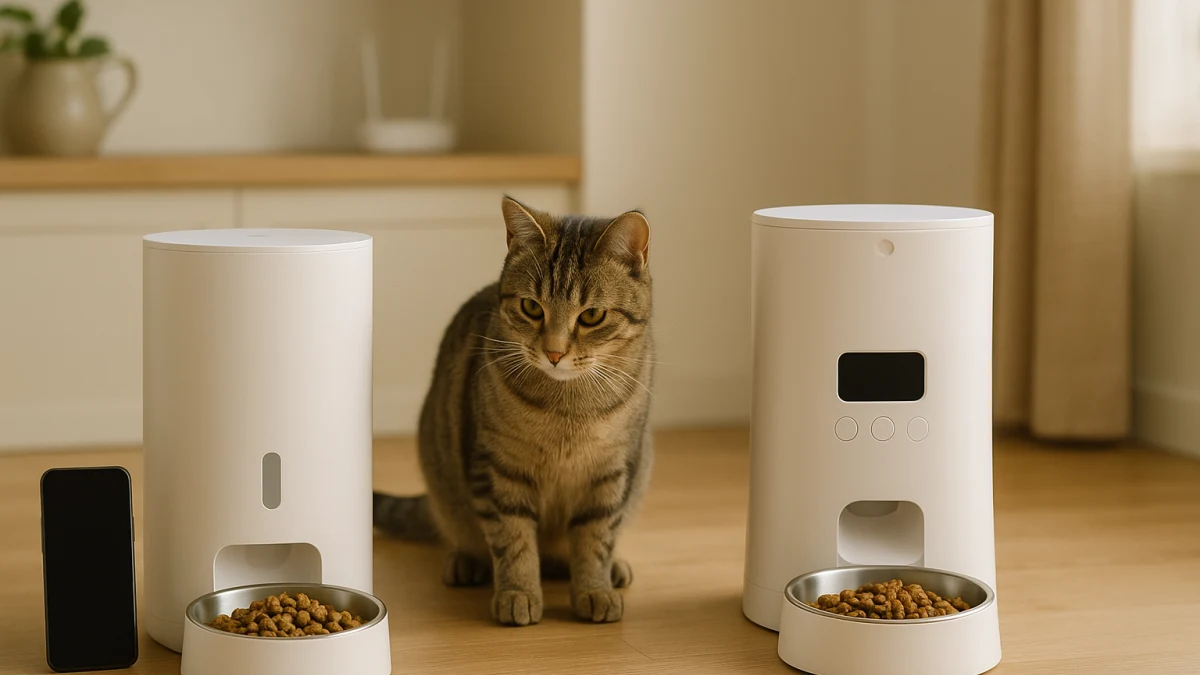
Automatic pet feeders can look similar in a product grid, but the control method changes what you are agreeing to manage. An app-connected feeder adds phone-based scheduling and remote controls, while a basic programmable feeder keeps the routine on the device through timers, buttons, screens, or meal programs.
This page compares those control dependencies instead of simply grouping every automatic feeder together. Use it to separate app and Wi-Fi wording from local timer wording, check the feeding fundamentals that matter in both lanes, and treat camera-equipped feeders as an edge upgrade only when the camera is built into the feeder.
Remote control, local timer, or feeder-with-camera?
| If this sounds like your need | Better fit |
|---|---|
| You want phone-based scheduling or away-from-home feeding management, and the listing says App Control, Wi-Fi, Tuya App, Smart App, or My PetSafe app. | App-connected automatic pet feeders |
| You want scheduled meals without relying on app setup, home Wi-Fi, or remote controls, and the listing mentions programmable schedule timers, meal programming, LCD displays, or button controls. | On-device programmable automatic pet feeders |
| You care more about fewer connectivity dependencies than possible notifications, cloud features, or feed logs. | On-device programmable automatic pet feeders |
| You want visual check-ins only if they come inside the same automatic feeder, with wording such as integrated camera, two-way audio, or night vision. | Camera or two-way-audio automatic feeders |
| You are comparing subscriptions, cloud storage, offline schedules, app support, or privacy claims. | Verify current manufacturer or market details before treating any lane as the better fit. |
As you compare, do not stop at app versus no app. Check how meals are scheduled, whether alerts or feed logs are actually stated, what happens if connectivity fails, how the feeder is powered, the portion and meal limits, food capacity, kibble guidance, memory behavior, anti-jam wording, and whether any camera features are add-ons rather than feeding essentials.
Choose the dependency you are willing to manage
The real choice is not simply smart versus basic. App-connected feeders may be the better fit if changing meals from your phone is important enough to accept app setup, Wi-Fi wording, and possible support questions later. Local programmable feeders may be the better fit if you would rather set a timer on the feeder and avoid depending on a phone connection for everyday scheduling.
Use the product page language carefully. App Control, Wi-Fi, Tuya App, Smart App, 2.4 GHz Wi-Fi, dual-band Wi-Fi, or My PetSafe app point toward connected control. Programmable schedule timers, meal programming, digital timers, LCD or built-in displays, and button controls point toward local setup.
The camera-feature exception: feeder first, monitoring second
Camera wording can pull this comparison away from feeding and into pet monitoring. Keep the boundary simple: this page only considers camera products when the camera is integrated into an automatic feeder. Standalone pet cameras, GPS trackers, and monitoring-only devices are outside the decision.
If you want a feeder with visual check-ins, first confirm that scheduling, portion control, power source, and food compatibility still fit. Two-way audio, night vision, and cloud storage are add-ons to inspect after the feeder job is covered.
App-connected feeders: phone control when you are away
Choose this lane when remote scheduling or phone-based feeding control is useful enough to accept app and Wi-Fi setup. Listings in this group commonly use wording such as App Control, Wi-Fi, WiFi, Tuya App, Smart App, or My PetSafe app, sometimes alongside programmable meals or portion control.
The products shown here are useful for comparing connected-control wording, portion-control language, capacity, power-source details, and whether the feeder appears to avoid integrated camera claims. Still compare the feeder fundamentals: remote control does not replace the need for reliable dispensing, a suitable food capacity, and a portion range that matches the pet’s routine.
Read this section as the connected-control lane, not as a promise that every model has the same app features. If the listing does not clearly state a feed log, low-food alert, push notification, offline schedule fallback, or specific phone compatibility, treat that feature as something to verify before checkout. If phone control sounds unnecessary, the local programmable lane may remove dependencies you do not want to manage.
App wording is not proof of alerts, offline schedules, or subscriptions
Wi-Fi or app language is enough to place a feeder in the connected-control lane, but it is not enough to prove the details many shoppers care about later. Do not assume universal iOS or Android support, 2.4 GHz or 5 GHz compatibility, smart-home integration, subscription-free storage, cloud behavior, feed logs, low-food alerts, notifications, or offline schedule fallback from App Control wording alone.
For any connected feeder, check the current product page or manufacturer information for app compatibility, supported Wi-Fi band, what feeding behavior continues without internet access, whether cloud storage is involved, and whether any support or subscription terms matter to you.
On-device programmable feeders: local schedules without Wi-Fi
This lane is for shoppers who want scheduled meals but do not need remote control. Look for programmable schedule timers, meal programming, scheduled meals, digital timers, LCD displays, built-in displays, or button controls. These are the listings to consider when a screen, button, or timer interface is enough for the feeding routine.
Compare maximum meals per day, portion-size range, food capacity, dry-food compatibility, and kibble-size guidance before treating any basic programmable feeder as the simpler answer. Also inspect dual power, battery backup, memory functions, anti-jam details, and removable parts where they are listed, because fewer connectivity dependencies do not automatically solve outage or dispensing risks.
Use these products to compare local schedule controls without app, Wi-Fi, smart, remote, camera, or two-way-audio wording in this lane. They can be a cleaner fit if you prefer managing timers and power checks over managing app setup, Wi-Fi behavior, or cloud-related uncertainty. Do not assume every model keeps dispensing during a power outage or includes memory retention, voice recording, dual power, or anti-jam sensors unless the listing says so.
Reliability checks that beat the app-or-no-app label
Once you have chosen a control style, inspect the feeder basics that can matter more than the label. A connected feeder with poor portion detail may be a worse match than a local timer with clear meal settings; a basic feeder without stated backup behavior may still need closer power planning.
Before comparing extras, look for: portion-size range, meal-per-day limits, food capacity, kibble-size guidance, dry-food compatibility, AC power, battery power, rechargeable power, dual power, battery backup, memory functions, anti-jam wording, and how easy the food-contact parts appear to remove or clean.
Camera-equipped feeders: a monitoring add-on, not the main choice
Only use this lane if you want feeding plus visual check-ins from the same device. The listing should clearly tie the camera to an automatic feeder, with two-way audio or night vision treated as add-ons rather than reasons to ignore scheduling, portioning, power, or food-fit details.
These products are a boundary set, not a third equal path. Check whether the listing actually states integrated camera, app control, Wi-Fi band, Android or iOS compatibility, cloud storage, power source, programmable schedules, and portion control. Skip this lane if a camera would distract from the simpler question of whether app-connected or on-device programmable feeding fits your routine.
Verify backup power, portion range, and app support before checkout
Before choosing any automatic feeder, run through the checks that a normal category grid can make easy to miss:
- Confirm the control method: app, Wi-Fi, named app, local timer, LCD display, buttons, or meal programming.
- Check portion range, meal-per-day limits, and whether the schedule can match the pet’s actual routine.
- Compare food capacity, dry-food compatibility, and any kibble-size guidance.
- Verify power source details: AC power, battery power, rechargeable power, dual power, or battery backup.
- Look for stated memory behavior and anti-jam features, but do not assume they are universal.
- For app-connected feeders, verify current app compatibility, Wi-Fi band, offline schedule behavior, notifications, feed logs, cloud storage, and any subscription or support terms.
- For camera feeders, confirm the camera is integrated into the feeder and check storage, audio, night vision, and app claims from current product or manufacturer details.
The safest choice is the simplest control method that still fits the feeding routine: choose app-connected when remote control is genuinely useful, choose on-device programmable when local scheduled meals are enough, and treat camera features as optional upgrades that deserve extra verification.