
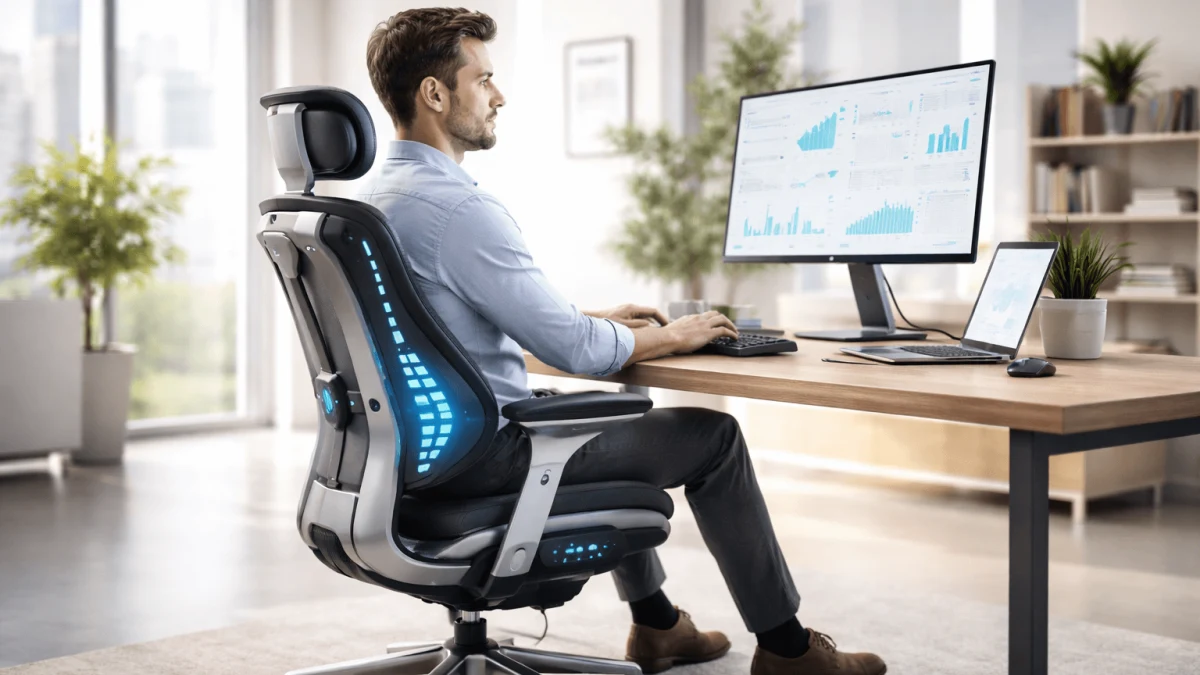
If you have chronic back pain, your chair is not about comfort perks — it is about load tolerance. The real decision is not "modern vs traditional." It is mechanical alignment vs behavioral assistance.
A smart chair can remind you to change position. A mechanical chair can physically support your spine in a tolerable position for hours. Those are different tools.
This guide is for remote and home-office workers sitting 6–10 hours per day who need to decide whether to invest in a high-adjustability ergonomic chair or a sensor-driven AI-powered model — without worsening symptoms or wasting money.
1. Mechanical Fit Comes First (Always)
Chronic pain management starts with mechanical variables you can control.
The adjustability that actually matters
For long sitting sessions, look for:
- Seat depth adjustment (~4–8 cm range). Your thighs should be supported without pressure behind the knees.
- Lumbar height adjustment (ideally 5–7 cm vertical range). Support must meet your natural curve — not above or below it.
- Backrest recline between ~100–120°. Slight recline reduces disc pressure compared to rigid 90° sitting.
- Adjustable armrests (3D or 4D). Shoulders should relax without elevation or protraction.
- Stable recline tension. You should be able to shift posture without collapsing.
Chronic pain rarely improves with forced upright posture. It improves with supported variability — the ability to move while staying supported.
If a chair cannot physically match your body, no alert system will compensate.
2. What “AI-Powered Smart Chairs” Actually Mean
The term AI-powered chairs is often used loosely. In practice, it usually refers to ergonomic chairs that combine mechanical structure with sensor-driven systems such as:
- Pressure mapping arrays
- Posture classification algorithms
- Time-based sitting detection
- App-based analytics dashboards
- In some cases, adaptive lumbar or backrest adjustments
There are two broad categories.
AI as Feedback
The chair detects posture drift and sends alerts (vibration, app notification, dashboard feedback). It does not physically reposition you.
AI as Active Adjustment
The system modifies lumbar tension or back angle automatically based on detected posture or pressure distribution.
For chronic back pain, the critical question is not whether AI exists — it is whether the underlying mechanical structure is strong enough on its own.
If the chair would be inadequate with the AI features turned off, it is not a safe foundation for pain management.
AI can enhance a well-designed ergonomic chair. It cannot compensate for poor fit.
3. Mechanical vs Smart: What Each One Actually Solves
Mechanical chairs solve:
- Structural alignment
- Load distribution
- Repeatable positioning
- Long-duration tolerance
Smart / AI-powered chairs solve:
- Habit drift
- Break reminders
- Slouch awareness
- Movement pacing
- Data visibility over time
These are not interchangeable.
If your main issue is "my lumbar collapses after 30 minutes," you need adjustability.
If your main issue is "I forget to move," behavioral feedback may help.
Support first. Habits second.
4. Reliability and Failure Risk
Chronic pain does not tolerate equipment downtime.
AI-powered chairs introduce additional failure points:
- Sensors (pressure arrays, IMUs)
- Charging systems
- Firmware updates
- Connectivity modules
- App ecosystems
Each added layer increases complexity. Mechanical systems rely primarily on tilt mechanisms, gas lifts, and tension springs — components with long service histories.
When evaluating long-term ownership, check:
- Warranty duration (5–12 years is common for higher-end mechanical chairs)
- Availability of replacement parts
- Whether the chair remains fully functional if electronics fail
If electronics are central to usability, treat the product like a tech appliance — not a 10-year ergonomic investment.
5. Customization for Clinical Constraints
If a clinician has given you guidance (e.g., avoid deep flexion, avoid excessive lumbar extension, maintain hip angle >90°), your chair must accommodate that.
Generic "sit up straight" feedback can worsen symptoms if it pushes you into forced extension or rigidity.
Look for:
- Lumbar systems adjustable in both height and depth
- Seat pan tilt (when available)
- Recline tension that supports movement instead of locking you upright
When testing a chair, evaluate how you feel after 20–30 minutes, not the first 2 minutes.
6. Sensor Validity: The Overlooked Question
If an AI-powered chair claims to "detect posture," ask:
- What sensors are used? (pressure mapping, tilt sensors, accelerometers?)
- Can the system be calibrated to your neutral posture?
- Does it function accurately in reclined positions?
- Can alerts be customized or disabled?
False positives train you to ignore feedback. For chronic pain, unreliable correction cues are worse than no cues.
Smart reminders can support behavior. They do not replace structural alignment.
7. Multi-Location Work and Consistency
If you split time between locations, variability becomes the problem.
Rather than searching for one portable miracle chair, replicate key geometry:
- Similar seat height
- Comparable lumbar contact point
- Stable foot support
- External keyboard/mouse to reduce forward flexion
A strong primary chair plus secondary ergonomic add-ons often works better than one compromised all-in-one solution.
8. Total Cost of Ownership
Evaluate beyond purchase price.
Mechanical chairs:
- Higher upfront cost
- Low recurring cost
- Long lifespan
AI-powered chairs:
- Moderate to high upfront cost
- Potential subscription layers
- Higher electronic obsolescence risk
For chronic pain, predictability matters. Unexpected downtime has a physical cost.
Decision Framework
Choose primarily mechanical if:
- You have diagnosed or persistent chronic pain
- You need precise lumbar positioning
- You require long-duration tolerance
- You cannot risk reliability issues
Consider AI-powered augmentation if:
- Baseline support is already adequate
- Your main issue is posture drift
- You benefit from structured reminders
- You are comfortable validating sensor accuracy
Final Hierarchy
For chronic back pain, the order of importance is clear:
- Mechanical fit and adjustability
- Durability and reliability
- AI-powered behavioral assistance (optional)
Technology can support your habits. It cannot replace physical alignment.
Start with a chair that fits your body. Add AI features only if they solve a real behavioral problem — not as a substitute for support.