
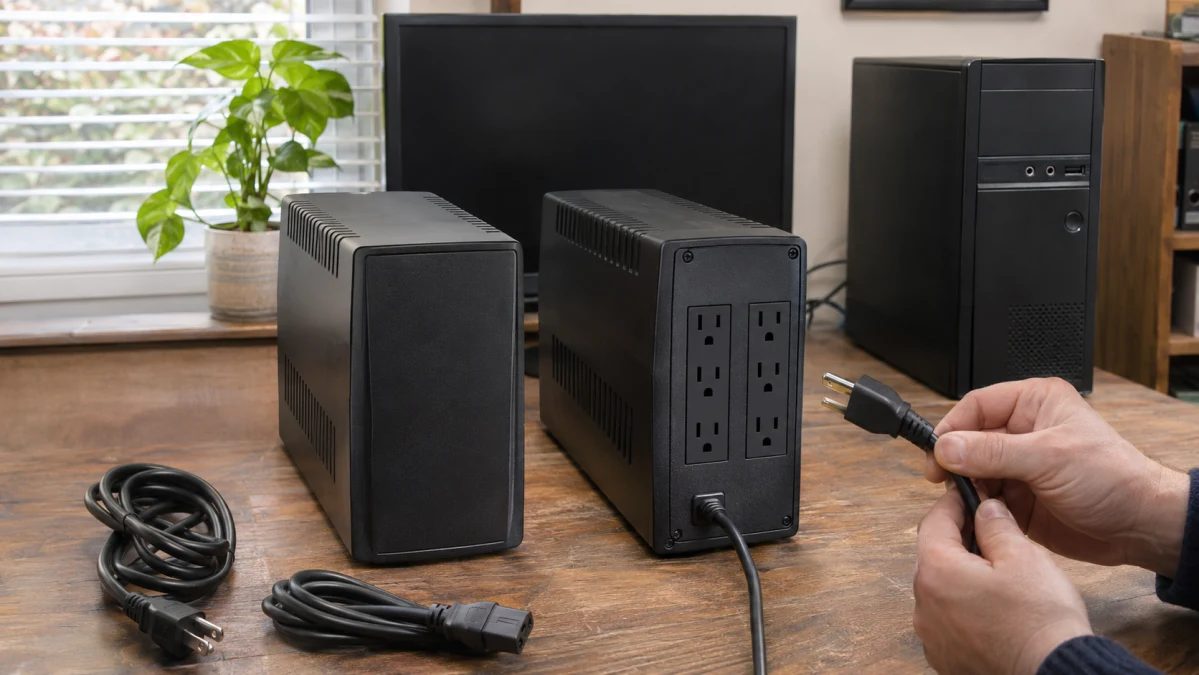
A UPS can keep your computer running when the power goes out—but how long it lasts matters more than the number printed on the box. A 1,000VA model isn't automatically better at keeping your work alive than a 750VA model. The real question is whether it can power your particular equipment long enough to finish shutting down.
Consider a desktop workstation drawing 375 watts and 600 VA, with a shutdown process that needs 10 minutes. Two possible choices are the Smart-UPS 750 VA UPS and the Cloud-Connected UPS.
Both have enough electrical capacity for that hypothetical load. Neither, however, is a convincing choice for a 10-minute manual shutdown. Eaton publishes just seven minutes of battery runtime at 375 watts. APC's manufacturer specifications don't establish runtime at that exact load, while a retailer's figures suggest that 10 minutes would be too ambitious.
The differences go beyond battery life. APC offers pure sine-wave output and a documented computer-shutdown connection. Eaton provides more outlets, greater power capacity, and cloud-based controls. Those features can make one a better fit than the other—but only after the runtime question is settled.
Start with what actually needs backup power
Before comparing UPS models, add up everything you intend to keep running during an outage.
For a desktop workstation, that usually means the computer and at least one monitor. A router or network switch might also need power if you're finishing a network-dependent task. An external drive could be essential if important files are being written to it.
Don't automatically put every accessory on battery backup. A printer, desk lamp, or second monitor might consume power without helping you shut down safely. Leaving unnecessary devices off the battery can extend the time available to the essentials.
Two electrical ratings matter:
- Watts (W) describe the real power your equipment consumes. They are especially important when estimating battery runtime.
- Volt-amperes (VA) describe apparent power. A UPS must accommodate both the equipment's wattage and its VA demand.
These numbers aren't interchangeable. A computer drawing 375 watts doesn't necessarily draw 375 VA. The relationship depends on power factor. Eaton's UPS sizing guide explains how to determine apparent power from equipment ratings.
For the most useful estimate, measure your workstation while it's doing something demanding—not just sitting idle. A power meter that reports both watts and VA is helpful. If you're using manufacturer specifications instead, allow for the equipment's maximum expected draw and any relevant startup loads.
The 375 W/600 VA example here is an assumed combined load, not a measurement of a particular PC and monitor.
Here's how the two UPS models compare against it:
| APC SMT750C | Eaton SMART1000LCDNC | |
|---|---|---|
| Maximum output | 500 W / 750 VA | 750 W / 1,000 VA |
| Share of watt capacity used | 75% | 50% |
| Share of VA capacity used | 80% | 60% |
| Within both ratings? | Yes | Yes |
The ratings come from Schneider Electric's SMT750C specifications and Eaton's SMART1000LCDNC specifications.
Eaton has considerably more room for additional equipment or higher power demand. APC is already using 80% of its VA capacity in this example.
But capacity is only the first hurdle. A UPS can comfortably handle 375 watts electrically and still exhaust its battery before your computer finishes shutting down.
How many minutes do you really need?
Imagine the power fails while you're working. You notice the UPS alarm, return to your desk, save your work, close applications, and shut down the computer.
A 10-minute plan might look like this:
| Step | Time allowed |
|---|---|
| Notice the outage and start responding | 1 minute |
| Save work and complete shutdown | 7 minutes |
| Extra time for delays | 2 minutes |
| Total required | 10 minutes |
Those are illustrative timings, not measurements. Your computer might shut down much faster, or a busy workstation might need longer to finish background tasks and close applications.
The important distinction is that the battery starts draining the instant the UPS switches to backup power. It doesn't wait for you to notice the outage.
A manual shutdown also assumes someone is available to respond. If you regularly leave the computer running while you're away, an automatic shutdown arrangement becomes much more important.
And don't treat the two-minute cushion as protection against every battery problem. Runtime decreases as batteries age, and temperature, charge level, and equipment load can change the result. Eaton explicitly warns that its published runtimes are approximate.
If you genuinely need 10 minutes, look for a UPS with documented runtime comfortably beyond that requirement at your actual load.
APC SMT750C vs. Eaton SMART1000LCDNC: The runtime problem
This is where the larger Eaton model loses its apparent advantage.
Eaton SMART1000LCDNC: Seven minutes at 375 watts
Eaton rates the SMART1000LCDNC for:
- 7 minutes at 375 W, half its rated watt capacity.
- 2 minutes at 750 W, its full rated watt capacity.
These are manufacturer-published estimates for the internal battery, not independently measured results from a particular installation.
For our example, the comparison is straightforward: seven minutes doesn't cover a 10-minute shutdown window. Even before accounting for battery aging or unexpected delays, the published runtime is three minutes short.
Eaton's higher 750-watt output rating is useful if you have more equipment to power. It doesn't create the battery runtime that this scenario requires.
APC SMT750C: Better information is needed at 375 watts
APC's published figures tell a different story, but they don't establish a successful 10-minute shutdown either.
Schneider Electric lists 4 minutes 34 seconds at the full 500-watt load. The model's ENERGY STAR certification reports approximately 15 minutes at 250 watts.
Neither figure describes our 375-watt workstation.
A more relevant data point appears in Memory Express's SMT750C specifications: the retailer lists up to 9 minutes 20 seconds at 350 watts.
That is a supplier-published figure, not an independently verified test, and it doesn't establish precise runtime at 375 watts. Still, it's a warning sign. A higher electrical load generally shortens battery runtime, so a reported figure already below 10 minutes at 350 watts offers little reason to expect a comfortable 10-minute window at 375 watts.
APC might provide more runtime than Eaton at that load, but the available figures don't establish a reliable same-load ranking. Obtain a manufacturer runtime estimate for 375 watts before making that comparison.
The takeaway: Neither model provides sufficient published evidence for the proposed 375-watt, 10-minute manual shutdown. Eaton's documented runtime is too short; APC's exact-load runtime is not established, and the additional supplier figure is discouraging.
Neither model is designed for expandable runtime through external battery packs. If you need substantially longer backup time at this load, consider a UPS with a larger battery reserve rather than assuming an external pack can be added later.
Why APC's sine-wave output matters
Runtime isn't the only significant difference between these units.
Schneider Electric specifies pure sine-wave output for the SMT750C. That's particularly attractive when protecting a desktop PC, server, or other equipment with a sensitive power supply.
Eaton's SMART1000LCDNC product sheet specifies a PWM sine wave during battery operation. This is a simulated sine wave rather than a true one.
Why care?
Many desktop power supplies use active power factor correction (active PFC). Some are less tolerant of simulated sine-wave output and may behave unpredictably when a UPS switches to battery operation.
Eaton's own explanation of pure versus modified sine waves identifies potential compatibility problems with certain active-PFC power supplies.
That doesn't mean the SMART1000LCDNC will fail with your computer. It means compatibility shouldn't be assumed merely because the UPS has enough watts and VA.
For a workstation with an expensive or power-hungry PSU, APC's pure sine-wave output is a meaningful advantage. Before selecting Eaton, check what waveform the equipment manufacturer recommends.
Both units also use line-interactive technology with automatic voltage regulation. This can correct certain voltage fluctuations without immediately relying on battery power. Neither is an online, double-conversion UPS.
Six outlets or ten? Both provide battery backup
One practical advantage of the Eaton model is its outlet arrangement.
The APC SMT750C has six NEMA 5-15R outlets, all with battery backup and surge protection. This is also confirmed by its ENERGY STAR listing.
The Eaton SMART1000LCDNC has ten NEMA 5-15R outlets, and Eaton specifies battery backup and surge protection for all ten. They are organized into three remotely controllable load banks containing three, three, and four outlets.
That distinction matters if you're protecting a computer, multiple monitors, network equipment, and several accessories. Eaton provides more physical connections without immediately requiring a separate UPS.
Its controllable outlet banks also let you remotely switch groups of devices off or restart them through Eaton's management system.
APC's six connections will be sufficient for many ordinary desktop setups. But count your devices and check the spacing between receptacles. Large power adapters can obstruct neighboring outlets even when enough sockets are available on paper.
Remember that extra connected devices consume battery capacity. Ten battery-backed outlets don't mean ten devices will enjoy the same runtime as one.
Both models discussed here are 120-volt US-market versions. They are not interchangeable with UPS models designed for 230-volt electrical systems.
Automatic shutdown: A bigger difference than cloud monitoring
If you sometimes leave a workstation running unattended, how the UPS communicates with the computer can be more important than the number of outlets.
APC offers a documented graceful-shutdown path
The SMT750C supports communication with a computer using USB or serial connections and Schneider Electric's PowerChute Serial Shutdown software.
When properly configured on a supported operating system, this arrangement can initiate an orderly shutdown during a prolonged outage instead of depending on someone hearing an alarm.
That's valuable for a desktop running long tasks or a small server that shouldn't lose power abruptly.
There are important limitations:
- Verify that your operating system and software version are supported. PowerChute Serial Shutdown is not supported on macOS.
- A USB cable and compatible software don't guarantee that applications will save every unsaved document or terminate successfully.
- For network-managed shutdown involving multiple systems, APC offers a separate PowerChute Network Shutdown approach that requires an optional Network Management Card.
Schneider's UPS management software guide explains these differences.
The SMT750C also has SmartConnect Ethernet monitoring. That cloud-monitoring connection should not be mistaken for the separate Network Management Card functionality.
Eaton emphasizes remote management
The SMART1000LCDNC takes a different approach.
Eaton's Brightlayer cloud monitoring allows users to check UPS status, receive alerts, silence alarms, and control outlet banks from a browser or mobile app.
That can be useful in an office, network closet, or remote installation where you want to know whether power has failed without physically visiting the equipment.
But remotely switching off an outlet is not the same as gracefully shutting down an operating system.
Eaton's Cloud-Connected UPS FAQ also explains that the USB-C connection is intended for command-line configuration and cannot be used for UPS monitoring.
The documented cloud controls do not, by themselves, establish an unattended host-shutdown solution for your computer. That requires separately verifying a compatible integration.
If the priority is protecting open files and running software when nobody is present, APC has the more clearly documented starting point among these two models.
Neither automatic-shutdown option eliminates the need to confirm sufficient battery runtime. Software still needs enough time to detect the outage and complete its shutdown sequence.
Which UPS makes more sense for your setup?
The two models have genuinely different strengths.
Smart-UPS 750 VA UPS is more appealing when you're protecting a computer with a sensitive power supply, want pure sine-wave battery output, or intend to configure an automatic operating-system shutdown through supported software. Its smaller 500 W/750 VA capacity and six outlets are the trade-offs. Its runtime must still be checked at your actual load.
Cloud-Connected UPS makes more sense when you need additional outlet capacity, more wattage headroom, or remote visibility and control over equipment in another room or location. Its 750 W/1,000 VA rating gives it more electrical capacity, but its seven-minute published runtime at 375 watts is a firm limitation for this example. Its simulated sine-wave output also deserves a compatibility check.
The important choice isn't simply between 750VA and 1,000VA. It's between the type of protection your equipment needs and the amount of time it must remain powered.
For a lighter workstation, either model could be suitable if its verified runtime covers the shutdown process. APC's sine-wave output and shutdown communication may matter more for a desktop computer, while Eaton's additional outlets and cloud controls may matter more for a collection of network devices.
For the 375 W/600 VA workstation with a 10-minute manual shutdown, neither is a supported choice on the available evidence. Don't solve the problem by choosing the larger VA number. Instead, look for a configuration with documented runtime exceeding 10 minutes at the actual connected load, with enough allowance for battery aging and operating conditions.
Before committing to a UPS, confirm the load in both watts and VA, the time your equipment really needs to shut down, compatibility with the battery output waveform, and whether essential devices can shut down safely when you're not there.
A UPS is doing its job when the power goes out and your computer finishes shutting down before the battery does—not simply when its capacity rating looks impressive.